Free ScanNCut files
Free SVG files for Brother ScanNCut machines. These are the bold, simple shapes from the library: one piece each, nothing thinner than 3 mm at 100 mm across, which suits felt, fabric appliqué and card.
2,317 designs pass. The test: One piece, a narrowest part of at least 3 mm at the file’s 100 mm size, and at most 20 outlines. Free for personal and commercial use. What you can do with them.
Shapes
-
 Heart SVG 8 of 25 designs pass
-
 Star SVG 13 of 27 designs pass
-
 Arrow SVG 17 of 28 designs pass
-
 Diamond SVG 4 of 21 designs pass
-
 Triangle SVG 7 of 20 designs pass
-
 Square SVG 3 of 17 designs pass
-
 Rectangle SVG 6 of 16 designs pass
-
 Hexagon SVG 6 of 17 designs pass
-
 Oval SVG 7 of 17 designs pass
-
 Teardrop SVG 9 of 20 designs pass
-
 Speech bubble SVG 11 of 16 designs pass
Flowers and nature
-
 Flower SVG 13 of 26 designs pass
-
 Sunflower SVG 2 of 18 designs pass
-
 Rose SVG 2 of 14 designs pass
-
 Daisy SVG 3 of 18 designs pass
-
 Leaf SVG 3 of 26 designs pass
-
 Lotus SVG 3 of 16 designs pass
-
 Tree SVG 5 of 20 designs pass
-
 Sun SVG 11 of 19 designs pass
-
 Moon SVG 8 of 17 designs pass
-
 Cloud SVG 10 of 18 designs pass
-
 Rainbow SVG 3 of 14 designs pass
-
 Mountain SVG 2 of 16 designs pass
Show all 38 sets in Flowers and nature
-
 Wave SVG 8 of 15 designs pass
-
 Pine tree SVG 10 of 18 designs pass
-
 Palm tree SVG 2 of 14 designs pass
-
 Cactus SVG 11 of 18 designs pass
-
 Feather SVG 1 of 14 designs pass
-
 Apple SVG 7 of 15 designs pass
-
 Dandelion SVG 1 of 14 designs pass
-
 Succulent SVG 4 of 14 designs pass
-
 Tulip SVG 3 of 14 designs pass
-
 Grass SVG 4 of 14 designs pass
-
 Acorn SVG 3 of 14 designs pass
-
 Wheat SVG 1 of 13 designs pass
-
 Plant SVG 1 of 12 designs pass
-
 Flame SVG 5 of 15 designs pass
-
 Globe SVG 2 of 12 designs pass
-
 Planet SVG 1 of 12 designs pass
-
 Astronaut SVG 2 of 12 designs pass
-
 Poppy SVG 1 of 15 designs pass
-
 Clover SVG 4 of 13 designs pass
-
 Rolled flower SVG 2 of 12 designs pass
-
 Cotton SVG 2 of 13 designs pass
-
 Desert SVG 1 of 14 designs pass
-
 Sunset SVG 4 of 14 designs pass
-
 Forest SVG 1 of 14 designs pass
-
 Tornado SVG 6 of 13 designs pass
-
 Jungle SVG 1 of 13 designs pass
Animals
-
 Owl SVG 2 of 16 designs pass
-
 Bird SVG 3 of 16 designs pass
-
 Cat SVG 9 of 20 designs pass
-
 Dog SVG 6 of 17 designs pass
-
 Elephant SVG 1 of 16 designs pass
-
 Fish SVG 7 of 21 designs pass
-
 Lion SVG 1 of 14 designs pass
-
 Tiger SVG 2 of 14 designs pass
-
 Bear SVG 4 of 16 designs pass
-
 Fox SVG 3 of 15 designs pass
-
 Wolf SVG 4 of 15 designs pass
-
 Giraffe SVG 1 of 15 designs pass
Show all 84 sets in Animals
-
 Monkey SVG 4 of 13 designs pass
-
 Sloth SVG 1 of 14 designs pass
-
 Frog SVG 3 of 15 designs pass
-
 Turtle SVG 2 of 18 designs pass
-
 Bunny SVG 8 of 19 designs pass
-
 Cow SVG 3 of 18 designs pass
-
 Horse SVG 3 of 16 designs pass
-
 Pig SVG 3 of 17 designs pass
-
 Chicken SVG 7 of 17 designs pass
-
 Sheep SVG 6 of 12 designs pass
-
 Goat SVG 1 of 13 designs pass
-
 Deer SVG 5 of 18 designs pass
-
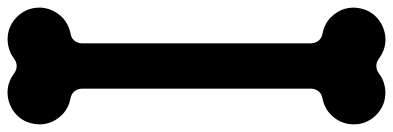 Dog bone SVG 9 of 15 designs pass
-
 Shark SVG 5 of 16 designs pass
-
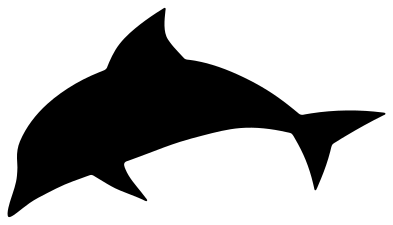 Dolphin SVG 2 of 13 designs pass
-
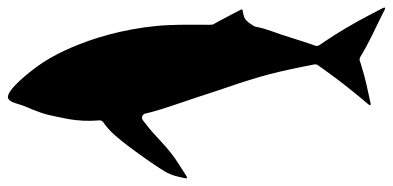 Whale SVG 2 of 14 designs pass
-
 Octopus SVG 4 of 12 designs pass
-
 Crab SVG 3 of 12 designs pass
-
 Starfish SVG 6 of 13 designs pass
-
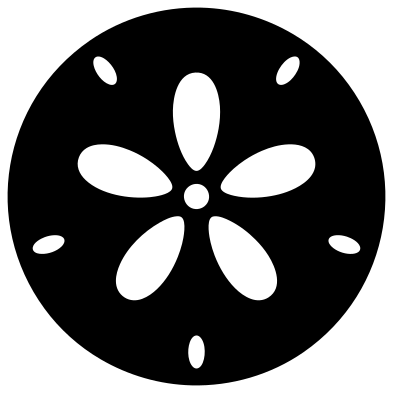 Seashell SVG 3 of 14 designs pass
-
 Unicorn SVG 3 of 13 designs pass
-
 Dinosaur SVG 2 of 16 designs pass
-
 Bee SVG 1 of 18 designs pass
-
 Eagle SVG 3 of 15 designs pass
-
 Hummingbird SVG 1 of 12 designs pass
-
 Penguin SVG 2 of 12 designs pass
-
 Dove SVG 1 of 12 designs pass
-
 Ladybug SVG 1 of 12 designs pass
-
 Dragonfly SVG 1 of 14 designs pass
-
 Spider SVG 5 of 11 designs pass
-
 Monster SVG 2 of 16 designs pass
-
 Fairy SVG 1 of 15 designs pass
-
 Bigfoot SVG 3 of 12 designs pass
-
 Alligator SVG 1 of 12 designs pass
-
 Squirrel SVG 3 of 12 designs pass
-
 Raccoon SVG 1 of 12 designs pass
-
 Hedgehog SVG 2 of 12 designs pass
-
 Zebra SVG 1 of 10 designs pass
-
 Moose SVG 4 of 12 designs pass
-
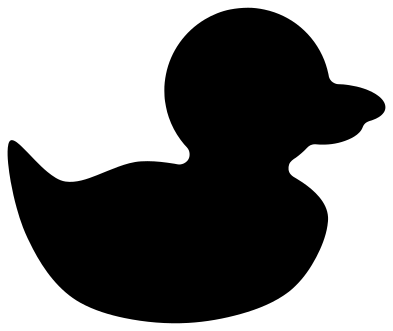 Duck SVG 3 of 13 designs pass
-
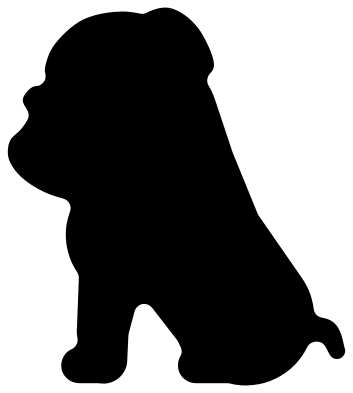 Bulldog SVG 2 of 15 designs pass
-
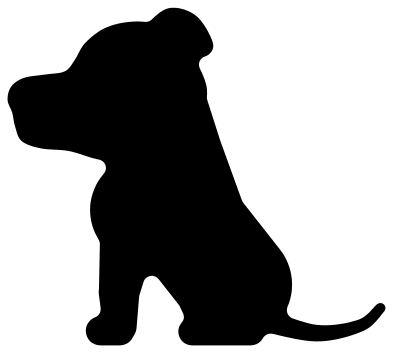 Pit bull SVG 1 of 15 designs pass
-
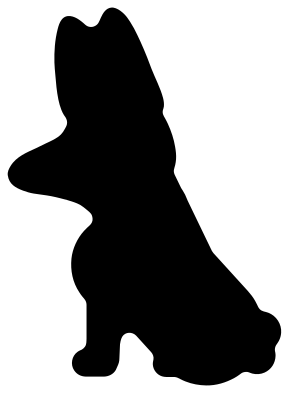 Corgi SVG 1 of 13 designs pass
-
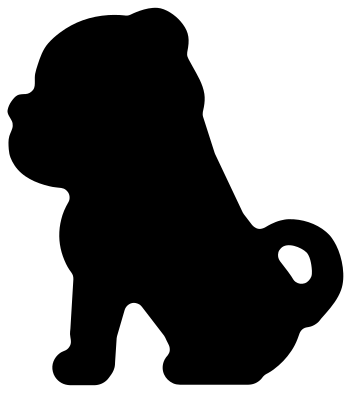 Pug SVG 1 of 13 designs pass
-
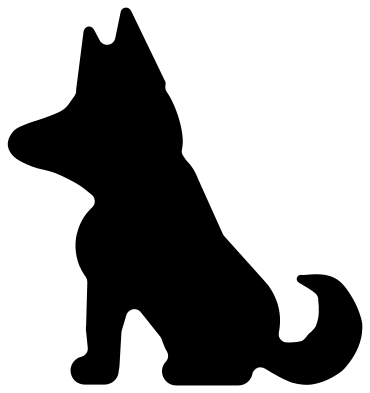 Husky SVG 2 of 13 designs pass
-
 Dachshund SVG 1 of 13 designs pass
-
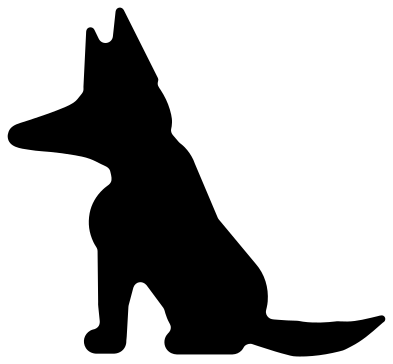 German shepherd SVG 2 of 13 designs pass
-
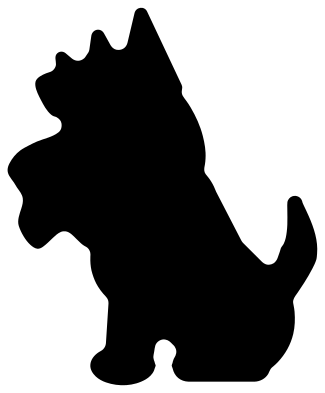 Yorkie SVG 1 of 13 designs pass
-
 Bull SVG 1 of 14 designs pass
-
 Mouse SVG 4 of 16 designs pass
-
 Elk SVG 4 of 13 designs pass
-
 Highland cow SVG 1 of 12 designs pass
-
 Otter SVG 1 of 12 designs pass
-
 Rhino SVG 2 of 13 designs pass
-
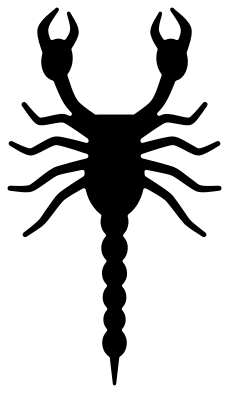 Scorpion SVG 1 of 12 designs pass
-
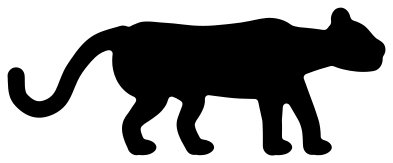 Leopard SVG 1 of 12 designs pass
-
 Swan SVG 1 of 12 designs pass
-
 Jellyfish SVG 1 of 12 designs pass
-
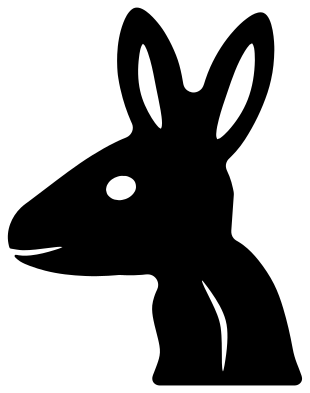 Kangaroo SVG 2 of 12 designs pass
-
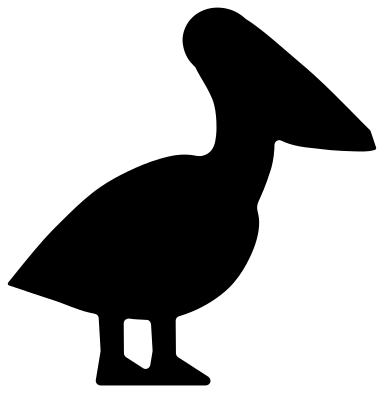 Pelican SVG 2 of 12 designs pass
-
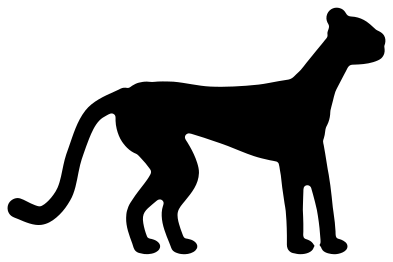 Cheetah SVG 1 of 12 designs pass
-
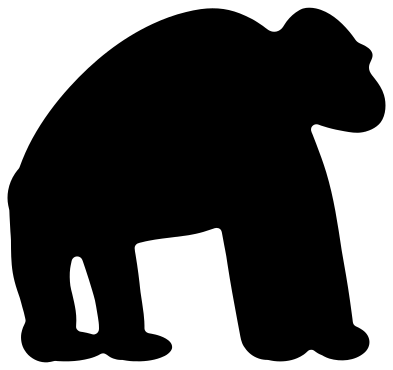 Gorilla SVG 1 of 12 designs pass
-
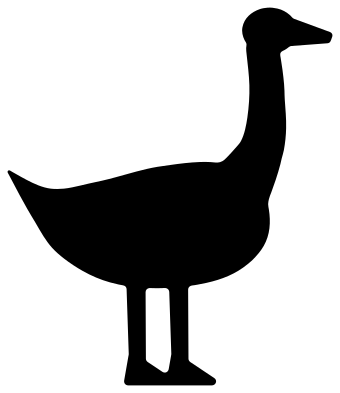 Goose SVG 1 of 13 designs pass
-
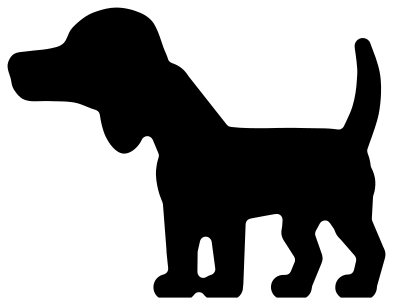 Beagle SVG 1 of 13 designs pass
-
 Golden retriever SVG 2 of 13 designs pass
-
 Boston terrier SVG 2 of 13 designs pass
-
 Labrador SVG 2 of 15 designs pass
-
 Rottweiler SVG 1 of 13 designs pass
-
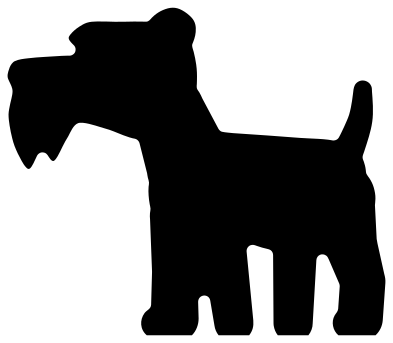 Schnauzer SVG 1 of 12 designs pass
-
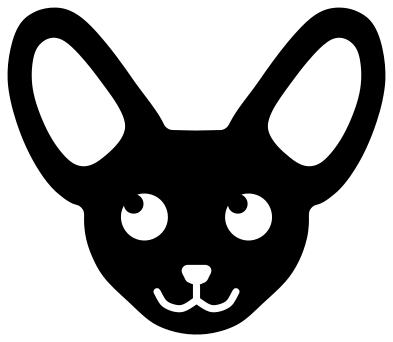 Chihuahua SVG 2 of 14 designs pass
-
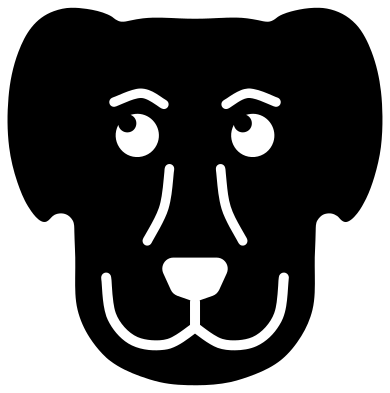 Great Dane SVG 1 of 14 designs pass
-
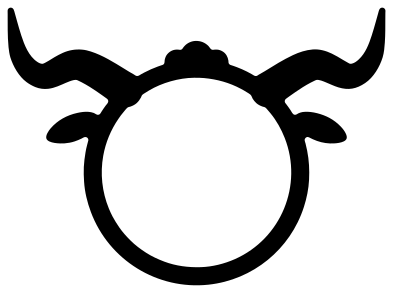 Longhorn SVG 2 of 14 designs pass
Christmas and winter
-
 Snowflake SVG 17 of 24 designs pass
-
 Christmas tree SVG 13 of 24 designs pass
-
 Ornament SVG 4 of 26 designs pass
-
 Snowman SVG 1 of 15 designs pass
-
 Santa hat SVG 7 of 12 designs pass
-
 Candy cane SVG 5 of 15 designs pass
-
 Reindeer SVG 5 of 19 designs pass
-
 Santa SVG 4 of 16 designs pass
-
 Gnome SVG 5 of 16 designs pass
-
 Angel SVG 1 of 14 designs pass
-
 Nativity scene SVG 1 of 13 designs pass
-
 Gingerbread man SVG 3 of 19 designs pass
Show all 24 sets in Christmas and winter
-
 Christmas lights SVG 2 of 19 designs pass
-
 Holly SVG 3 of 17 designs pass
-
 Christmas stocking SVG 1 of 20 designs pass
-
 Christmas bell SVG 4 of 18 designs pass
-
 Mitten SVG 7 of 19 designs pass
-
 Snow globe SVG 2 of 12 designs pass
-
 Mistletoe SVG 1 of 12 designs pass
-
 3D snowflake SVG 1 of 10 designs pass
-
 Sleigh SVG 3 of 12 designs pass
-
 Christmas countdown SVG 2 of 12 designs pass
-
 Paper snowflakes 8 of 16 designs pass
-
 Elf SVG 3 of 14 designs pass
Halloween and autumn
-
 Pumpkin SVG 9 of 23 designs pass
-
 Ghost SVG 12 of 18 designs pass
-
 Bat SVG 10 of 17 designs pass
-
 Spider web SVG 1 of 17 designs pass
-
 Witch hat SVG 2 of 19 designs pass
-
 Skull SVG 6 of 16 designs pass
-
 Skeleton SVG 4 of 16 designs pass
-
 Haunted house SVG 1 of 12 designs pass
-
 Tombstone SVG 5 of 13 designs pass
-
 Candy corn SVG 2 of 14 designs pass
-
 Witch SVG 2 of 15 designs pass
-
 Zombie SVG 4 of 13 designs pass
-
 Blood drip SVG 7 of 16 designs pass
-
 Devil SVG 6 of 16 designs pass
Holidays and seasons
-
 Turkey SVG 2 of 20 designs pass
-
 Easter egg SVG 6 of 19 designs pass
-
 Firework SVG 1 of 17 designs pass
-
 Mardi Gras mask SVG 1 of 13 designs pass
-
 Valentine card SVG 1 of 13 designs pass
-
 Scarf SVG 2 of 13 designs pass
-
 Easter card SVG 1 of 11 designs pass
-
 Leprechaun SVG 2 of 13 designs pass
-
 Chinese paper cutting 1 of 16 designs pass
-
 Scherenschnitte 1 of 12 designs pass
-
 Japanese paper cutting 1 of 13 designs pass
Celebrations
-
 Crown SVG 5 of 15 designs pass
-
 Banner SVG 6 of 20 designs pass
-
 Bow SVG 2 of 15 designs pass
-
 Gift tag SVG 17 of 21 designs pass
-
 Lollipop holder SVG 8 of 12 designs pass
-
 Cake topper SVG 1 of 13 designs pass
-
 Superhero SVG 6 of 15 designs pass
-
 Wedding dress SVG 2 of 14 designs pass
-
 Tuxedo SVG 2 of 15 designs pass
-
 Wand SVG 5 of 14 designs pass
-
 Cupcake wrapper SVG 2 of 13 designs pass
-
 Lip balm holder SVG 4 of 10 designs pass
-
 Tic tac toe SVG 4 of 13 designs pass
-
 Retirement SVG 2 of 14 designs pass
-
 Photo booth prop SVG 8 of 15 designs pass
-
 Circus SVG 2 of 15 designs pass
Sports and school
-
 Football SVG 8 of 21 designs pass
-
 Baseball SVG 4 of 22 designs pass
-
 Softball SVG 2 of 16 designs pass
-
 Basketball SVG 8 of 20 designs pass
-
 Volleyball SVG 6 of 16 designs pass
-
 Golf SVG 3 of 16 designs pass
-
 Hockey SVG 2 of 15 designs pass
-
 Megaphone SVG 3 of 15 designs pass
-
 Book SVG 3 of 13 designs pass
-
 Ballet SVG 7 of 15 designs pass
-
 Gymnastics SVG 6 of 16 designs pass
-
 Ninja SVG 5 of 17 designs pass
Show all 29 sets in Sports and school
-
 Science SVG 4 of 15 designs pass
-
 Math SVG 3 of 16 designs pass
-
 Wrestling SVG 7 of 13 designs pass
-
 Bowling SVG 3 of 15 designs pass
-
 Yoga SVG 7 of 14 designs pass
-
 Tennis SVG 3 of 13 designs pass
-
 Swim SVG 4 of 13 designs pass
-
 Karate SVG 5 of 13 designs pass
-
 Skateboard SVG 7 of 13 designs pass
-
 Hiking SVG 1 of 13 designs pass
-
 Trophy SVG 8 of 14 designs pass
-
 Snowboard SVG 3 of 15 designs pass
-
 Fitness SVG 11 of 17 designs pass
-
 Pi day SVG 5 of 13 designs pass
-
 Color guard SVG 3 of 13 designs pass
-
 Cheerleader SVG 8 of 14 designs pass
-
 Trojan SVG 4 of 12 designs pass
Food and drink
-
 Pineapple SVG 6 of 17 designs pass
-
 Coffee cup SVG 7 of 19 designs pass
-
 Wine glass SVG 4 of 17 designs pass
-
 Beer mug SVG 7 of 17 designs pass
-
 Cupcake SVG 7 of 16 designs pass
-
 Donut SVG 3 of 16 designs pass
-
 Lemon SVG 7 of 17 designs pass
-
 Strawberry SVG 5 of 15 designs pass
-
 Watermelon SVG 5 of 16 designs pass
-
 Mason jar SVG 1 of 16 designs pass
-
 Birthday cake SVG 1 of 16 designs pass
-
 Ice cream SVG 4 of 17 designs pass
Show all 33 sets in Food and drink
-
 Mushroom SVG 5 of 14 designs pass
-
 Taco SVG 3 of 15 designs pass
-
 Egg SVG 8 of 18 designs pass
-
 Carrot SVG 2 of 14 designs pass
-
 Peach SVG 6 of 15 designs pass
-
 Cookie SVG 6 of 15 designs pass
-
 Pizza SVG 4 of 13 designs pass
-
 Avocado SVG 6 of 13 designs pass
-
 Cherry SVG 6 of 14 designs pass
-
 Banana SVG 5 of 12 designs pass
-
 Beer bottle SVG 5 of 15 designs pass
-
 Tea SVG 2 of 17 designs pass
-
 Martini SVG 2 of 17 designs pass
-
 Cocktail SVG 2 of 17 designs pass
-
 Champagne SVG 1 of 16 designs pass
-
 Whiskey SVG 3 of 14 designs pass
-
 Hamburger SVG 2 of 15 designs pass
-
 Candy SVG 4 of 18 designs pass
-
 Grill SVG 2 of 15 designs pass
-
 Marshmallow SVG 7 of 14 designs pass
-
 Pie SVG 5 of 12 designs pass
Objects and vehicles
-
 Camera SVG 10 of 17 designs pass
-
 Guitar SVG 2 of 15 designs pass
-
 Music note SVG 9 of 17 designs pass
-
 Stethoscope SVG 7 of 12 designs pass
-
 Tooth SVG 8 of 14 designs pass
-
 Light bulb SVG 5 of 14 designs pass
-
 Key SVG 13 of 15 designs pass
-
 Clock SVG 4 of 14 designs pass
-
 Envelope SVG 6 of 12 designs pass
-
 Mailbox SVG 3 of 12 designs pass
-
 Lantern SVG 3 of 13 designs pass
-
 Balloon SVG 4 of 13 designs pass
Show all 132 sets in Objects and vehicles
-
 Gift box SVG 4 of 13 designs pass
-
 Microphone SVG 3 of 13 designs pass
-
 Dice SVG 3 of 13 designs pass
-
 Robot SVG 3 of 14 designs pass
-
 Lips SVG 6 of 17 designs pass
-
 Earring SVG 2 of 18 designs pass
-
 Sunglasses SVG 2 of 13 designs pass
-
 T-shirt SVG 3 of 16 designs pass
-
 Onesie SVG 2 of 12 designs pass
-
 High heel SVG 2 of 14 designs pass
-
 Cowboy boot SVG 1 of 13 designs pass
-
 Cowboy hat SVG 1 of 13 designs pass
-
 Glasses SVG 5 of 16 designs pass
-
 Mustache SVG 12 of 18 designs pass
-
 Ring SVG 4 of 14 designs pass
-
 Purse SVG 3 of 15 designs pass
-
 Lipstick SVG 1 of 13 designs pass
-
 House SVG 3 of 17 designs pass
-
 Airplane SVG 2 of 16 designs pass
-
 Train SVG 2 of 15 designs pass
-
 Motorcycle SVG 1 of 13 designs pass
-
 Rocket SVG 4 of 14 designs pass
-
 Sailboat SVG 2 of 13 designs pass
-
 Barn SVG 2 of 12 designs pass
-
 Windmill SVG 2 of 12 designs pass
-
 Nurse SVG 9 of 18 designs pass
-
 Firefighter SVG 4 of 14 designs pass
-
 Police badge SVG 3 of 14 designs pass
-
 Hairdresser SVG 4 of 15 designs pass
-
 Scissors SVG 5 of 15 designs pass
-
 Chef SVG 6 of 17 designs pass
-
 Construction SVG 3 of 16 designs pass
-
 Wrench SVG 4 of 15 designs pass
-
 Hammer SVG 4 of 15 designs pass
-
 Tool SVG 5 of 15 designs pass
-
 Sewing machine SVG 6 of 16 designs pass
-
 Paintbrush SVG 5 of 16 designs pass
-
 Crayon SVG 2 of 15 designs pass
-
 Ruler SVG 9 of 16 designs pass
-
 Magnifying glass SVG 6 of 16 designs pass
-
 Welder SVG 4 of 13 designs pass
-
 Tent SVG 1 of 13 designs pass
-
 Campfire SVG 2 of 13 designs pass
-
 Cabin SVG 2 of 13 designs pass
-
 Umbrella SVG 3 of 13 designs pass
-
 Watering can SVG 2 of 13 designs pass
-
 Kayak SVG 4 of 14 designs pass
-
 Carousel SVG 2 of 13 designs pass
-
 Candle SVG 5 of 16 designs pass
-
 Ladder SVG 3 of 13 designs pass
-
 Vase SVG 4 of 13 designs pass
-
 Storefront SVG 1 of 16 designs pass
-
 Bike SVG 2 of 16 designs pass
-
 Bench SVG 1 of 16 designs pass
-
 Fence SVG 2 of 16 designs pass
-
 Skyline SVG 3 of 16 designs pass
-
 Door SVG 3 of 15 designs pass
-
 Window SVG 2 of 15 designs pass
-
 Eiffel tower SVG 2 of 12 designs pass
-
 Viking SVG 3 of 15 designs pass
-
 Bookmark SVG 5 of 14 designs pass
-
 Brain SVG 2 of 12 designs pass
-
 Fishing pole SVG 1 of 16 designs pass
-
 Water bottle SVG 6 of 16 designs pass
-
 Game controller SVG 4 of 17 designs pass
-
 Roller skate SVG 4 of 16 designs pass
-
 Baby bottle SVG 9 of 17 designs pass
-
 Surfboard SVG 2 of 15 designs pass
-
 Headphones SVG 5 of 16 designs pass
-
 Pirate SVG 4 of 15 designs pass
-
 Earring card SVG 13 of 15 designs pass
-
 Paper doll SVG 1 of 10 designs pass
-
 Toilet paper SVG 5 of 15 designs pass
-
 Phone SVG 7 of 17 designs pass
-
 Farmer SVG 2 of 15 designs pass
-
 EMT SVG 2 of 13 designs pass
-
 Physical therapy SVG 6 of 14 designs pass
-
 Semi truck SVG 1 of 13 designs pass
-
 Hat SVG 4 of 18 designs pass
-
 Afro SVG 2 of 17 designs pass
-
 Nail polish SVG 3 of 16 designs pass
-
 Dress SVG 1 of 15 designs pass
-
 Sock SVG 2 of 17 designs pass
-
 Alien SVG 4 of 14 designs pass
-
 Boat SVG 3 of 17 designs pass
-
 Wagon SVG 2 of 15 designs pass
-
 ATV SVG 2 of 13 designs pass
-
 Excavator SVG 1 of 14 designs pass
-
 Medical assistant SVG 1 of 14 designs pass
-
 Phlebotomy SVG 1 of 15 designs pass
-
 Dentist SVG 2 of 15 designs pass
-
 Librarian SVG 1 of 14 designs pass
-
 Social worker SVG 5 of 14 designs pass
-
 Veterinarian SVG 2 of 13 designs pass
-
 Lunch lady SVG 3 of 14 designs pass
-
 Postal worker SVG 1 of 14 designs pass
-
 Dispatcher SVG 1 of 12 designs pass
-
 Growth chart SVG 2 of 11 designs pass
-
 Submarine SVG 1 of 12 designs pass
-
 Pool SVG 2 of 14 designs pass
-
 Garbage truck SVG 3 of 14 designs pass
-
 Beach chair SVG 2 of 13 designs pass
-
 Dog groomer SVG 3 of 16 designs pass
-
 Ironworker SVG 2 of 15 designs pass
-
 Rad tech SVG 4 of 16 designs pass
-
 Respiratory therapist SVG 2 of 16 designs pass
-
 School counselor SVG 6 of 13 designs pass
-
 Lifeguard SVG 4 of 14 designs pass
-
 Sonographer SVG 2 of 13 designs pass
-
 Photographer SVG 2 of 13 designs pass
-
 Pharmacist SVG 1 of 16 designs pass
-
 Coal miner SVG 1 of 13 designs pass
-
 Keyboard SVG 1 of 16 designs pass
-
 Computer SVG 4 of 17 designs pass
-
 Essential oils SVG 5 of 16 designs pass
-
 Mask SVG 1 of 15 designs pass
-
 Tumbler template SVG 2 of 15 designs pass
-
 Planner SVG 1 of 15 designs pass
-
 French curve SVG 7 of 12 designs pass
-
 Dog tag SVG 3 of 14 designs pass
Symbols
-
 Cross SVG 12 of 17 designs pass
-
 Paw print SVG 1 of 16 designs pass
-
 Shamrock SVG 8 of 16 designs pass
-
 Anchor SVG 6 of 14 designs pass
-
 Compass SVG 1 of 13 designs pass
-
 Gear SVG 10 of 15 designs pass
-
 Lightning bolt SVG 8 of 18 designs pass
-
 Fleur de lis SVG 4 of 13 designs pass
-
 Peace sign SVG 4 of 13 designs pass
-
 Infinity symbol SVG 9 of 13 designs pass
-
 Heartbeat SVG 8 of 15 designs pass
-
 Puzzle piece SVG 2 of 13 designs pass
Show all 45 sets in Symbols
-
 Smiley face SVG 6 of 15 designs pass
-
 Check mark SVG 11 of 15 designs pass
-
 Shield SVG 5 of 15 designs pass
-
 Wings SVG 2 of 10 designs pass
-
 Flag SVG 5 of 17 designs pass
-
 Eye SVG 1 of 18 designs pass
-
 Hand SVG 7 of 18 designs pass
-
 Poop SVG 1 of 14 designs pass
-
 Emoji SVG 9 of 18 designs pass
-
 Footprint SVG 5 of 15 designs pass
-
 Handprint SVG 4 of 14 designs pass
-
 Aries SVG 3 of 13 designs pass
-
 Taurus SVG 2 of 13 designs pass
-
 Gemini SVG 3 of 13 designs pass
-
 Cancer SVG 3 of 13 designs pass
-
 Leo SVG 2 of 13 designs pass
-
 Virgo SVG 2 of 13 designs pass
-
 Libra SVG 2 of 13 designs pass
-
 Scorpio SVG 4 of 13 designs pass
-
 Sagittarius SVG 3 of 13 designs pass
-
 Capricorn SVG 3 of 13 designs pass
-
 Aquarius SVG 3 of 13 designs pass
-
 Pisces SVG 4 of 13 designs pass
-
 Play button SVG 9 of 18 designs pass
-
 Question mark SVG 2 of 17 designs pass
-
 Dollar sign SVG 6 of 15 designs pass
-
 Wifi sign SVG 9 of 16 designs pass
-
 Halo SVG 7 of 14 designs pass
-
 Recycle symbol SVG 6 of 15 designs pass
-
 Location pin SVG 10 of 14 designs pass
-
 Stop sign SVG 3 of 15 designs pass
-
 Cursor SVG 10 of 15 designs pass
-
 Hippie SVG 5 of 16 designs pass
Frames and borders
 Frame SVG
 Circle SVG
 Wreath SVG
 Border SVG
 Flourish SVG
 Swirl SVG
States and maps
-
 Alabama SVG 5 of 10 designs pass
-
 Alaska SVG 2 of 10 designs pass
-
 Arizona SVG 5 of 10 designs pass
-
 Arkansas SVG 5 of 10 designs pass
-
 California SVG 4 of 9 designs pass
-
 Colorado SVG 5 of 10 designs pass
-
 Connecticut SVG 5 of 10 designs pass
-
 Florida SVG 2 of 9 designs pass
-
 Georgia SVG 5 of 10 designs pass
-
 Idaho SVG 5 of 10 designs pass
-
 Illinois SVG 5 of 10 designs pass
-
 Indiana SVG 3 of 10 designs pass
Show all 92 sets in States and maps
-
 Iowa SVG 5 of 10 designs pass
-
 Kansas SVG 5 of 10 designs pass
-
 Kentucky SVG 5 of 10 designs pass
-
 Louisiana SVG 4 of 10 designs pass
-
 Maine SVG 5 of 10 designs pass
-
 Maryland SVG 3 of 8 designs pass
-
 Massachusetts SVG 2 of 9 designs pass
-
 Michigan SVG 1 of 9 designs pass
-
 Minnesota SVG 5 of 10 designs pass
-
 Mississippi SVG 5 of 10 designs pass
-
 Missouri SVG 5 of 10 designs pass
-
 Montana SVG 5 of 10 designs pass
-
 Nebraska SVG 5 of 10 designs pass
-
 Nevada SVG 5 of 10 designs pass
-
 New Hampshire SVG 5 of 10 designs pass
-
 New Jersey SVG 4 of 9 designs pass
-
 New Mexico SVG 4 of 9 designs pass
-
 New York SVG 3 of 10 designs pass
-
 North Carolina SVG 5 of 10 designs pass
-
 North Dakota SVG 5 of 10 designs pass
-
 Ohio SVG 5 of 10 designs pass
-
 Oklahoma SVG 5 of 10 designs pass
-
 Oregon SVG 5 of 10 designs pass
-
 Pennsylvania SVG 5 of 10 designs pass
-
 South Carolina SVG 5 of 10 designs pass
-
 South Dakota SVG 3 of 10 designs pass
-
 Tennessee SVG 4 of 8 designs pass
-
 Texas SVG 4 of 10 designs pass
-
 Utah SVG 5 of 10 designs pass
-
 Vermont SVG 4 of 9 designs pass
-
 Virginia SVG 1 of 10 designs pass
-
 Washington SVG 3 of 10 designs pass
-
 West Virginia SVG 5 of 10 designs pass
-
 Wisconsin SVG 1 of 10 designs pass
-
 Wyoming SVG 5 of 10 designs pass
-
 US map SVG 3 of 11 designs pass
-
 Africa SVG 3 of 10 designs pass
-
 South America SVG 5 of 10 designs pass
-
 Mexico SVG 1 of 9 designs pass
-
 Puerto Rico SVG 2 of 8 designs pass
-
 Cuba SVG 2 of 8 designs pass
-
 Jamaica SVG 5 of 10 designs pass
-
 Haiti SVG 2 of 9 designs pass
-
 Dominican Republic SVG 3 of 10 designs pass
-
 Costa Rica SVG 2 of 9 designs pass
-
 Guatemala SVG 5 of 10 designs pass
-
 Honduras SVG 5 of 10 designs pass
-
 El Salvador SVG 4 of 9 designs pass
-
 Nicaragua SVG 3 of 10 designs pass
-
 Panama SVG 2 of 8 designs pass
-
 Colombia SVG 3 of 10 designs pass
-
 Brazil SVG 4 of 10 designs pass
-
 Ireland SVG 3 of 10 designs pass
-
 France SVG 3 of 10 designs pass
-
 Spain SVG 1 of 10 designs pass
-
 Portugal SVG 4 of 9 designs pass
-
 Italy SVG 3 of 8 designs pass
-
 Germany SVG 3 of 10 designs pass
-
 Netherlands SVG 3 of 10 designs pass
-
 Poland SVG 5 of 10 designs pass
-
 Slovakia SVG 4 of 9 designs pass
-
 Croatia SVG 1 of 8 designs pass
-
 Greece SVG 1 of 8 designs pass
-
 Sweden SVG 2 of 8 designs pass
-
 Norway SVG 3 of 8 designs pass
-
 Finland SVG 3 of 10 designs pass
-
 Iceland SVG 1 of 10 designs pass
-
 Japan SVG 3 of 8 designs pass
-
 South Korea SVG 3 of 10 designs pass
-
 Indonesia SVG 1 of 8 designs pass
-
 Vietnam SVG 2 of 8 designs pass
-
 Thailand SVG 1 of 9 designs pass
-
 Guam SVG 4 of 9 designs pass
-
 Australia SVG 3 of 10 designs pass
-
 New Zealand SVG 1 of 8 designs pass
-
 Ethiopia SVG 5 of 10 designs pass
-
 Ghana SVG 5 of 10 designs pass
-
 Cameroon SVG 2 of 10 designs pass
-
 Burkina Faso SVG 5 of 10 designs pass
-
 DR Congo SVG 5 of 10 designs pass
Letters and monograms
-
 Letter A 9 of 18 designs pass
-
 Letter B 8 of 18 designs pass
-
 Letter C 11 of 18 designs pass
-
 Letter D 8 of 18 designs pass
-
 Letter E 10 of 18 designs pass
-
 Letter F 11 of 18 designs pass
-
 Letter G 11 of 18 designs pass
-
 Letter H 10 of 18 designs pass
-
 Letter I 12 of 18 designs pass
-
 Letter J 11 of 18 designs pass
-
 Letter K 9 of 18 designs pass
-
 Letter L 11 of 18 designs pass
Show all 26 sets in Letters and monograms
-
 Letter M 9 of 18 designs pass
-
 Letter N 11 of 18 designs pass
-
 Letter O 10 of 18 designs pass
-
 Letter P 9 of 18 designs pass
-
 Letter Q 8 of 18 designs pass
-
 Letter R 9 of 18 designs pass
-
 Letter S 10 of 18 designs pass
-
 Letter T 10 of 18 designs pass
-
 Letter U 9 of 18 designs pass
-
 Letter V 10 of 18 designs pass
-
 Letter W 8 of 18 designs pass
-
 Letter X 10 of 18 designs pass
-
 Letter Y 10 of 18 designs pass
-
 Letter Z 10 of 18 designs pass
Words and sayings
-
 Thankful 1 of 13 designs pass
-
 Mimi 1 of 13 designs pass
-
 Gigi 1 of 13 designs pass
-
 Aunt 2 of 13 designs pass
-
 Uncle 1 of 13 designs pass
-
 Wife 1 of 13 designs pass
-
 Wifey 1 of 13 designs pass
-
 Lucky 1 of 13 designs pass
-
 Jesus 1 of 13 designs pass
-
 Eat 1 of 13 designs pass
-
 Shine 1 of 13 designs pass
-
 Funcle 1 of 13 designs pass
How to get an SVG onto a ScanNCut
ScanNCut machines cut FCM files, Brother’s own format, and SVG is the way in.
- With CanvasWorkspace: open Brother’s free CanvasWorkspace, on the web or on a computer, import the SVG, and send it to the machine over wireless or save it to a USB stick as an FCM file.
- Directly, on SDX models: the ScanNCut SDX series reads SVG files straight from a USB stick, with no conversion.
Why these shapes
ScanNCut is widely used for fabric and felt, which need bolder shapes than vinyl: narrow parts fray and stretch. The designs here keep every part at least 3 mm wide at 100 mm across, and have few inner cut-outs. The simplest outlines are shown first in each set. For paper and vinyl, where finer detail is fine, see the full library.
Cutting fabric
- Back the fabric with iron-on appliqué sheet, or use the high-tack fabric support sheet on the mat.
- Use the thin fabric auto blade on machines that have one.
- For appliqué, scale the design to the block first, then cut one test piece from scrap.
Questions
Do you have FCM files?
Not as downloads. FCM is made by Brother’s own software: import the SVG into CanvasWorkspace and it converts in a moment.
What size do the files open at?
About 100 mm on the longer side. Resize in CanvasWorkspace or on the machine’s screen.