Free fleur de lis SVG files
Free fleur de lis SVG files: the classic three-petal lily in solid, outline, slim and bold versions, plus split, monogram, lace, crown and Mardi Gras designs. Both sides are mirrored by code, so the petals match exactly.
13 designs. Free for personal and commercial use, no sign-up. What you can do with them.
-
 Classic fleur de lis Solid · one piece
 -
 Fleur de lis outline Outline · one piece
 -
 Tall slim fleur de lis Solid · one piece
 -
 Bold fleur de lis for small cuts Solid · one piece
 -
 Pierced fleur de lis with veins Solid · one piece
 -
 Lace fleur de lis Solid · one piece
 -
 Split fleur de lis with a name bar Solid · one piece
 -
 Fleur de lis monogram frame Solid · one piece
 -
 Fleur de lis crown Solid · one piece
 -
 Distressed fleur de lis Solid · one piece
 -
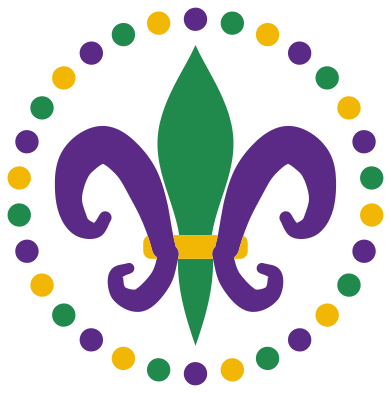 Mardi Gras fleur de lis with beads Layered · 37 pieces
 -
 Fleur de lis cut out of a shield Solid · one piece
 -
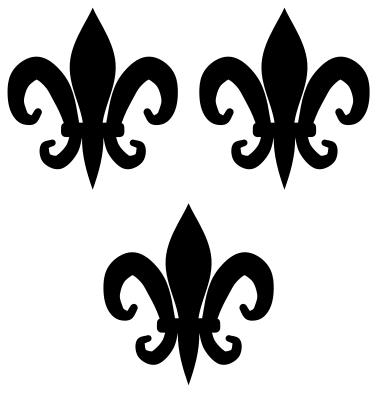 Three fleurs de lis Solid · 3 pieces
A lily with a long history
The fleur de lis is a stylised lily or iris: three petals bound by a band, with their stems showing below it. It was the badge of the French kings for centuries, which is why it turns up wherever France once ruled or settled, from Quebec to Louisiana. In New Orleans it is on the city flag and all over Mardi Gras, and it is a common mark in heraldry, on ironwork and on scout badges round the world.
There is no single correct drawing. The files here keep the parts that make it read at once: a centre petal that comes to a point, side petals that curl outwards and down, and a clear band at the waist.
Cutting and using them
The classic, slim and bold versions are solid and cut cleanly in any material. For very small work, such as a 25 mm decal or an earring, use the bold one: its gaps are wider and its tips are rounded. The lace and pierced versions need more size; keep them at 90 mm or taller so the lattice and the openings stay strong.
For a split monogram, type the name in your cutting software and centre it in the bar. A plain capital letter about 18 mm tall fits the round space in the monogram frame when the design is cut at 100 mm.
How to open the files
- Cricut Design Space: choose Upload, pick the SVG, and add it to the canvas. Set the width you want; the shape is already welded.
- Silhouette Studio: Designer Edition and above open the SVG. The free Basic Edition does not, so open the DXF instead.
- LightBurn, xTool Creative Space and Glowforge: import the SVG, then set the layer to cut, score or engrave.
- Inkscape, Illustrator and Affinity: open the SVG. It is a plain filled path, so you can recolour it, add a stroke or combine it with your own work.
- Printing or sublimation: use the PNG, which has a transparent background.
Each design page lists the file’s narrowest part at seven sizes, so you can tell whether it will survive at the size you plan to cut.
Questions
What does the fleur de lis stand for?
It began as a royal emblem in France and has been read as a sign of purity and of the Trinity, because of its three petals. Today it most often stands for French heritage and for New Orleans and Louisiana, and it is widely used as a simple decorative motif.
How do I add a name to the split fleur de lis?
Open the file in your cutting software, add a text box, and size the name to sit inside the bar between the two halves. Leave the name as a separate piece, or weld it to the frame at both ends if you want the whole design in one piece.
Which colours are used for Mardi Gras?
Purple, green and gold. The Mardi Gras design is already split into those three layers, with the side petals in purple, the centre petal in green and the band in gold, and the beads shared between the three.
 Cross SVG
  Paw print SVG
  Shamrock SVG
  Anchor SVG
  Compass SVG
  Gear SVG