Photo to line drawing for Cricut: pens, foil and vinyl cutters
Turn a photo into a single-line SVG your Cricut or Silhouette can draw, foil or engrave, which line styles cut cleanly, and settings Design Space accepts.
Updated
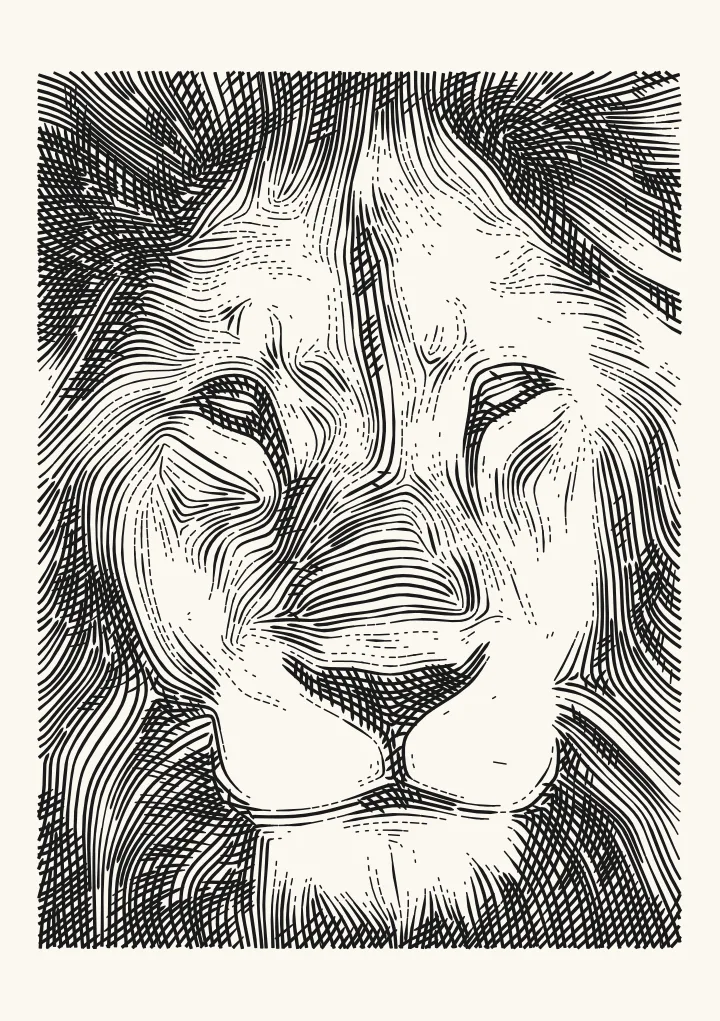

Sample render. Slide to compare the photo with the result.
A Cricut, a Silhouette Cameo or a vinyl cutter is a pen plotter with a blade. Every style in Plotcaster exports as plain lines, so all of them load into Design Space or Silhouette Studio, but only some of them make sense to cut. This guide says which, and how to set the tool up so the file goes straight in.
Two ways to use a cutter with these files
Draw with a pen. Cricut Explore and Maker machines can draw with a pen, and Silhouette sells a pen holder. Used this way the machine is a plotter, and every style on this site applies. The pen plotter guide covers pen choice and plot time. Cricut pens are wide, around 0.4 mm for the fine tip, so start with the Pen width slider at 0.4 and lean on styles that use fewer, longer lines: Flow, Sketch, Engrave and Hatch.
Cut vinyl or card. A blade cuts along the line, so the line has to enclose a shape that can be weeded or lifted. Open strokes are useless here; what you need are closed regions. Two styles produce them:
- Dither with Mark set to Squares or Dots makes thousands of tiny closed shapes. That is a halftone stencil. It cuts, but weeding thousands of dots is miserable below about 2 mm, so set Cell pitch to 2 to 4 mm and keep the design small.
- Stipple with Draw as → Separate dots and Number of dots → Automatic, from spacing (under More Stipple controls) does the same with round dots that follow tone, and the dot count adapts to the image. It fills any dot wider than the pen with a small spiral, which a blade would cut into a coil. For one closed circle per dot, set Pen width to at least half the Dot size and turn off Bigger dots in shadows. Each circle is then Dot size minus Pen width across, 1 mm at most, so keep the design small.
For anything else on a blade, threshold the image instead: use Dither with the Threshold algorithm and a large cell, then let the cutter software trace the result. Plotcaster is built for lines, and a filled silhouette is a job for a tracer.
Foil, embossing and engraving tips
The Cricut Foil Transfer tool, the scoring stylus and the Maker’s engraving tip all follow lines rather than cutting shapes, which makes them the best match for this site after pens. Foil especially rewards long unbroken paths: Spiral, Rings and Squiggle draw the image in long, mostly unbroken lines, cut at the picture edge. For no lifts at all, Stipple can draw the whole picture as one continuous line: see one line drawing from a photo. For engraving metal blanks, Engrave and Flow give a hand-tooled look because the lines follow the form.
Export settings that Design Space accepts
Design Space is fussy about SVGs. These settings avoid the common failures:
| Setting | Use | Why |
|---|---|---|
| Paper | A4 or US Letter, which fit a 12 × 12 in mat | Design Space scales imports; a known page size keeps the drawing the size you expect |
| Pen width | 0.4 mm for Cricut pens, 0.3 for Silhouette | Sets the stroke width in the SVG; Engrave also uses it to decide how many passes a line takes where it swells |
| Join touching ends | On | Fewer separate objects, fewer tool lifts |
| Remove specks shorter than | 1 mm | Design Space slows badly with thousands of tiny paths |
| Hand wobble | 0 | Wobble adds points; cutters do not need it |
The exported SVG uses millimetres, has no fills, no transforms and no text, and puts every stroke in one layer per ink. In Design Space a file with layers arrives as a grouped image, and every vector comes in as a cut line (Cricut Help: How to upload images into Design Space). To draw with a pen instead, ungroup it and change each ink’s lines to Draw. Silhouette Studio (Designer Edition or above for SVG import) keeps the order as exported.
Keep the object count sane
Every separate line is another cut or another pen lift, and styles like Dither and Fur make thousands of them on a full page. Check the count under the drawing before you download. If it is high, raise Cell pitch or choose a smaller paper for Dither, and lower Strands for Fur. On the lion test photo on A4 with 15 mm margins and the default 0.35 mm pen, Flow makes about 1,100 lines and Sketch about 1,700. Engrave makes about 5,200, because its lines break into dashes toward the lights.
FAQ
Can Cricut cut a dithered photo? Yes as a stencil of dots or squares at 2 mm and up. Below that the pieces are too small to weed. For pen or foil the answer is simply yes, at any size.
Which style is best for the Cricut pen? Flow. Long lines, few lifts, and it reads clearly even with the wide Cricut pen. Sketch is the choice for a line-drawing look.
Why does my SVG import tiny or huge? Design Space assumes 72 dpi for files without physical units. Plotcaster exports in millimetres with a viewBox, so it imports at true size. If it still looks wrong, check that you did not resize on the mat.
Does it work with Silhouette Studio? The Basic edition cannot import SVG. Designer Edition and above can, and they respect the millimetre sizing.
Can I use two pen colours? Yes. Use Add ink under Pen and inks. Each ink becomes its own layer in the SVG, which you can colour and assign to separate passes in Design Space.