Pen plotter software: from a photo to a finished plot
Pen plotter software compared by job: image converters, path optimisers and plotter drivers, from DrawingBotV3, StippleGen and vpype to Inkscape and saxi.
Updated
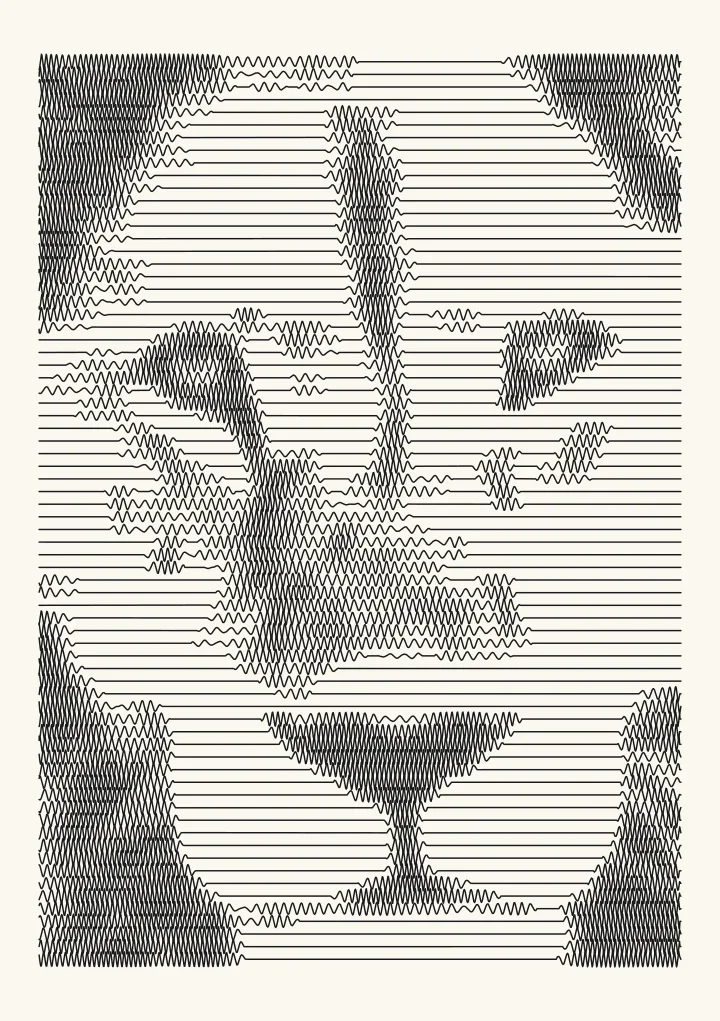
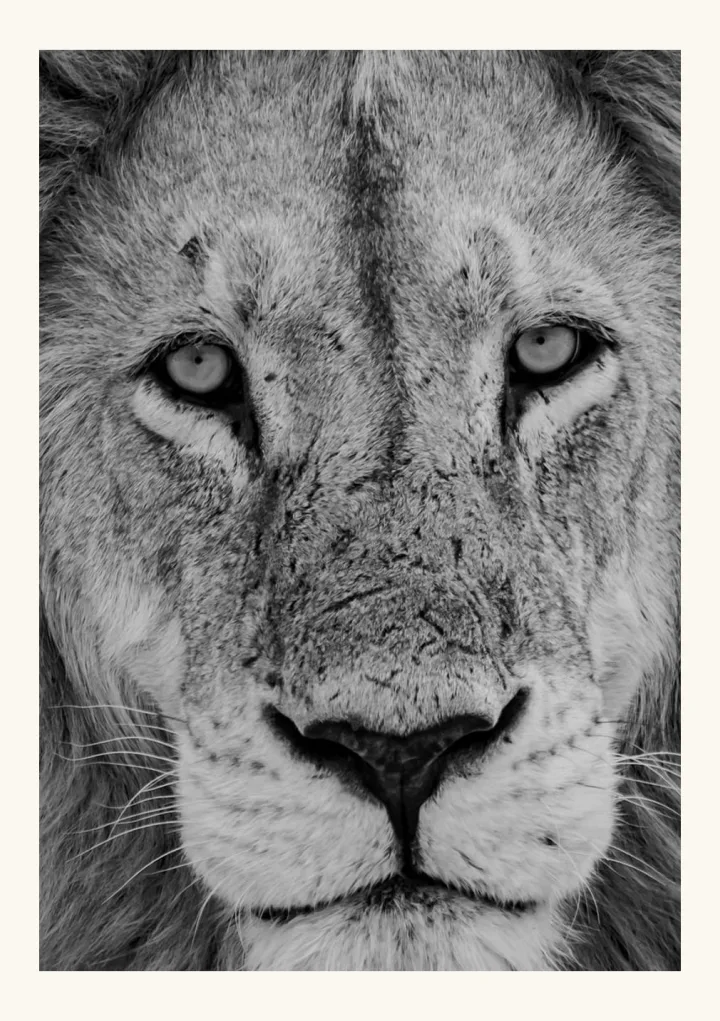
Sample render. Slide to compare the photo with the result.
Getting from a photo to a finished plot takes three jobs, and different programs usually do them. First, something makes the drawing, turning a photo, a place or your own code into lines. Then something may clean the file, merging, sorting and simplifying those lines so the pen spends its time drawing rather than travelling. Finally, something drives the machine: it reads the file, lowers and lifts the pen and sends the motor moves. Round-up articles tend to mix the three, which is why a first plot so often stalls at the last step.
Plotcaster does the first job and most of the second. It runs in your browser, turns a photo or a real place into an SVG in millimetres (or a 1-bit PNG for a laser), and sorts and joins the paths before you download. For GRBL, Marlin and Klipper machines it can write G-code instead of the SVG. It doesn’t connect to a plotter, so you still need a driver or a G-code sender for the machine. This guide sorts the programs by job, describes each one from its own page, and ends with a workflow that gets a file onto paper first time.
- 1. Make the drawing
Photo, place or code into lines
Plotcaster, DrawingBotV3, PlotterForge, StippleGen, or code with vsketch or p5.js - 2. Clean the file
Merge, sort, simplify, lay out
vpype and its plug-ins; svg2gcode for G-code; saxi reorders paths as it plots - 3. Drive the machine
Pen up, pen down, motor moves
Inkscape with the AxiDraw or iDraw extension, saxi; for GRBL, a G-code sender such as Universal G-Code Sender
Pen plotter software compared
Each tool is described from its own page or README, checked on 12 September 2026, and each name links to that source. Features, platforms and prices change, so follow the link before you install or buy anything.
| Tool | Job, platform and cost |
|---|---|
| Plotcaster | Make: photo or place to SVG in mm, G-code for GRBL, Marlin or Klipper, or a 1-bit PNG. Browser. Free |
| DrawingBotV3 | Make: image to SVG, PDF or G-code. Windows, Mac, Linux. Free edition (GPL-3.0), paid Premium |
| PlotterForge | Make and send: layered SVG in mm, sent to Grbl plotters. Local app. Free (MIT) |
| drawingbots.com Image to SVG | Make: layered SVG, 40 algorithms. Browser. No price mentioned |
| StippleGen | Make: stipples and TSP art. Processing. Free, open source |
| SquiggleCam | Make: squiggles from a webcam snapshot. Browser. Open source (MIT) |
| PINTR | Make: single-line SVG or PNG. Browser. Open source (BSD-3-Clause) |
| vsketch | Make: generative art from Python code. Open source (MIT) |
| vpype | Clean: merge, sort, simplify, lay out. Python command line. Open source (MIT) |
| svg2gcode | Convert: SVG to G-code. Web app, command line. Open source (MIT) |
| Inkscape with the AxiDraw extensions | Drive: AxiDraw. Inkscape, CLI, Python APIs. No extra software to buy |
| Inkscape with the iDraw extension | Drive: iDraw. Inkscape. Free |
| saxi | Drive: AxiDraw, reordering paths. Node.js server, web interface. Open source (AGPL-3.0) |
| Universal G-Code Sender | Send: G-code to GRBL and other firmware. Windows, Mac, Linux. Open source (GPL-3.0) |
More on each tool is under its job below.
Pick by job
Portraits and pictures from a photo
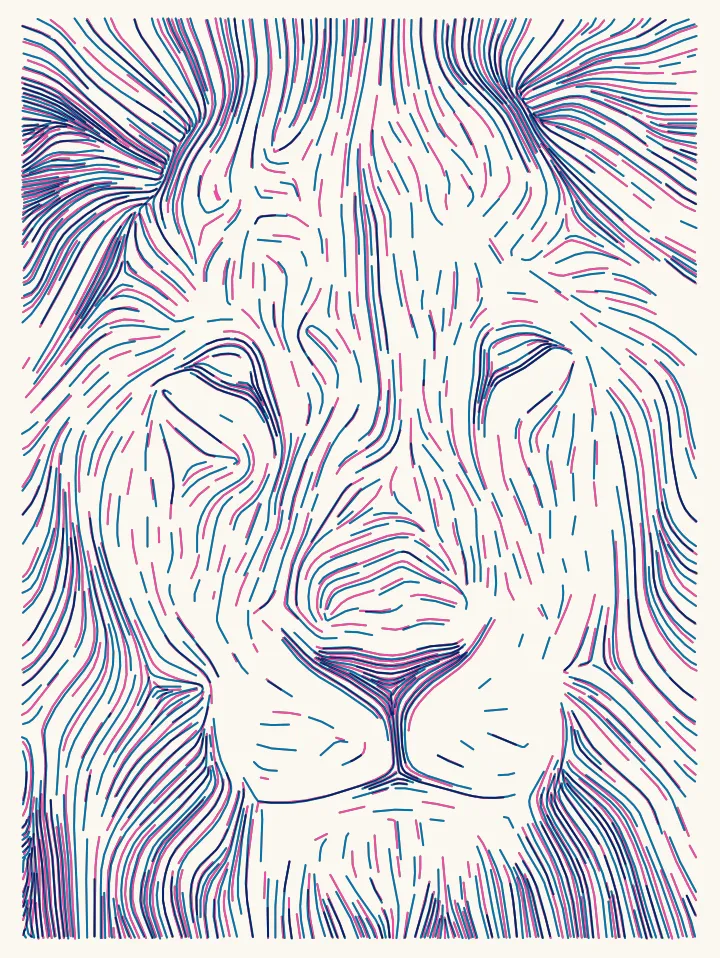
- Plotcaster runs in the browser with nothing to install. Pick a style from the styles page, set the line spacing to your pen, and read the path count and plot-time estimate before you download. Flow is the usual first choice for a portrait: long lines that follow the form, packed tighter in the shadows.
- DrawingBotV3 is a desktop app for Windows, Mac and Linux. Its free edition has 3 path finding modules; Premium has 50, and adds CMYK separation, a plotter connection and HPGL export.
- PlotterForge runs locally with a browser interface, on Apple silicon Macs or on Windows 10/11 with an NVIDIA GPU. It has 50 path-finding modules and can also send the job to a Grbl-compatible plotter.
- drawingbots.com’s Image to SVG runs 40 algorithms in the browser and splits the picture into per-pen layers. It’s based on the open-source plotterfun by mitxela.
Stipples and TSP art
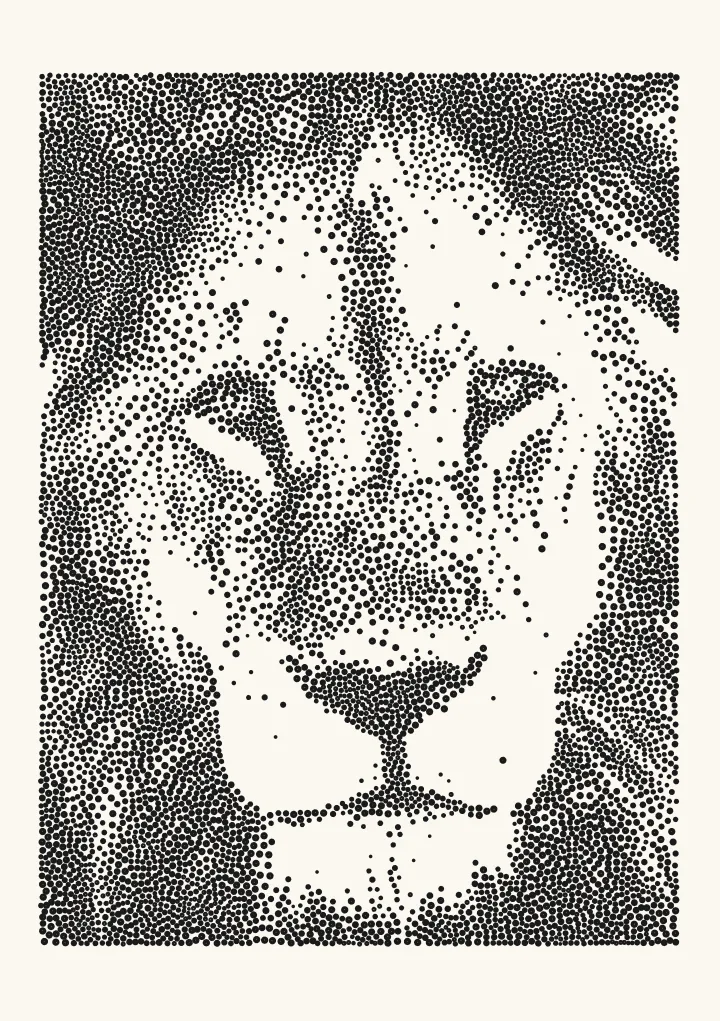
StippleGen, from Evil Mad Scientist, uses Adrian Secord’s weighted Voronoi stippling and saves either a stipple drawing or a TSP path as an Inkscape SVG. It runs in Processing on your computer. In the browser, Plotcaster’s Stipple places dots with LBG stippling, a successor to Secord’s method, and draws them as separate dots or as one continuous line through every dot. TSP art explains the one-line version, how many dots to use and how long it takes to plot.
Squiggles and single lines
SquiggleCam is a web version of the SquiggleDraw algorithm, originally implemented by Gregg Wygonik, and turns a webcam snapshot into an SVG. PINTR makes single-line drawings from pictures in the browser. Plotcaster’s Squiggle is its own take on the look, with one wavy line per row: the A5 test lion is 72 paths, about 17 minutes to plot. Spiral winds one line out from the centre and breaks only at the edge of the picture: 55 paths, about 18 minutes. For a drawing that really is one path, see one line drawing from a photo.
Maps
For a real place rather than a photo, Plotcaster’s Map style draws streets, water, railways and contour lines from OpenStreetMap and open elevation data, each kind of feature on its own layer. See maps for pen plotters and pen plotter map art.
Generative art from code
If you’d rather write the drawing than convert a photo, any language that can write SVG paths will do, and a few libraries are made for it:
- vsketch. vsketch (MIT) is “a Python generative art toolkit for plotters”, with “a tight integration with vpype”.
- p5.js with p5.js-svg. p5.js is “a client-side JS platform that empowers artists, designers, students, and anyone to learn to code and express themselves creatively on the web”. The p5.js-svg library (MIT) sets out “to provide a SVG runtime for p5.js”, so a sketch can “save things to svg file”.
- vpype plug-ins. vpype’s README lists “create generative artwork from scratch through built-in commands or plug-ins” among its uses, and its plug-in list includes vpype-flow-imager, to “convert image to flow field line art”, and hatched, to “convert images to hatched patterns”.
How to make flow field art walks through one classic algorithm in plain steps.
Optimising a file
vpype is the usual command-line tool. From its reference: linemerge will “Merge lines whose endings and starts overlap or are very close”, linesort will “Sort lines to minimize the pen-up travel distance”, and linesimplify will “Reduce the number of segments in the geometries”. Its cookbook’s example:
vpype read input.svg linemerge --tolerance 0.5mm write output.svgPlug-ins cover jobs that converters don’t: occult will “perform hidden line removal with closed geometry”, and deduplicate will “remove overlapping lines”. Plotcaster already sorts, joins and simplifies its paths before export, so vpype is optional for a Plotcaster file. It earns its place when you combine drawings, lay out a sheet or script a batch. saxi also reorders and reverses paths as it plots. The science page shows how much pen-up travel sorting saves.
Driving an AxiDraw or iDraw
Evil Mad Scientist says “AxiDraw is normally controlled through a set of extensions to Inkscape”, and “You do not need to purchase any additional software to use AxiDraw”. There’s also a stand-alone command-line interface and Python APIs. saxi is an alternative with a web interface; it runs as a Node.js server, including on a Raspberry Pi, and “automatically splits apart layers based on SVG stroke colors or group IDs”. For iDraw, UUNA TEK’s download page says “All iDraw machines use Inkscape with iDraw extension”, and it advises against using software made for other plotters. Inkscape itself is free and open source.
GRBL and DIY plotters
Machines running GRBL, and 3D printers converted to draw on Marlin or Klipper, read G-code, not SVG. The G-code has to carry your machine’s own pen commands, so after the drawing comes a G-code file written for that machine, and a program to send it.
- Write it directly. Plotcaster’s export writes G-code for seven machine presets: a servo or a Z axis on GRBL, Marlin or Klipper, and a GRBL laser. In Export, choose Pen plotter · SVG and set File to G-code. DrawingBotV3 exports G-code directly too.
- Convert. If your machine lifts the pen some other way, convert the SVG with your own pen commands. svg2gcode converts an SVG in a web app or on the command line. vpype-gcode adds “flexible export to gcode or any other text-based format” to vpype.
- Send. Universal G-Code Sender is “a Java based, cross platform G-Code sender, compatible with GRBL, TinyG, g2core and Smoothieware”, with downloads for Windows, Mac and Linux. LaserGRBL, a “Laser optimized GUI for GRBL”, is Windows software made for laser engraving; it’s “free and opensource”, and it can load G-code with a job preview. If your machine’s maker supplies its own software, start with that.
- Both in one. PlotterForge sends jobs to Grbl-compatible plotters over serial, so there’s no G-code file to handle.
Image to G-code for pen plotters covers the machine presets, pen commands, feed rate and the origin.
A workflow that works
- Make the drawing. Open Squiggle in the editor, or any other style, and add a photo. Set the paper to the sheet on the machine and the pen width to the pen you’ll use, then check the path count and the plot-time estimate.
- Export the SVG. It comes out in millimetres, with
width="148mm"and a matching viewBox so one unit is one millimetre. Paths are strokes only, and each ink gets its own numbered layer, such as1 Black. With more than one ink, turn on Pause for pen changes, or One file per layer (zip) for a driver that doesn’t read layers. Multi-colour pen plotting explains both. - Clean it if you need to. Use vpype to combine files, remove hidden lines or change the layout. A single Plotcaster file rarely needs this.
- Drive the machine. Open the file in Inkscape with the AxiDraw or iDraw extension, or in saxi. For a GRBL, Marlin or Klipper machine, export G-code at step 2 instead (File G-code), then send it with a G-code sender such as Universal G-Code Sender, or the way your printer takes a print file.
- Test small. Plot a small version or a corner first to check the pen height, scale and direction, then plot the sheet.
New to plotters? Start with what a pen plotter is. For spacing, tone and export in depth, read photo to SVG for AxiDraw and iDraw.
FAQ
Is DrawingBotV3 free? There’s a free edition, open source under GPL-3.0, with 3 path finding modules. The paid Premium edition has 50 and adds CMYK separation, HPGL export and a plotter connection, according to the project’s README.
Is there a DrawingBotV3 alternative that runs in the browser? Yes. drawingbots.com’s Image to SVG runs 40 algorithms in the browser, and Plotcaster turns photos and places into plotter SVG in the browser. Both process the image on your device. Neither drives the plotter, so you still need your machine’s own software for the last step.
Is there a StippleGen alternative? Plotcaster’s Stipple makes stipple drawings and one-line TSP art in the browser, with nothing to install. PlotterForge includes Voronoi stippling and TSP among its modules.
What software makes generative art for a pen plotter? Code libraries: vsketch in Python, or p5.js with the p5.js-svg library in JavaScript. vpype then merges, sorts and lays out the result before you plot.
Do I need vpype? Not for a single Plotcaster file: sorting, joining and simplifying happen before export. vpype is worth learning when you combine files, lay out a sheet, remove hidden lines with occult or script a batch.
What software does AxiDraw use? Inkscape with Evil Mad Scientist’s AxiDraw extensions. There’s also a stand-alone CLI and Python APIs, and saxi is an alternative with a web interface.
What software do I need for a GRBL pen plotter? Something to make the drawing, G-code written with your machine’s pen commands, and a G-code sender such as Universal G-Code Sender to pass the file to the machine. Plotcaster writes the G-code itself for a pen lifted by a servo or a Z axis: set File to G-code in the export. For any other pen lift, use a converter such as svg2gcode or vpype-gcode set up with your own pen commands.
Can Plotcaster drive my plotter? No. Plotcaster makes the file: an SVG in millimetres, G-code for GRBL, Marlin and Klipper machines, or a 1-bit PNG. Open the SVG in your plotter’s own software, or send the G-code with a G-code sender. Nothing connects to the machine from the browser.