City map poster generator: street map SVG of any place
Find any town, coastline or mountain and frame it on your paper. Streets, water and railways come from OpenStreetMap, contour lines from open elevation data. Download an SVG in millimetres with one layer per pen, to plot or to print as a line-art poster, or a 1-bit PNG for a laser.
Runs in your browser: free, no account, nothing to install.
Opens the editor on the Map style, ready for a place search. For mountains, see the topographic map generator; for the record-sleeve look, the ridgeline map generator.
- Layers Major roads, streets, footpaths and tracks, railways, water, buildings, contour lines
- Paper A6 to A2, US Letter, Tabloid or Square 200 mm
- Files SVG in millimetres, one layer per pen, or a 1-bit PNG at 50 to 1,200 DPI
- Print No plotter? Print the SVG as a line-art poster
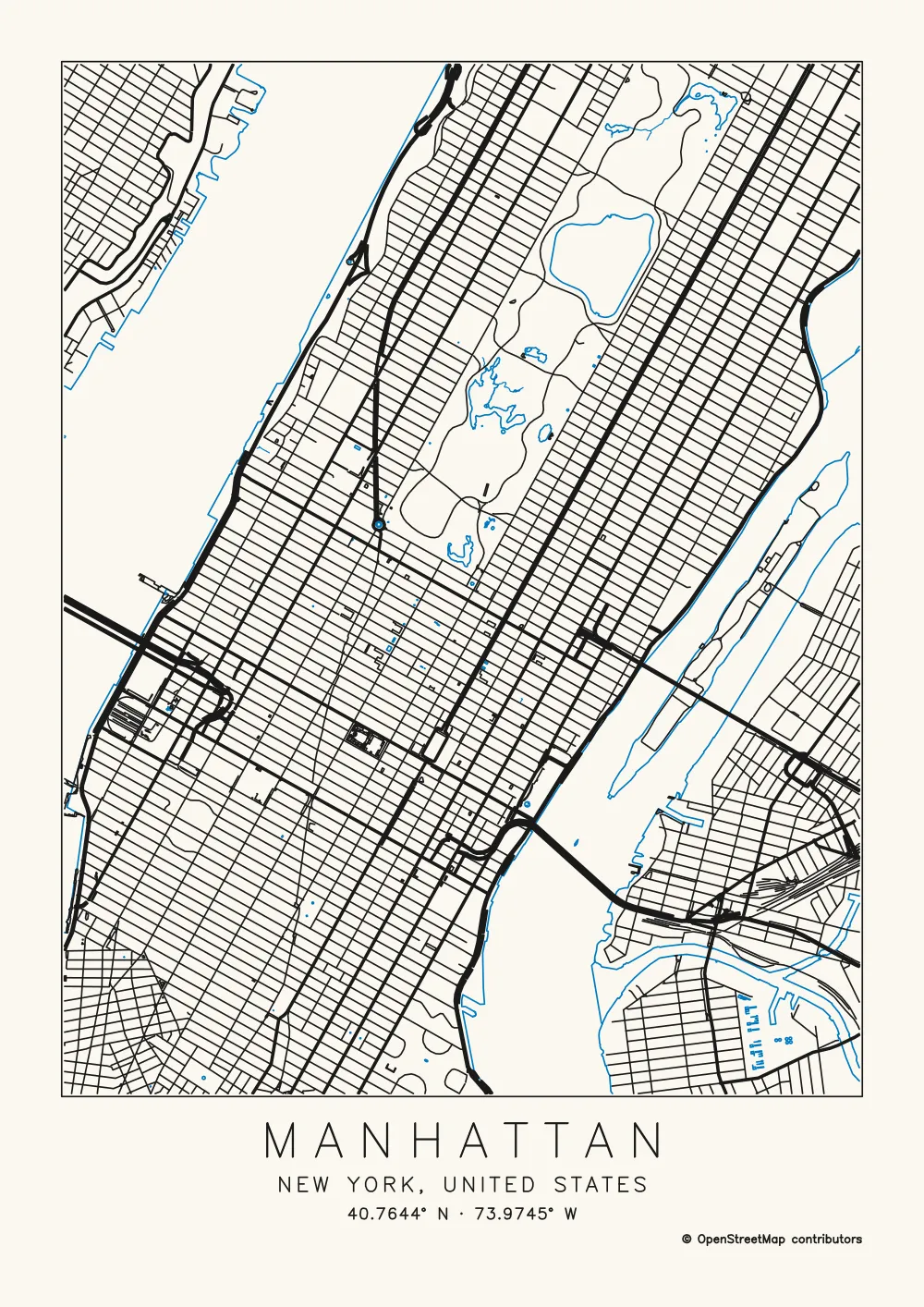
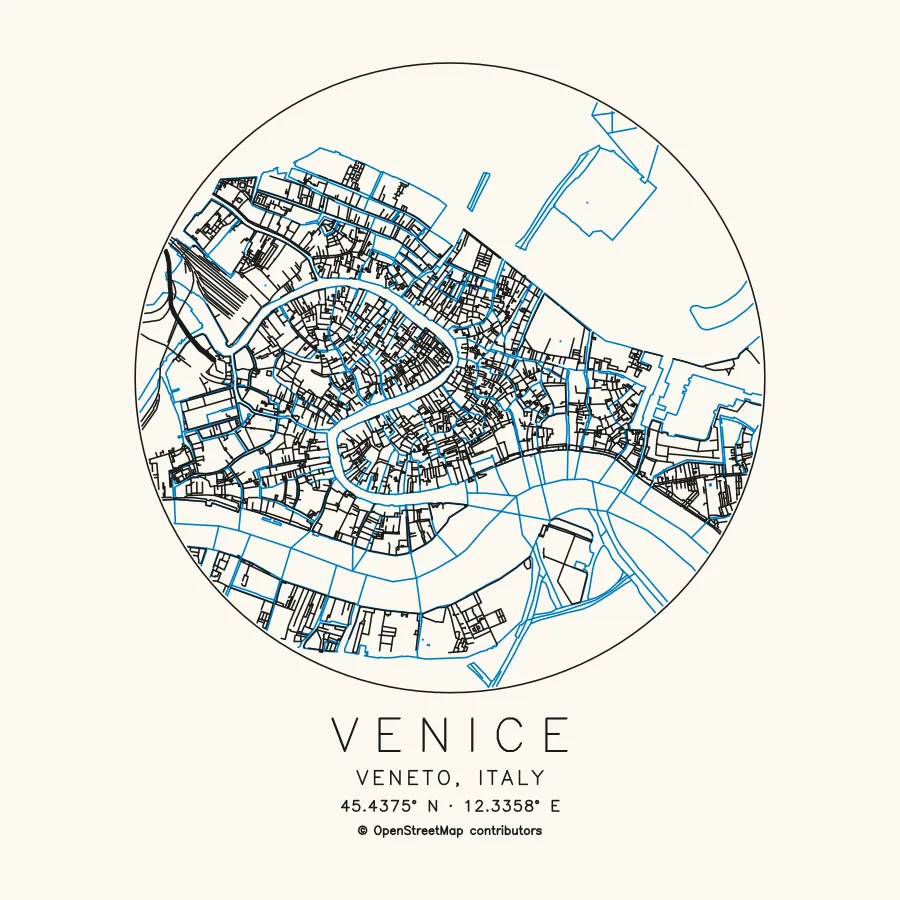
Three maps made with it
How to make a city map poster
- Open Map and search for a place. Open Map in the editor and type a town, neighbourhood, mountain, address or coordinates. Search runs on komoot's Photon service. Before you search, Manhattan, the Matterhorn and Venice are there to try, and Use my location starts where you are.
- Frame it. Move and zoom until the framing is right. The area always has your paper's shape: A6, A5, A4, A3, A2, US Letter, Tabloid or Square 200 mm, portrait or landscape.
- Pick a preset. Streets for every street of a city, poster style. Topographic for mountains and hills as contour lines. Streets and contours for hilly towns and trail maps. Streets and buildings for a few blocks with footpaths and building outlines.
- Choose the layers. Switch any of them on or off: Major roads; Streets; Footpaths and tracks; Railways; Rivers, lakes and coast; Buildings; Contour lines.
- Choose the inks. Roads and rail ink, Water ink and Contours ink, from nine colours, so each kind of feature can go in its own pen.
- Set the road weight. Bolder major roads draws motorways with three parallel strokes and main roads with two, so they read heavier with one pen; on areas under a 2 km radius, secondary streets get two strokes as well. One stroke for every road keeps every street to a single line.
- Frame, title and credit. Rectangle, Circle or No frame. Title and coordinates writes the place name and its coordinates under the map in a single-stroke font the pen can draw; type your own Title to replace the name. Keep the Credit line on.
- Export. One SVG with every layer, or One file per layer (zip). With one file, Pause for pen changes starts the names of layers 2 and up with "!", so an AxiDraw stops for each new pen. For a laser, download a PNG at 50 to 1,200 DPI instead.
No plotter? Print it
You don't need a plotter to put a map on the wall. The SVG is sized in millimetres for the paper you chose, with each layer drawn at its line width in its ink colour, so it prints as the drawing you see on screen. Open it in a vector editor and print at 100% scale, or take the file to a print shop.
- Line art only. It prints the way the pictures on this page look: lines on plain paper, with no filled parks, water or blocks, and no street names.
- Up to A2. The largest paper in the editor is A2, 420 × 594 mm. The file is vector, so a print shop can enlarge it, but the lines thicken in proportion: set a finer Pen width before you export for a bigger print.
- Colour comes from the SVG. The laser PNG is pure black and white.
- Keep the Credit line on. If you sell or show the print, OpenStreetMap needs its credit: see credit and selling prints.
Scale decides the look
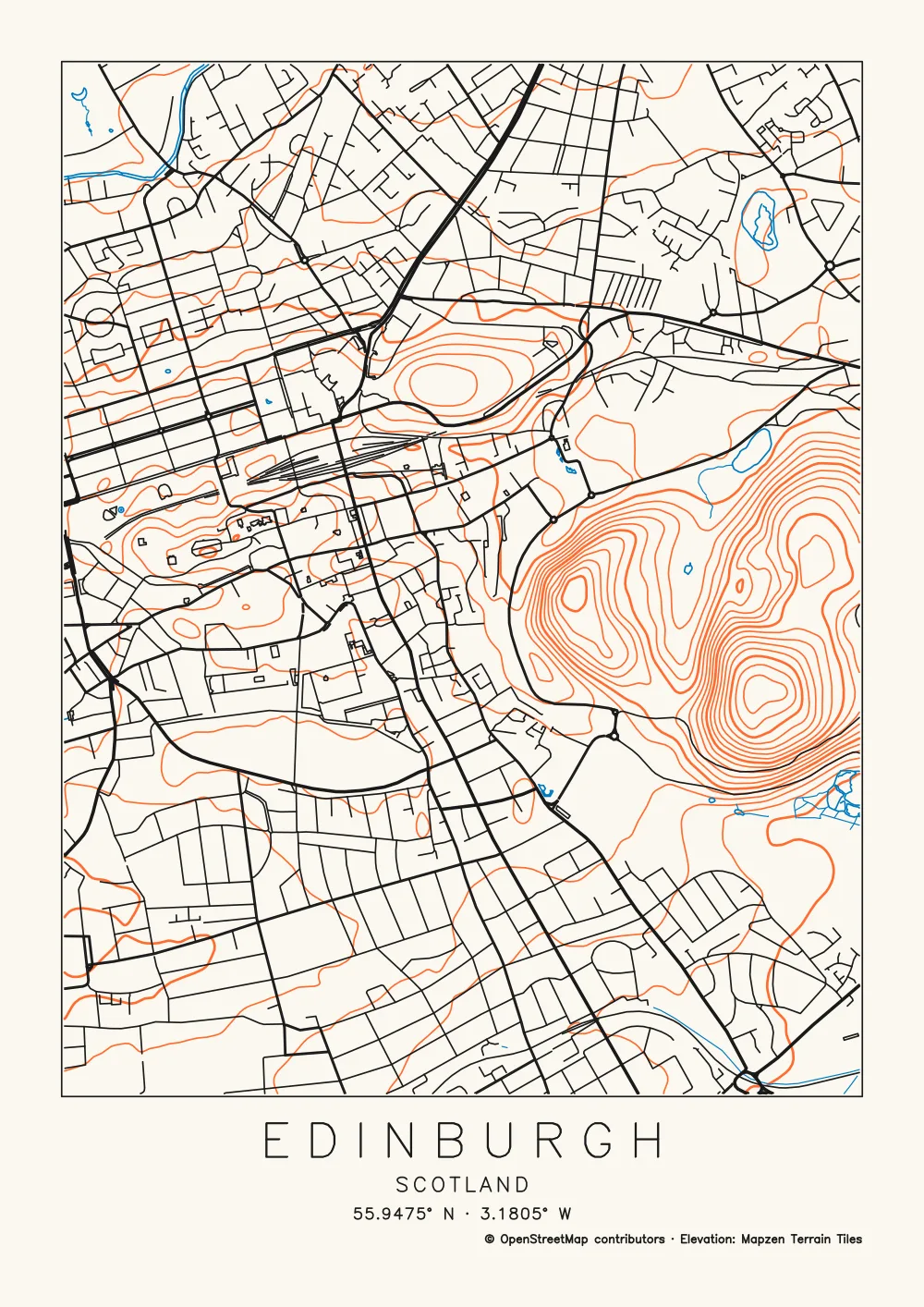
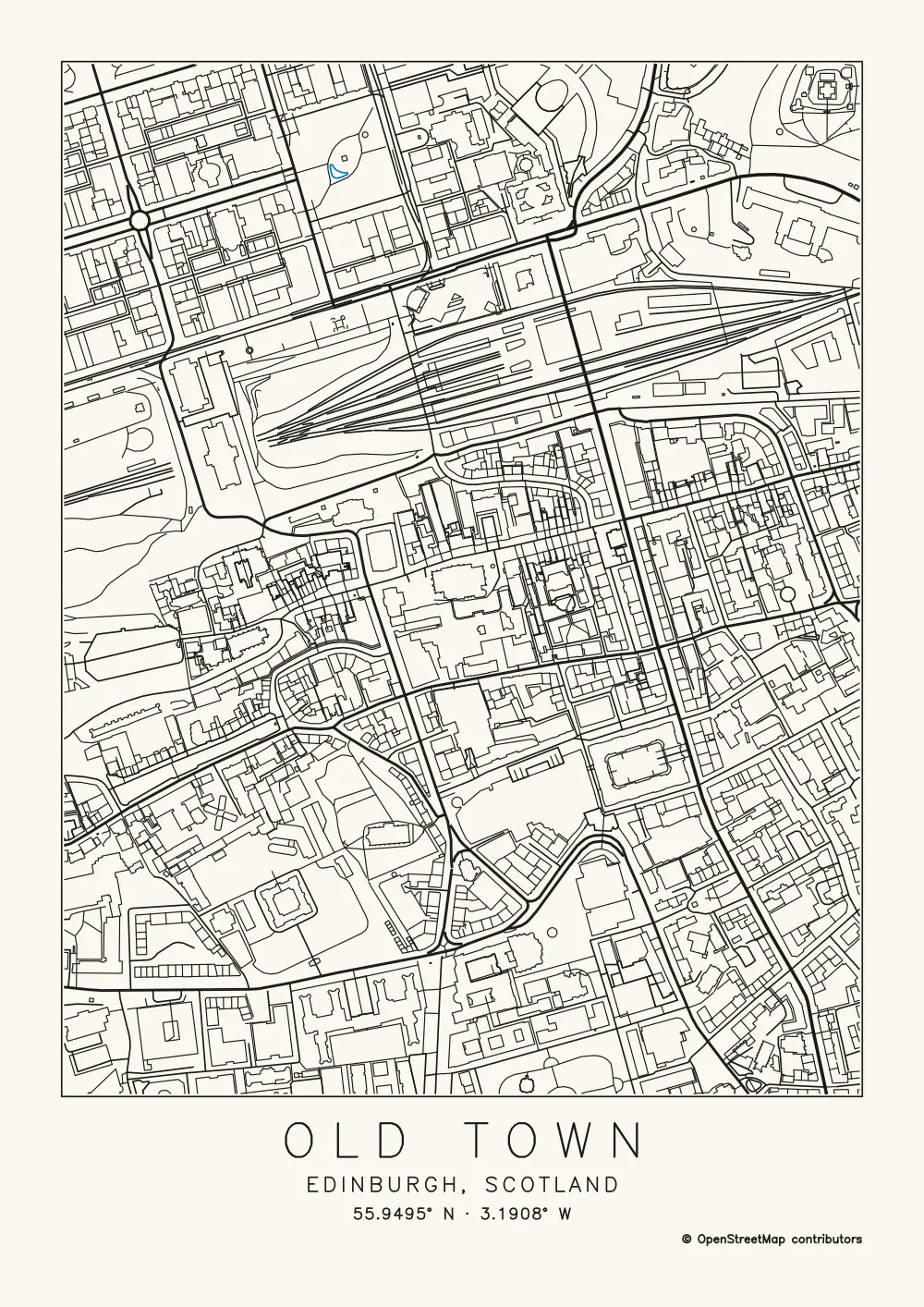
The same place looks completely different at each of the app's seven scale presets. Here is Edinburgh, centred on St Giles' Cathedral, on A4 with the title and credit, measured by the tool. The radius is half the map's short side.
-
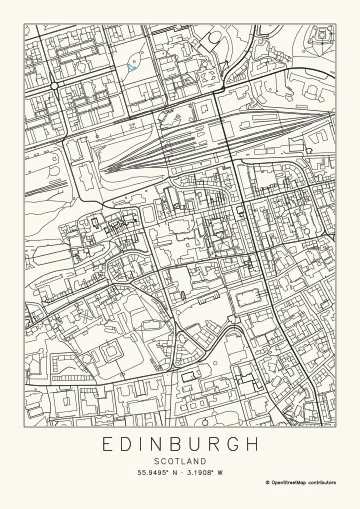 Neighbourhood 500 m
 -
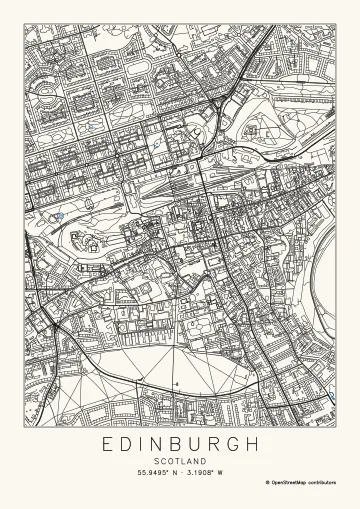 District 1 km
 -
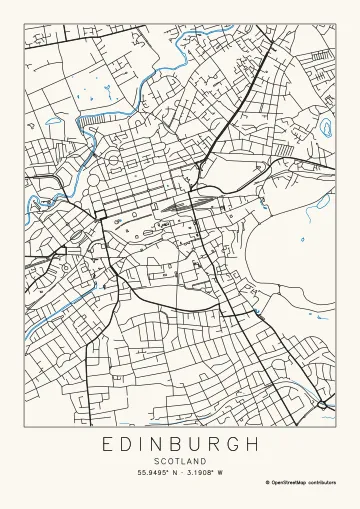 City centre 2 km
 -
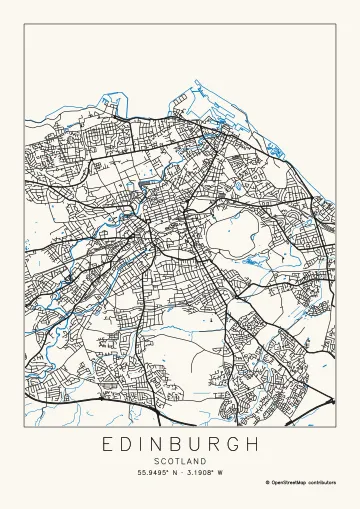 City 5 km
 -
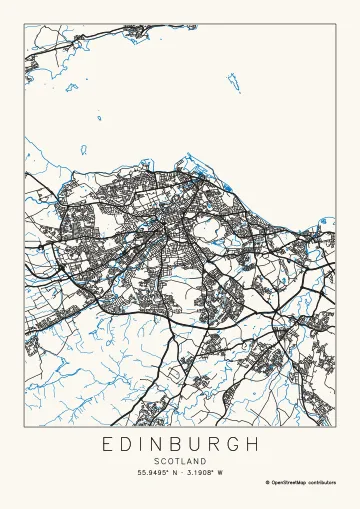 Metro 10 km
 -
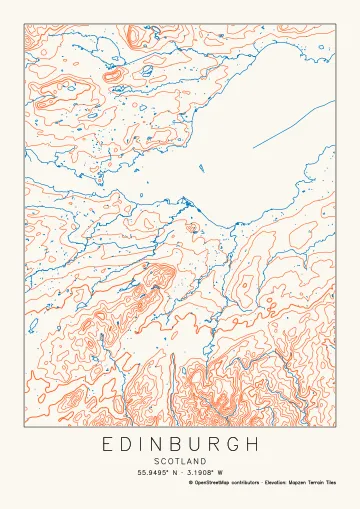 Region 25 km
 -
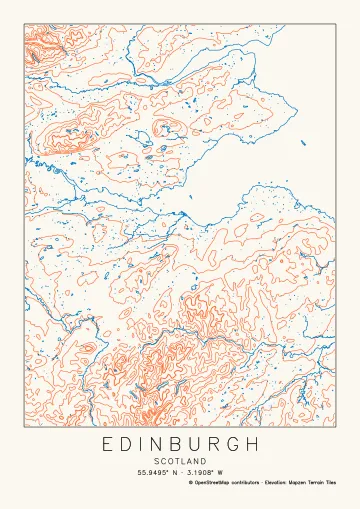 Mountains 50 km
| Scale | Ground on A4 | Preset | Paths | Plot time | What reads well |
|---|---|---|---|---|---|
| Neighbourhood (500 m) | 1.0 × 1.3 km | Streets and buildings | 2,369 | about 33 min | A few streets with every footpath and building outline. 1,446 of the paths are buildings. |
| District (1 km) | 2.0 × 2.6 km | Streets and buildings | 7,382 | about 80 min | The busiest plot of the seven: 5,194 building outlines, and the blocks start to fill in on A4. Switch Buildings off, or move up to A3. |
| City centre (2 km) | 4.0 × 5.2 km | Streets | 1,414 | about 17 min | Every street is still a clear line. The classic poster. |
| City (5 km) | 10 × 12.9 km | Streets | 4,477 | about 41 min | A whole small city. Streets turn into texture, and main roads, rivers and the coast carry the shape. |
| Metro (10 km) | 20 × 25.8 km | Streets | 7,863 | about 63 min | Built-up areas read as dark patches between main roads, rivers and the coast. |
| Region (25 km) | 50 × 64.6 km | Topographic | 1,568 | about 19 min | Streets are left out of areas over about 2,500 km², so water and contour lines (50 m apart here) make the picture. |
| Mountains (50 km) | 100 × 129 km | Topographic | 2,499 | about 27 min | Only water and coastline come from OpenStreetMap at this size, with contour lines from the elevation data (100 m apart here). |
Plot times are the tool's estimates for a pen plotter; your machine's speed settings change them. Map data © OpenStreetMap contributors. Contours: Mapzen Terrain Tiles.
Bigger paper holds more ground at the same density, so on A3 you can go one step further out. Dense layers are only fetched for areas that can hold them: footpaths come with streets up to a 10 km radius, and buildings only for areas up to about 4 × 4 km.
What's in the file
The SVG is in millimetres, one unit to the millimetre, with strokes only: no fills, no text objects and no transforms, and every line clipped to the paper. Each kind of feature gets its own layer, named the way AxiDraw's layer control reads them, and the data credit is written into the file. Here are the layers of the Edinburgh poster above:
| Layer | Pen | Paths |
|---|---|---|
| 1 Contours | 0.35 mm | 61 |
| 2 Bold contours | 0.56 mm | 14 |
| 3 Water | 0.35 mm | 33 |
| 4 Streams | 0.24 mm | 18 |
| 5 Streets | 0.35 mm | 842 |
| 6 Rail | 0.35 mm | 27 |
| 7 Major roads | 0.49 mm | 38 |
| 8 Frame and title | 0.35 mm | 152 |
That is 1,185 paths and 21 m of line, about 17 minutes on a plotter. Bold contours, major roads and streams are drawn at their own widths, relative to your pen: plot them with a broader or finer pen, or use the same one. Three inks means three plates:
-
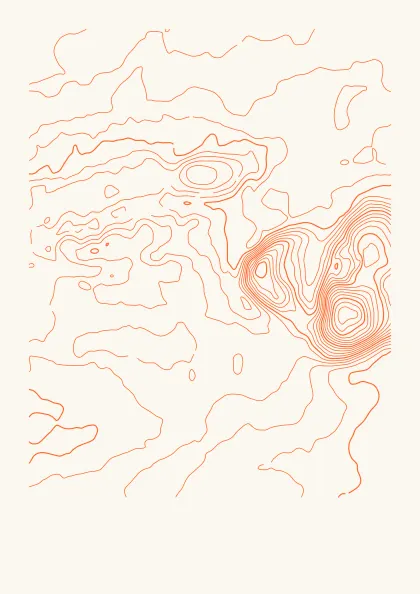 Orange: 75 paths
 -
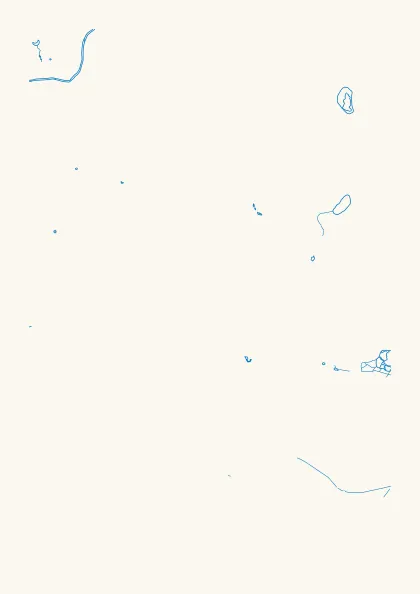 Blue: 51 paths
 -
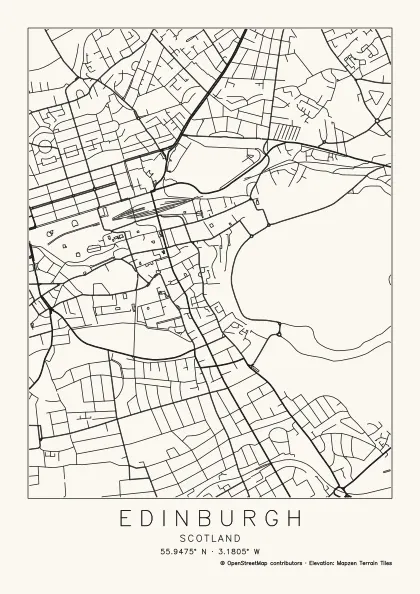 Black: 1,059 paths
Plot the light inks first and black last, and tape the paper down so it can't move between pens. The pen plotter map art guide covers pens and registration, and multi-colour pen plotting goes further.
OpenStreetMap to SVG, without an .osm file
You don't need to export anything from OpenStreetMap first. Plotcaster fetches the OpenStreetMap data for the area you frame, through the Overpass API, and draws it straight into plottable lines. It can't open an .osm file you already have. The SVG is a drawing of the data, lines on paper in millimetres, rather than a GIS export with tags and coordinates.
If you only have a picture of a map, such as a screenshot or a scanned topo map, Trace colour pulls one colour out of it as single strokes: see extract roads or contour lines from a map image.
Like prettymaps, without Python
prettymaps is a Python library for Python 3.11 and up, installed with pip, that draws customised maps from OpenStreetMap with osmnx, matplotlib, shapely and vsketch. Plotcaster does a similar job in the browser with nothing to install, and writes strokes a pen can follow, one layer per pen.
For lasers and cutting machines
- Laser engravers: score the street lines from the SVG, or raster-engrave the PNG at your laser's DPI. How to make a laser engraved city map has the settings for LightBurn, xTool Creative Space and LaserGRBL.
- Cricut and other cutting machines with a pen: the SVG is in millimetres with a viewBox, so it keeps its size. See photo to line drawing for Cricut for Design Space settings.
Map lines are single strokes, not outlines, so they suit pens, scoring and engraving rather than weeding vinyl or cutting pieces out.
Credit and selling prints
OpenStreetMap data is licensed under the Open Database License, which allows commercial use. The price of that is credit. The OpenStreetMap Foundation's attribution guidelines say physical merchandise made from its data "must provide attribution on any packaging, at the point of sale, and, to the extent possible, somewhere on the item itself", and that "the text must be readable and include the URL openstreetmap.org/copyright printed out".
- Keep the Credit line on. It plots "© OpenStreetMap contributors" under the map, plus the elevation credit when contours are drawn.
- The plotted line has no URL, so add openstreetmap.org/copyright on the back of the print, its label or its tag.
- Put the credit in your shop listing and on the packaging.
- A PNG export can't carry the credit inside the file the way the SVG does, so plot or engrave the Credit line on the piece.
Honest limits
- Line art only: no filled blocks, parks or water, and no street-name labels.
- No GPX routes, no stacked or layered cut maps, and no 3D.
- Wide areas leave out dense layers, and the free data servers can be slow or refuse a very large area.
- The map is only as complete as OpenStreetMap is for that place.
FAQ
- Is it free?
- Yes. There is no account, no watermark and nothing to install. The map data comes straight from OpenStreetMap and open elevation tiles to your browser, and the drawing is made on your device.
- Can I sell prints of my map?
- Yes. The OpenStreetMap licence allows commercial use as long as you credit the data. Keep the Credit line on, and follow the credit guidelines for physical goods below.
- Why is my map empty or slow?
- The map data services are free and shared, so a busy server can take a while or turn down a very large request. Wide areas also drop dense layers on purpose: only main roads above a 10 km radius, no streets over about 2,500 km², and only water and coastline above 40 km. Try a smaller area or fewer layers, or try again in a minute.
- Can I add my running route?
- No. Plotcaster does not read GPX files or draw routes. It draws what is on the map for the area you frame.
- Does it work everywhere?
- Search and elevation data cover the whole world, but OpenStreetMap is mapped by volunteers, so detail varies from place to place. Most cities are mapped street by street; some rural areas have only main roads.
- How big can I plot?
- The largest paper in the list is A2, 420 × 594 mm; there are also A6 to A3, US Letter, Tabloid and Square 200 mm. The area can be from about 500 m to 120 km on its short side. The plot-time estimate grows with the paper, so check it in the export dialog before you start.
Guides and related tools
- Pen plotter map art: layers, pens, contour interval and credit
- Topographic map generator: contour lines of any place
- Ridgeline map generator: a joy plot of any place
- How to make a laser engraved city map
- Multi-colour pen plotting
- Extract roads or contour lines from a map image
- Trace colour: centreline trace of a map screenshot