One line drawing from a photo: a picture in one continuous line
Turn a photo into one continuous line a pen plotter draws without lifting: what a one-line drawing is, which photos work, settings and plot times.
Updated
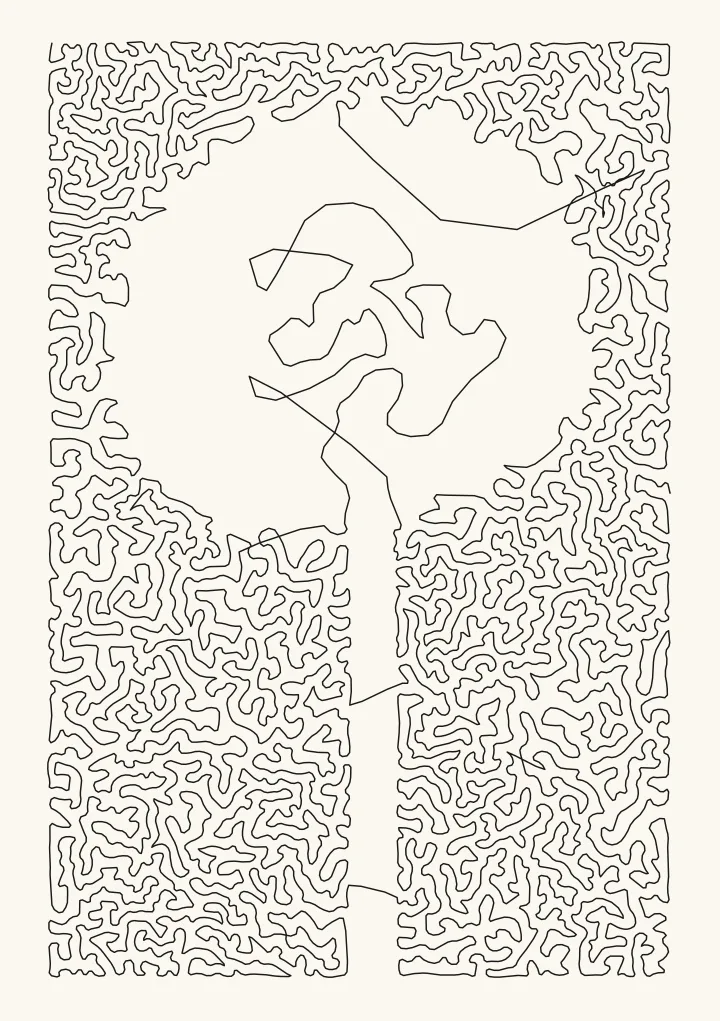
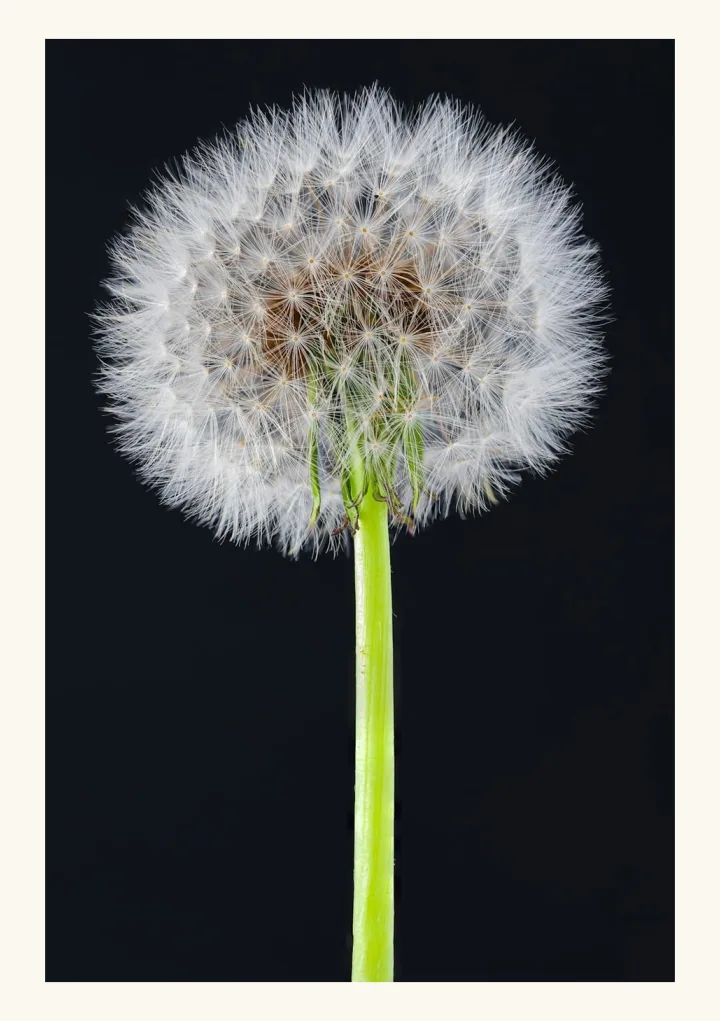
Sample render. Slide to compare the photo with the result.
A one-line drawing shows a picture with a single line that never leaves the paper. Plotcaster draws one from a photo with its Stipple style: set Draw as to One continuous line, and it places dots where the photo is dark and joins every dot into one path. A pen plotter draws the whole picture with one pen-down at the start and one pen-up at the end. It all runs in your browser, so the photo is never uploaded.
Make a one-line drawing from your photo. The link opens Stipple with Draw as already set to One continuous line.
The drawing at the top is the dandelion sample photo on A5 with 8 mm margins and a 0.3 mm pen: 4,513 dots joined into 1 path, 8.4 m of line. Photo: Chris Briggs, 2022, Unsplash License.
Two kinds of one-line drawing
- Contour drawings follow the outline of a subject in a few flowing strokes and leave the rest of the paper blank. Plotcaster doesn’t make these. The nearest are Edges, which traces clean outlines, and Draw, which makes a hand-drawn line drawing. Both use many separate strokes.
- Tone drawings keep the line moving over the whole picture and pass through the dark parts more often than the light ones, so the density of the line makes the picture. From across the room they read like a photograph. Up close they’re a maze. Robert Bosch and Adrianne Herman called their 2004 paper on the method “Continuous Line Drawings via the Traveling Salesman Problem” (Evil Mad Scientist wiki), which is why the look is also called TSP art.
Stipple makes the second kind. TSP art explains how the dots are placed and how the route through them is found.
Which styles draw one unbroken line
Several styles keep the pen down for long stretches, but only one is a single path. These are the path counts for the lion test photo on A5 with 8 mm margins and a 0.3 mm pen, at each style’s default settings:
| Style | Paths | Plot time | Where the pen lifts |
|---|---|---|---|
| Stipple, Draw as One continuous line | 1 | about 4 minutes | Only at the end |
| Scribble | 22 | about 7 minutes | Between scribbles |
| Spiral | 68 | about 20 minutes | Wherever the spiral crosses the edge of the picture |
| Squiggle | 90 | about 20 minutes | At the end of every row |
| Rings | 374 | about 12 minutes | Wherever a ring runs into the highlights or the edge of the picture |
| Edges | 739 | about 7 minutes | At the end of every outline |
These are the editor's counts, which use the photo at full size. The style pages use their own settings, and some a closer crop or another photo, so their counts differ.
Stipple stays one path when you switch Number of dots from Automatic, from spacing to Fixed number. The editor shows the count under the drawing, so you can check it says 1 line before you download.
Make a one-line drawing
- Open Stipple as one continuous line and choose Use your own photo, or drop the photo on the page.
- Check that Draw as reads One continuous line. If you opened the editor another way, choose it yourself.
- Set Dot spacing in black, the gap between dots in solid black; the line packs its dots a quarter closer than this. Stipple starts at 1.8 mm, or up to 2.2 mm for darker photos, which plots quickly. Try 1.4 mm for more detail and a longer line.
- Open More Stipple controls. Raise Shadow emphasis to gather the line in the darkest areas, or lower it to spread the line into the mid-tones. Raise Keep highlights blank until the background stays paper.
- Set Round the line: 0 joins the dots with straight segments, and 1 to 3 round the corners into a softer scribble.
- Under Pen and inks, set Pen width to the line your pen draws, so the preview shows the drawing at its real weight.
- Check the line under the drawing: it should read 1 line, with the plot time and the length of ink. Then open Export and download the SVG. It’s in millimetres, and the line sits in its own numbered layer.
Photos that work
A one-line drawing shows tone, not edges, so a photo needs large dark areas and a clear shape. Three sample photos, each drawn as one line on A5. While Orientation is on Auto, the default, the editor turns the page to match the photo, so the wide mountain and bust photos are on landscape A5:
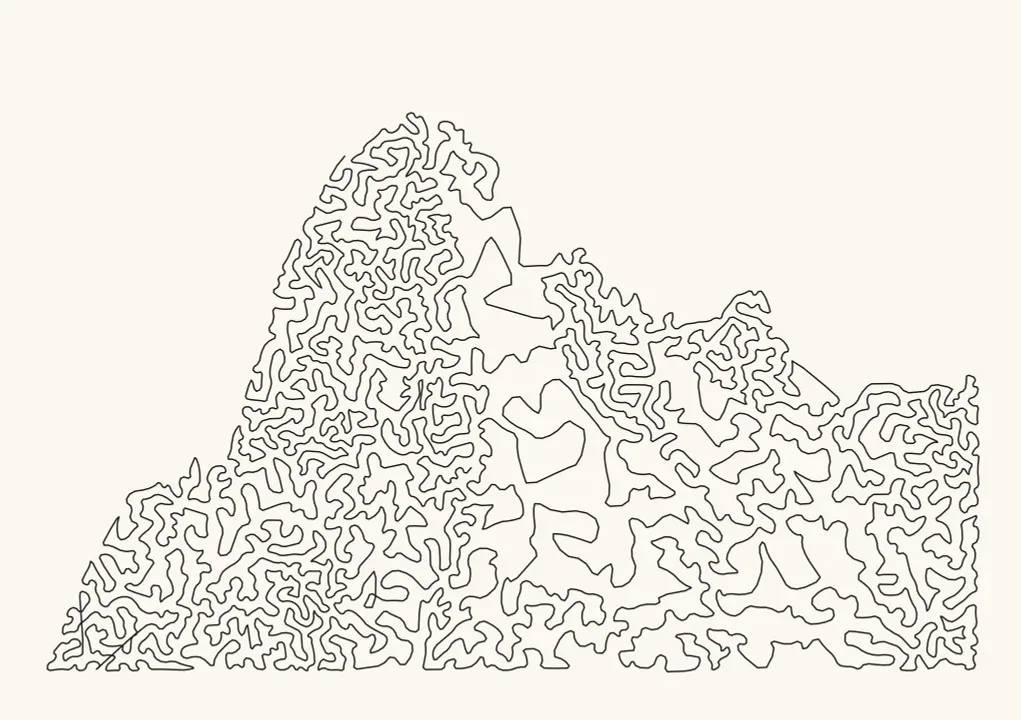
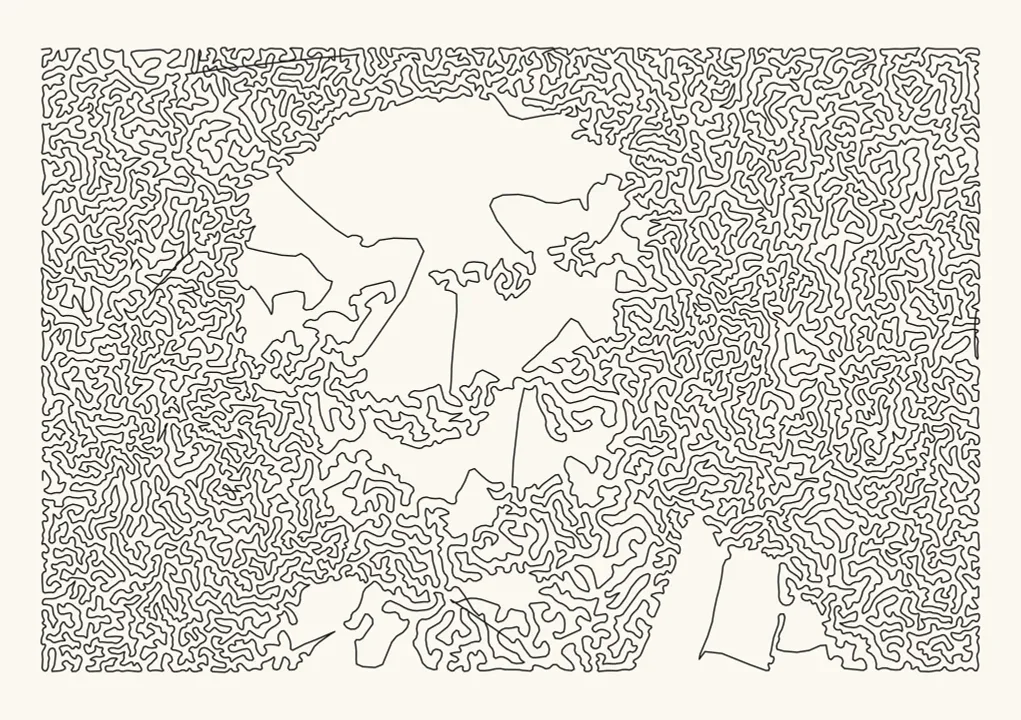
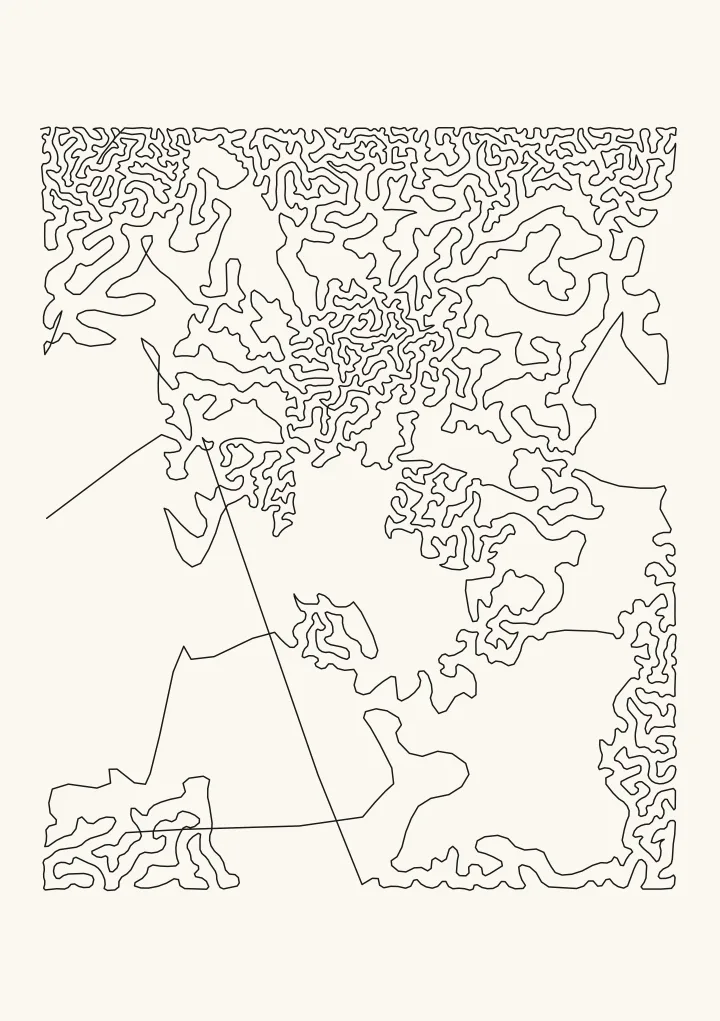
Photos, in order: Esteban Chinchilla, 2025, Unsplash License; Ian Noble, 2019, Unsplash License; AdinaVoicu, 2018, CC0.
- A bold silhouette works best. The mountain is dark against a pale sky, so the line fills the mountain and stops at the skyline.
- A light subject on a dark ground works too. The line fills the background and leaves the subject as paper, like the dandelion at the top of this page. The bust needed a finer Dot spacing in black, 1.4 mm, before the face came through.
- Soft, pale photos don’t work. The cat is pale against a soft, light background, so even at 1.4 mm the line wanders in loose loops and the face is hard to make out.
- Busy texture gives an even maze. A photo that is detailed all over, like the peacock feather sample, fills the sheet with line, and no shape stands out.
If a drawing looks like a scribble, look at it from a few steps back first: a one-line drawing is made to be seen at a distance.
Line length, plot time and pens
The photos on this page, on A5 with 8 mm margins and a 0.3 mm pen:
| Photo | Dot spacing in black | Dots | Line | As one line | As separate dots |
|---|---|---|---|---|---|
| Mountain peak, landscape | 1.8 mm (default) | 3,273 | 5.7 m | about 3 minutes | about 34 minutes |
| Tabby cat | 1.4 mm | 3,190 | 5.6 m | about 3 minutes | about 32 minutes |
| Dandelion | 2.2 mm (default) | 4,513 | 8.4 m | about 4 minutes | about 51 minutes |
| Roman bust, landscape | 1.4 mm | 12,896 | 14.6 m | about 9 minutes | about 2 hours 20 minutes |
Plot times are Plotcaster’s estimates for an AxiDraw at moderate speed, the same estimate the editor shows. The separate dots are the same dots at the default Dot size. Joining the dots is what makes a one-line drawing quick: drawn as separate dots, every dot costs a pen lift, a travel move and a pen drop. On a bigger sheet the line grows with the area. The editor starts with 15 mm margins and a 0.35 mm pen, on US Letter when your browser’s language is set for the US, Canada or Mexico, and on A4 otherwise. There the lion sample is 1 line and about 14 m of ink: about 8 minutes to plot on Letter, and about 7 on A4.
- Choose a pen for distance. The pen stays down for the whole plot, about 6 to 15 m of line in these examples, with no lift to let the nib recover. Use a fineliner or gel pen you’ve already seen draw a long, even line without skipping.
- Watch the corners. The carriage slows down at every sharp turn, so a pen that floods leaves blobs there. Round the line at 1 or more helps.
- Keep the darks open. If neighbouring stretches of line merge in the shadows, widen Dot spacing in black or use a finer pen.
- Tape the paper down. A sheet that shifts halfway spoils the drawing, and there’s no second layer to restart from.
FAQ
Is it really one line? Yes. With Draw as set to One continuous line, Stipple exports a single path, and the editor says 1 line under the drawing before you download. Every one-line drawing on this page is one path in its SVG.
Can it make a minimalist one-line portrait? No. Those are contour drawings, and Plotcaster doesn’t generate them. Edges traces clean outlines of a photo and Draw makes a hand-drawn line drawing, both from many separate strokes.
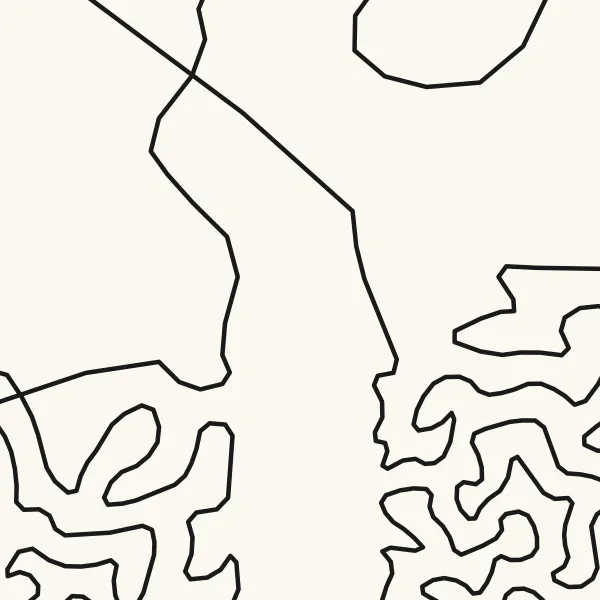
Why are there long straight lines across the light areas? The route walks to the nearest dot not yet visited, then 2-opt swaps uncross it and shorten it. Where there are no dots to route through, as inside the white dandelion, a few long jumps remain. Round the line softens the corners but doesn’t remove the jumps.
How long does a one-line drawing take to plot? On A5 with 8 mm margins and a 0.3 mm pen, about 3 to 9 minutes for the photos on this page, by Plotcaster’s estimate for an AxiDraw at moderate speed. The same dots drawn separately take from about half an hour to over 2 hours.
Can a Cricut draw it? Yes, with a pen. It’s one path, so the machine draws it without lifting. If your pen draws a broad line, use a wider Dot spacing in black, 1.8 mm or more, so the darks don’t fill in. Photo to line drawing for Cricut covers importing the SVG into Design Space.
Is my photo uploaded? No. The dots, the route and the SVG are made by code running in your browser, and the photo stays on your device.