Stipple: stippling generator and TSP art from a photo
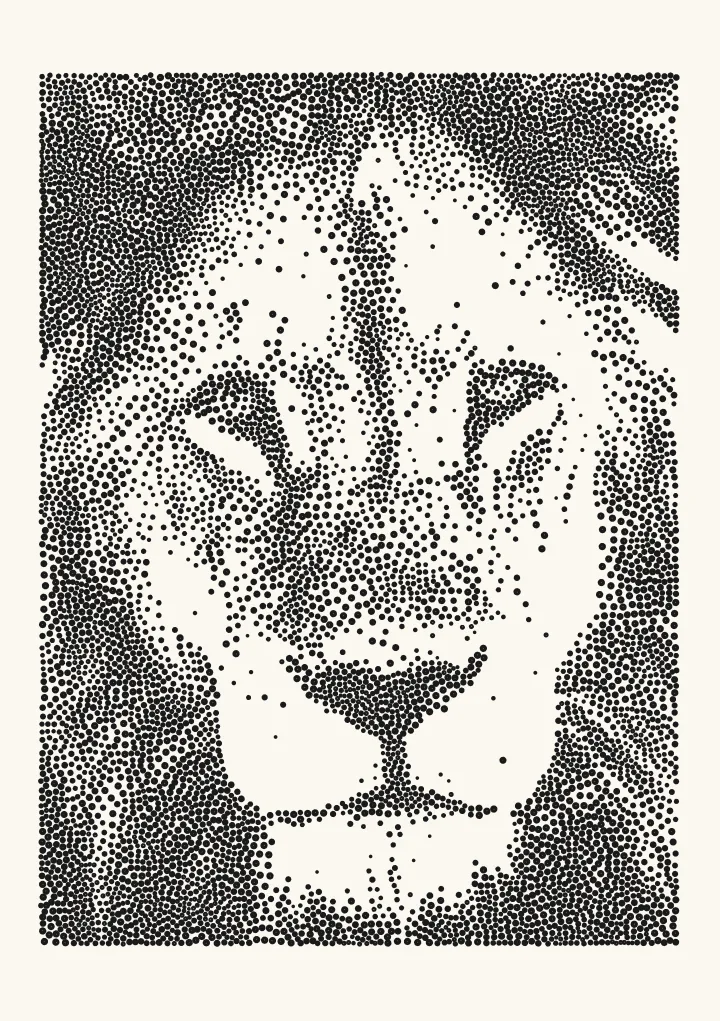
Dots scattered by tone, drawn as separate dots or joined into one wandering line. Suits pointillist portraits. Dots are placed with LBG stippling or error diffusion.
Good for pointillist portraits.
Controls
- Draw as · Separate dots, or one continuous line that visits every dot.
- Dot spacing in black · Distance between dots in solid black. Smaller means more dots and a longer plot. One continuous line packs its dots a quarter closer, since they cost no pen lifts.
- Dots · How many dots to place.
- Dot size · Diameter of each dot as it prints. Dots wider than the pen are filled in with a small spiral; dots up to the pen width are single taps.
More controls
- Number of dots · Automatic works out how many dots the picture needs from the spacing you set. Fixed uses an exact number.
- Shadow emphasis · How strongly dots favour the shadows. At 1 the ink follows the tones of the picture. Lower: dots spread into the mid-tones. Higher: dots gather in the darkest areas and the mid-tones clear out.
- Keep highlights blank · Anything less dark than this stays blank paper. Raise it to keep highlights clean.
- Bigger dots in shadows · Dots grow slightly where the picture is darker.
- Even out spacing · Passes that push dots apart so the spacing is even. A few is enough.
- Round the line · Rounds the continuous line into a hand scribble instead of straight jumps.

How the dots are placed
Stipple places dots with LBG stippling, a successor to Adrian Secord’s weighted Voronoi stippling. Each dot owns the patch of picture closest to it. A dot whose patch holds too much darkness splits in two, one whose patch holds too little is removed, and the dots move and repeat until each covers about the same amount of tone. The spacing comes out even, like patient hand stippling, with no grid and no clumps. Switch Number of dots to Fixed if you want an exact count instead.
Dot spacing, dot size and plot time
Dot spacing in black sets how far apart the dots sit in solid black, and Dot size how big each dot prints. A dot wider than the pen is filled in with a small spiral, so it prints solid instead of as a ring. Stipple starts at 1.8 mm spacing with 1.1 mm dots, and spaces the dots wider, up to 2.2 mm, for photos with more dark tone. Every separate dot costs a pen lift, so plot time follows the dot count: closer spacing gives more detail and a longer plot.
TSP art: one line through every dot
Set Draw as to One continuous line and Stipple joins every dot into a single path, the look known as TSP art, after the travelling salesman problem. The line packs its dots a quarter closer than Dot spacing in black says, since joined dots cost no pen lifts. The route starts as a greedy nearest-neighbour tour and is then improved with 2-opt swaps, which uncross the line and shorten it. Round the line softens the straight jumps into a hand-drawn scribble, and the pen goes down once for the whole drawing. TSP art: how to draw a photo with one continuous line covers where the look came from, how many dots to use and how long the line takes to plot.
If you have used StippleGen
StippleGen, Evil Mad Scientist’s Processing app, made weighted Voronoi stipples and TSP paths popular with AxiDraw owners. Stipple does both jobs in the browser with nothing to install, and exports SVG in millimetres with one layer per pen. Pen plotter software compared sets out what each tool does, from StippleGen to vpype.