Free megaphone SVG files
Free megaphone SVG files for cheer season: the cone megaphone tipped, standing and lying level, with pom poms, a bow, stars or a heart, a split megaphone for a name, a monogram frame and the electric kind. Each cuts as a clean closed shape.
15 designs. Free for personal and commercial use, no sign-up. What you can do with them.
-
 Cheer megaphone Solid · one piece
 -
 Megaphone standing on its bell Solid · one piece
 -
 Megaphone silhouette Solid · one piece
 -
 Megaphone outline Outline · one piece
 -
 Megaphone and pom poms Solid · one piece
 -
 Tilted megaphone with a pom pom Solid · one piece
 -
 Pom pom to go with the megaphone Solid · one piece
 -
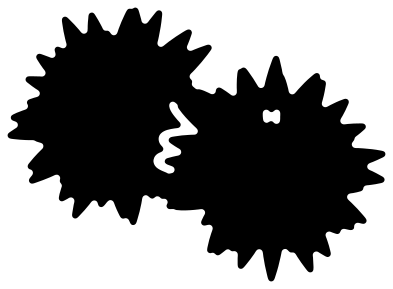 Pair of pom poms for a megaphone set Solid · one piece
 -
 Megaphone with a bow Solid · one piece
 -
 Megaphone with stars Solid · one piece
 -
 Megaphone with a heart Solid · one piece
 -
 Split megaphone for a name Solid · 2 pieces
 -
 Megaphone monogram frame Solid · one piece
 -
 Megaphone icon with sound lines Solid · 4 pieces
 -
 Electric megaphone Solid · one piece
Sizes, bands and the rim of the bell
A cheer megaphone is a simple cone, so most of these cut easily in vinyl, card and felt. The part to watch is the rim of the bell, which is about 2 mm wide when the megaphone is 100 mm long. Keep the megaphones with an open bell at 60 mm or longer in vinyl. The megaphone silhouette has no open bell and no bands, and can go much smaller.
The bands round the cone are cut-outs, so whatever is underneath shows through them as the second colour. They stop about 3.4 mm short of the edge at the 100 mm size, which is what keeps the megaphone in one piece.
Pom poms, names and team colours
The pom poms are bursts of pointed strands with thin slits between them. Cut them at 80 mm or more and weed from the centre outwards. Where a pom pom lies over a megaphone, a cut line about 2 mm wide sets it apart and two short bridges keep the set joined.
Nothing here carries a school name or a mascot. The split megaphone leaves a clear band along its length for a name, and the monogram megaphone has an open panel for an initial or a number.
How to open the files
- Cricut Design Space: choose Upload, pick the SVG, and add it to the canvas. Set the width you want; the shape is already welded.
- Silhouette Studio: Designer Edition and above open the SVG. The free Basic Edition does not, so open the DXF instead.
- LightBurn, xTool Creative Space and Glowforge: import the SVG, then set the layer to cut, score or engrave.
- Inkscape, Illustrator and Affinity: open the SVG. It is a plain filled path, so you can recolour it, add a stroke or combine it with your own work.
- Printing or sublimation: use the PNG, which has a transparent background.
Each design page lists the file’s narrowest part at seven sizes, so you can tell whether it will survive at the size you plan to cut.
Questions
How do I add a name to the split megaphone?
Type the name in your cutting software and set it in the gap between the two halves, which is about 19 mm tall when the megaphone is 100 mm long. Cut the name and both halves together and keep them on the transfer tape so the spacing holds.
Can I cut the megaphone and the pom poms in different colours?
Yes. Cut the megaphone and pom poms design once in each colour. Keep the megaphone from one sheet and the pom poms from the other, snipping the small bridges that join them, and lay them down together. The pom pom on its own is there if you want a bigger one.
Which megaphone is best for a small decal?
The megaphone silhouette. It has nothing inside to weed except the gap under the handle, and it stays clear at 25 mm long. The megaphone with stars also works small, down to about 50 mm.
 Football SVG
  Baseball SVG
  Softball SVG
  Basketball SVG
  Volleyball SVG
  Soccer ball SVG