Free succulent SVG files
Free succulent SVG files drawn by code: echeveria rosettes seen from above, round, spiral and spiky kinds, potted succulents from the side, a terrarium, a wreath and a paper template. Every row of leaves is evenly spaced and the whole plant is one welded piece.
14 designs. Free for personal and commercial use, no sign-up. What you can do with them.
-
 Echeveria succulent rosette Solid · one piece
 -
 Round leaf succulent Solid · one piece
 -
 Spiral succulent Solid · one piece
 -
 Agave succulent with pointed leaves Solid · one piece
 -
 Simple succulent with fat leaves Solid · one piece
 -
 Potted succulent Solid · one piece
 -
 Aloe succulent plant in a pot Solid · one piece
 -
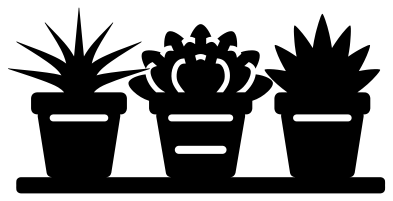 Three potted succulents on a shelf Solid · one piece
 -
 Succulent terrarium Solid · one piece
 -
 Succulent wreath Solid · one piece
 -
 Succulent border Solid · one piece
 -
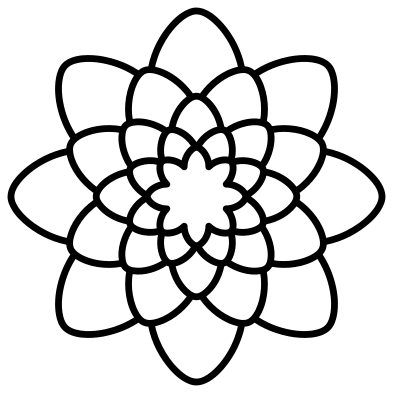 Succulent outline Outline · one piece
 -
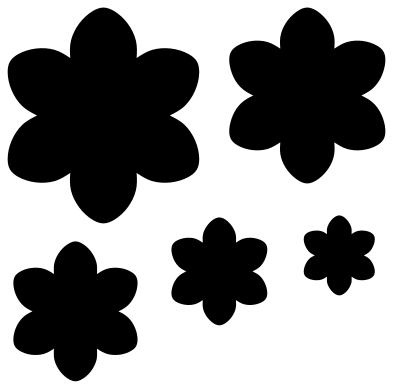 Paper succulent template Solid · 5 pieces
 -
 Layered succulent in four colours Layered · 4 pieces
How the rosettes hold together
A rosette seen from above is rows of leaves lying on top of one another. To show that in a single colour, each row is ringed by a channel about 1.5 mm wide that runs round the leaf tips. The channel is left uncut in the valley between every two leaves, and those uncut bridges are what keep the plant in one piece. On most of the rosettes they are about 3 mm across when the file is 100 mm wide; the spiral succulent is finer.
In vinyl the rosettes weed cleanly at 60 mm and above: lift the channels out with a hook, starting at the middle. For card and wood keep them at 80 mm or more, or choose the simple succulent, which has ten leaves and wide channels.
Colours that look like the real plant
Succulents are rarely plain green. Echeverias run from blue-grey to pale jade with pink or red at the leaf tips, and hens and chicks are often deep red at the centre. For the layered succulent, try a dusty green for the outer rows and a blush pink for the heart, or cut every layer in the same sage card and let the shadows do the work.
How to open the files
- Cricut Design Space: choose Upload, pick the SVG, and add it to the canvas. Set the width you want; the shape is already welded.
- Silhouette Studio: Designer Edition and above open the SVG. The free Basic Edition does not, so open the DXF instead.
- LightBurn, xTool Creative Space and Glowforge: import the SVG, then set the layer to cut, score or engrave.
- Inkscape, Illustrator and Affinity: open the SVG. It is a plain filled path, so you can recolour it, add a stroke or combine it with your own work.
- Printing or sublimation: use the PNG, which has a transparent background.
Each design page lists the file’s narrowest part at seven sizes, so you can tell whether it will survive at the size you plan to cut.
Questions
How do I build the paper succulent?
Cut the five stars from card of about 180 gsm. Curl every leaf upwards over a pencil, pinch its tip, then glue the stars in a stack from largest to smallest, turning each one half a step so its leaves sit between those below. A small bead of hot glue in the middle of each layer lifts it and gives the rosette depth.
Which succulent is best for a small sticker?
The simple succulent with ten leaves or the round leaf succulent. Both have wide channels and broad bridges, so they stay clean at 25 to 30 mm across. The echeveria rosette has finer channels and is better from 60 mm up.
Can I cut the potted succulents in two colours?
Yes. Each potted design is one welded piece, pot included. Cut it once in green and once in terracotta, then trim both along the top edge of the pot rim and use the plant from one and the pot from the other.
 Flower SVG
  Sunflower SVG
  Butterfly SVG
  Rose SVG
  Daisy SVG
  Leaf SVG