Free dispatcher SVG files
Free dispatcher SVG files with no lettering or numerals: a dispatcher in a headset, a figure with a mug, a silhouette at the desk, a console of three screens, a shield with a handset and a heartbeat, a handheld radio, a desk microphone, a heartbeat line, a call sign frame and a thin gold line heart.
12 designs. Free for personal and commercial use, no sign-up. What you can do with them.
-
 Dispatcher in a headset Solid · one piece
 -
 Dispatcher with a headset and a mug Solid · one piece
 -
 Dispatcher silhouette at the desk Solid · one piece
 -
 Dispatcher console with three screens Solid · one piece
 -
 Dispatcher shield with a handset and a heartbeat Solid · one piece
 -
 Dispatcher handheld radio Solid · 4 pieces
 -
 Dispatcher desk microphone Solid · 4 pieces
 -
 Dispatcher heartbeat line from a handset to a heart Solid · one piece
 -
 Dispatcher call sign bubble frame Solid · one piece
 -
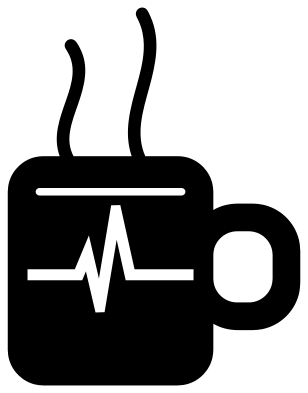 Dispatcher coffee mug with a heartbeat Solid · one piece
 -
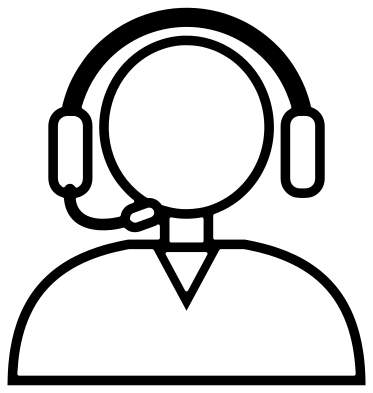 Dispatcher in a headset outline Outline · one piece
 -
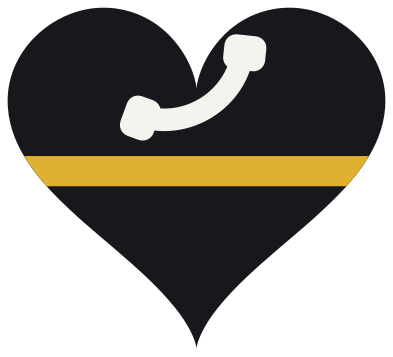 Layered dispatcher thin gold line heart Layered · 3 pieces
No numerals, no badge
Emergency numbers differ from country to country and every agency has its own badge, so these designs carry neither. The shield is a plain shape with a telephone handset and a heartbeat cut out of it, and the thin gold line heart uses the gold stripe that many dispatchers have taken as their colour. Add your own centre name, number or call sign in your cutting software: the speech bubble frame is open in the middle for exactly that.
The dispatcher in a headset is one piece. The boom of the microphone is the thinnest part, about 3 mm wide when the design is 100 mm tall, so cut it at 70 mm or more and weed towards the microphone. The handheld radio and the desk microphone have loose signal arcs, three each, which are placed with transfer tape in vinyl and left out in wood.
Screens and heartbeat lines
The console is a wide design, about 40 mm tall when it is 100 mm wide. The pictures on its three screens are solid lines joined to the frames, about 2 mm wide at that size, so cut it at 120 mm wide or more. The heartbeat line from a handset to a heart is longer still and suits the back window of a car, the side of a tumbler or the top of a sign. The silhouette at the desk stands on a straight strip for a shadow box.
How to open the files
- Cricut Design Space: choose Upload, pick the SVG, and add it to the canvas. Set the width you want; the shape is already welded.
- Silhouette Studio: Designer Edition and above open the SVG. The free Basic Edition does not, so open the DXF instead.
- LightBurn, xTool Creative Space and Glowforge: import the SVG, then set the layer to cut, score or engrave.
- Inkscape, Illustrator and Affinity: open the SVG. It is a plain filled path, so you can recolour it, add a stroke or combine it with your own work.
- Printing or sublimation: use the PNG, which has a transparent background.
Each design page lists the file’s narrowest part at seven sizes, so you can tell whether it will survive at the size you plan to cut.
Questions
Where is the plain headset design?
On the headphones page, which has a headset with a microphone, a dispatcher headset with a heartbeat and a headset frame for initials. This set has the person, the desk, the radio and the emblems, so the two can be mixed.
Can I add an emergency number to the shield?
Yes. Set the numerals in a bold face in your cutting software and place them over the lower part of the shield, under the heartbeat. Subtract them from the shield for one layer or cut them from a second colour.
How do I cut the thin gold line heart?
It is three layers: cut the heart from black, the stripe from gold and the handset from white, then stack them in that order. The stripe is already trimmed to the edge of the heart, so line up its two ends with the sides of the heart.
 Camera SVG
  Guitar SVG
  Music note SVG
  Stethoscope SVG
  Tooth SVG
  Light bulb SVG