Free beer mug SVG files
Free beer mug SVG files: glass mugs with a head of foam, a dimpled tankard, a lidded stein, pint and pilsner glasses, bottles, a can and a bottle cap. Foam and handle are welded to the glass, and every label is blank. Download as SVG, PNG or DXF.
17 designs. Free for personal and commercial use, no sign-up. What you can do with them.
-
 Beer mug with foam Solid · one piece
 -
 Beer mug silhouette Solid · one piece
 -
 Beer mug outline Outline · one piece
 -
 Dimpled beer mug Solid · one piece
 -
 Beer stein with a lid Solid · one piece
 -
 Beer mug monogram frame Solid · one piece
 -
 Two beer mugs clinking Solid · one piece
 -
 Overflowing beer mug Solid · one piece
 -
 Pint glass of beer Solid · one piece
 -
 Tall beer glass Solid · one piece
 -
 Beer bottle with a blank label Solid · one piece
 -
 Two beer bottles clinking Solid · one piece
 -
 Beer mug and bottle Solid · one piece
 -
 Beer can with a blank band Solid · one piece
 -
 Beer bottle cap Solid · one piece
 -
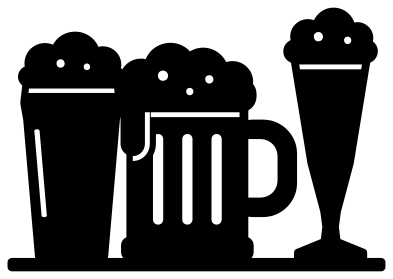 Three beer glasses on a bar Solid · one piece
 -
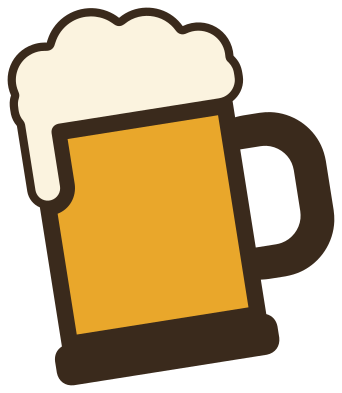 Layered beer mug in three colours Layered · 3 pieces
Foam, handle and glass in one piece
A mug of beer has three parts that most files leave loose: the glass, the handle and the foam. In these the foam overlaps the rim and the handle runs into the side of the glass, so each mug lifts off the mat as one piece. The handle is about 9 mm thick when the mug is 100 mm tall, which is strong enough for 3 mm plywood or acrylic at that size. The line that sets the foam off from the beer is about 2 mm wide and stops short of both sides of the glass.
The inside of the handle is an enclosed hole, so remember to weed it. For a quick two-colour mug, cut the same design in white and in amber, keep the foam from the white and the glass from the amber, and trim both along the cut line under the foam.
Which mug for which job
The beer mug silhouette is the one for small decals, bottle openers and anything under about 40 mm. The dimpled mug and the stein carry the most detail and look best at 80 mm or more. The monogram mug and the bottle cap leave a clear space for an initial, which suits groomsman gifts, home bar signs and coasters.
How to open the files
- Cricut Design Space: choose Upload, pick the SVG, and add it to the canvas. Set the width you want; the shape is already welded.
- Silhouette Studio: Designer Edition and above open the SVG. The free Basic Edition does not, so open the DXF instead.
- LightBurn, xTool Creative Space and Glowforge: import the SVG, then set the layer to cut, score or engrave.
- Inkscape, Illustrator and Affinity: open the SVG. It is a plain filled path, so you can recolour it, add a stroke or combine it with your own work.
- Printing or sublimation: use the PNG, which has a transparent background.
Each design page lists the file’s narrowest part at seven sizes, so you can tell whether it will survive at the size you plan to cut.
Questions
Can I engrave these on a real beer glass?
Yes. Use the beer mug outline or the beer mug silhouette, scale it to about 50 mm so it sits on the flat of the glass, and run it on a rotary attachment if the glass is round. Solid areas engrave as frosted patches, so the outline gives the lighter result.
How do I make the foam white and the beer amber?
Use the layered beer mug, which has the mug, the beer and the foam as separate layers. Cut each from its own colour and stack them: the dark mug first, then the amber, then the cream foam.
Do the clinking mugs stay together when cut?
Yes. The splash of foam between them is welded to the foam of both mugs, so the pair is one piece. That bridge is the thinnest part, so handle it with transfer tape and do not cut the pair smaller than about 70 mm wide.
 Pineapple SVG
  Coffee cup SVG
  Wine glass SVG
  Cupcake SVG
  Donut SVG
  Lemon SVG