Free skyline SVG files
Free skyline SVG files: a city skyline with windows, a plain silhouette, a waterfront with its reflection, a cityscape, a street of town houses, a Christmas skyline and a low border, plus an office block, a factory, a hospital and a bank. Every building is made up, so the skyline fits any city.
16 designs. Free for personal and commercial use, no sign-up. What you can do with them.
-
 City skyline with windows Solid · one piece
 -
 Skyline silhouette Solid · one piece
 -
 City skyline over water Solid · one piece
 -
 Five skyline buildings in a row Solid · one piece
 -
 Office building for a skyline Solid · one piece
 -
 Skyline cityscape with a rising sun Solid · one piece
 -
 City skyline in a ring at night Solid · one piece
 -
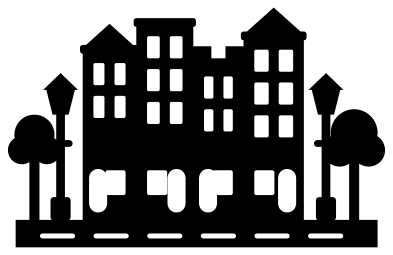 Skyline street of four town houses Solid · one piece
 -
 Christmas skyline with a tree Solid · one piece
 -
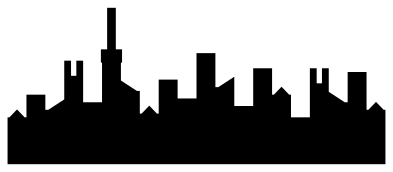 Low skyline border Solid · one piece
 -
 Simple skyline icon Solid · one piece
 -
 Factory building with two chimneys Solid · one piece
 -
 Hospital building with a cross Solid · one piece
 -
 Bank building with six columns Solid · one piece
 -
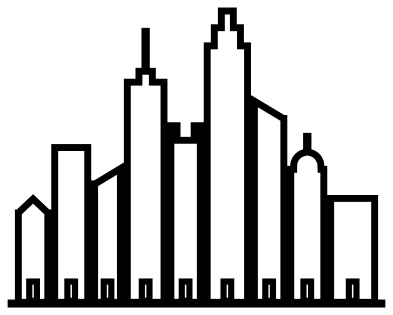 Skyline outline Outline · one piece
 -
 Layered skyline at sunset Layered · 30 pieces
A skyline that is nobody’s and everybody’s
None of these is a real place. The buildings are plain boxes with a handful of roof shapes, a mast here, a water tank or a dome there, arranged for a good outline. That means you can put any town’s name under them without the wrong landmark showing, and nobody’s famous tower is being copied.
Windows are cut three ways: as a grid of small panes, as tall slots and as bands across the wall. The panes are about 3 mm wide with 2.3 mm of wall between them when the skyline is 100 mm long. In vinyl that weeds well from 100 mm; for wood or acrylic at that size choose the skyline silhouette or the low border, which have no windows at all.
Flat feet for scenes and borders
Every skyline stands on a straight strip of ground, so it can be glued along the bottom of a card or used as a layer in a paper scene. For depth, cut the skyline silhouette twice in two shades and set one a little higher behind the other, or use the layered skyline, which has far, middle and near rows already drawn at three heights with lit windows as a top layer.
How to open the files
- Cricut Design Space: choose Upload, pick the SVG, and add it to the canvas. Set the width you want; the shape is already welded.
- Silhouette Studio: Designer Edition and above open the SVG. The free Basic Edition does not, so open the DXF instead.
- LightBurn, xTool Creative Space and Glowforge: import the SVG, then set the layer to cut, score or engrave.
- Inkscape, Illustrator and Affinity: open the SVG. It is a plain filled path, so you can recolour it, add a stroke or combine it with your own work.
- Printing or sublimation: use the PNG, which has a transparent background.
Each design page lists the file’s narrowest part at seven sizes, so you can tell whether it will survive at the size you plan to cut.
Questions
Is this the skyline of a real city?
No. Every building is invented and none is modelled on a known landmark, so the files are safe to use for any city, a home town sign or a made-up one. Add the name underneath in your cutting software.
How do I make the windows glow?
Cut the city skyline with windows from dark card and back it with yellow vellum or tracing paper, then light it from behind with an LED tea light. The layered skyline does the same job in flat colour with a separate layer of lit windows.
Which skyline is best as a long border?
The low skyline border. It is much wider than it is tall and has no windows, so it can be cut small. To run it further, place two copies end to end so the ground strips meet and weld them.
 Camera SVG
  Guitar SVG
  Music note SVG
  Stethoscope SVG
  Tooth SVG
  Light bulb SVG