Free angel SVG files
Free angel SVG files: pairs of feathered wings, a single wing, wings with a halo or a heart, and angels standing, praying and blowing a trumpet. The feathers are parted by thin cut lines, and each wing still lifts as one piece.
14 designs. Free for personal and commercial use, no sign-up. What you can do with them.
-
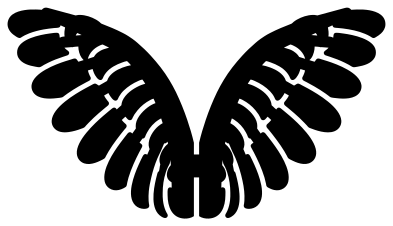 Pair of angel wings Solid · one piece
 -
 Single angel wing Solid · one piece
 -
 Angel wings with a halo Solid · 2 pieces
 -
 Simple angel wings Solid · one piece
 -
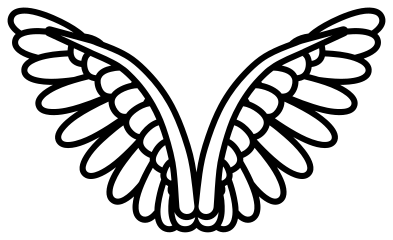 Angel wings outline Outline · one piece
 -
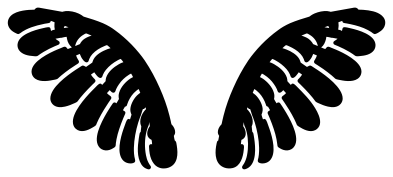 Angel wings with space for a name Solid · 2 pieces
 -
 Heart with angel wings and a halo Solid · 2 pieces
 -
 Angel halo with sparkles Solid · 4 pieces
 -
 Standing angel with hands together Solid · one piece
 -
 Praying angel seen from the side Solid · one piece
 -
 Christmas angel with a trumpet Solid · one piece
 -
 Cute little angel Solid · one piece
 -
 Row of three angels Solid · one piece
 -
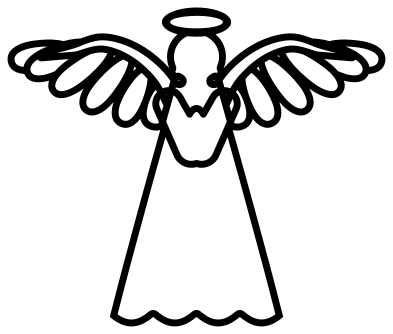 Standing angel outline Outline · one piece
How the feathers are cut
A wing drawn as one solid shape reads as a blob, so each feather here lies over the next with a thin gap between them. On the pair of angel wings at 100 mm wide the gap is about 1.3 mm. Every long feather is joined to the leading edge of the wing by a small hidden bridge, which is why the whole wing comes off the mat in one piece.
Those gaps set the smallest useful size. In vinyl the feathered wings weed cleanly at 80 mm or more; below that, use the simple angel wings, which have five broad feathers a side and wider gaps. On a laser the gaps are narrow enough to char in thin plywood, so cut the feathered wings at 120 mm or more, or engrave the outline version instead.
Wings for memorials and names
Angel wings are most often cut as a memorial: beside a name and dates, round a photo, or on a bauble. The wings with space for a name are two loose pieces, so you can slide them apart to fit the lettering. The halo over the heart and over the spread wings is a loose piece too: place it just above the centre, or leave it out.
How to open the files
- Cricut Design Space: choose Upload, pick the SVG, and add it to the canvas. Set the width you want; the shape is already welded.
- Silhouette Studio: Designer Edition and above open the SVG. The free Basic Edition does not, so open the DXF instead.
- LightBurn, xTool Creative Space and Glowforge: import the SVG, then set the layer to cut, score or engrave.
- Inkscape, Illustrator and Affinity: open the SVG. It is a plain filled path, so you can recolour it, add a stroke or combine it with your own work.
- Printing or sublimation: use the PNG, which has a transparent background.
Each design page lists the file’s narrowest part at seven sizes, so you can tell whether it will survive at the size you plan to cut.
Questions
How do I put a name between the wings?
Use the angel wings with space for a name. Type the name in your cutting software, place it between the two wings, and move the wings in or out until they almost touch the first and last letters. Group everything before you cut so the spacing is kept.
Which angel wings are best for a small ornament?
The simple angel wings. They have five broad feathers a side and no second row, and nothing in them is narrower than 5 mm at 100 mm wide, so they still cut cleanly at 50 mm. The feathered pairs need about 80 mm before the gaps between feathers are wide enough to weed.
Can I use one wing on each side of a photo frame?
Yes. Cut the single angel wing once as it is and once mirrored, and set the root of each against a side of the frame so that the feathers fan away from it.
 Snowflake SVG
  Christmas tree SVG
  Ornament SVG
  Snowman SVG
  Santa hat SVG
  Candy cane SVG