Free poop SVG files
Free poop SVG files: our own cartoon swirl, plain and with a happy face, with flies, in a party hat, in a crown, in sunglasses, with heart eyes, three in a row, inside a "no" sign and as a bird splat, plus brown and rainbow layered versions. Friendly, generic and drawn here.
14 designs. Free for personal and commercial use, no sign-up. What you can do with them.
-
 Pile of poop swirl Solid · one piece
 -
 Happy poop with a smiling face Solid · one piece
 -
 Stinky poop with flies Solid · one piece
 -
 Birthday poop in a party hat Solid · one piece
 -
 Three poop swirls in a row Solid · one piece
 -
 Poop outline Outline · one piece
 -
 Girl poop with a bow and lashes Solid · one piece
 -
 Cool poop in sunglasses Solid · one piece
 -
 Poop with heart eyes Solid · one piece
 -
 King poop in a crown Solid · one piece
 -
 No poop sign Solid · one piece
 -
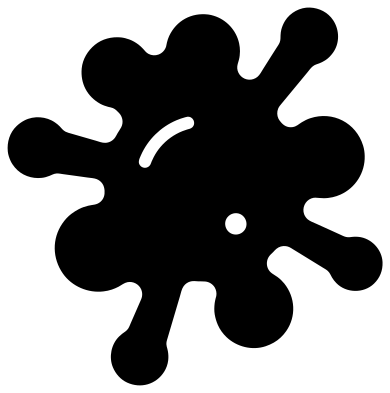 Bird poop splat Solid · one piece
 -
 Layered poop in four colours Layered · 9 pieces
 -
 Rainbow poop in six colours Layered · 10 pieces
A friendly swirl, drawn here
This is the cartoon poop that everyone knows, drawn from scratch for this library: three soft tiers, or four on the tall ones, each narrower than the one below, and a curled tip. The faces are ours too, with small round eyes, a curved line for a smile and a pair of cheeks, and none of them is copied from a phone’s emoji. The folds between the tiers and every part of a face are cut out as windows that stop short of the edge, so each design lifts in one piece.
Every file is 100 mm on its longer side. At that size the folds and smiles are slots about 2.5 mm wide, which weed easily in vinyl and still show in card. The plain swirl and the faces cut well down to about 40 mm. The flies are the fine parts of the set: their flight paths are a little over 2 mm wide, so cut that design at 100 mm or more and press it down along the paths before you peel the tape.
What people make with it
Potty training charts and reward stickers, where the happy swirl goes on at 30 to 40 mm. Gag gifts and birthday cards, for which the party hat, the crown and the sunglasses were drawn. Garden stakes that ask dog walkers to pick up: cut the "no" sign from permanent vinyl at 150 mm or more and put it on a white board. And slime jars, squishy toys and party bags, where the rainbow version is the favourite.
How to open the files
- Cricut Design Space: choose Upload, pick the SVG, and add it to the canvas. Set the width you want; the shape is already welded.
- Silhouette Studio: Designer Edition and above open the SVG. The free Basic Edition does not, so open the DXF instead.
- LightBurn, xTool Creative Space and Glowforge: import the SVG, then set the layer to cut, score or engrave.
- Inkscape, Illustrator and Affinity: open the SVG. It is a plain filled path, so you can recolour it, add a stroke or combine it with your own work.
- Printing or sublimation: use the PNG, which has a transparent background.
Each design page lists the file’s narrowest part at seven sizes, so you can tell whether it will survive at the size you plan to cut.
Questions
Is this the poop emoji?
It is the same idea, a smiling swirl, but it is our own drawing and not a copy of any phone maker’s emoji, which are their own artwork. The tiers, the curl and the faces here were drawn in code for this library, so you can cut and sell things made with them.
What colour should I cut the swirl from?
Brown reads at once. A mid brown shows best on white, and dark brown on kraft card or wood. Put white or cream behind the eyes and smile so the face shows, and red behind the heart eyes. The layered files give you each colour as its own piece.
How do I make a "no dog poop" garden sign?
Cut the no poop sign from permanent outdoor vinyl at 150 to 200 mm and apply it to a painted board or a corrugated plastic sheet. Red for the ring and bar with a brown swirl is the usual choice, which means cutting the file twice and using the ring from one and the swirl from the other.
 Cross SVG
  Paw print SVG
  Shamrock SVG
  Anchor SVG
  Compass SVG
  Gear SVG