Free Christmas countdown SVG files
Free Christmas countdown SVG files: boards with an empty window for the number of days, a tree, a bauble and a layered Santa suit with the same window, twenty number tiles, two blocks on a stand, an easel and a paper chain. The number is left for you to change each morning.
12 designs. Free for personal and commercial use, no sign-up. What you can do with them.
Or choose one below for its PNG, DXF and cutting sizes.
-
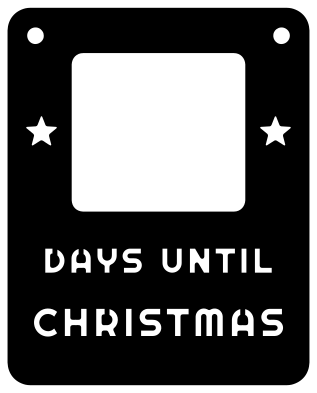 Christmas countdown board with a number window Solid · one piece
 -
 Christmas countdown lettering with a holly frame Solid · 13 pieces
 -
 Christmas countdown with a Santa hat frame Solid · 17 pieces
 -
 Christmas countdown tree with a number window Solid · one piece
 -
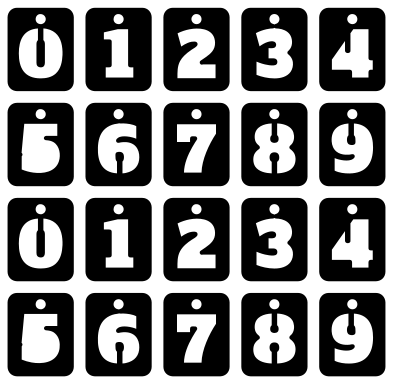 Christmas countdown number tiles, 0 to 9 twice Solid · 20 pieces
 -
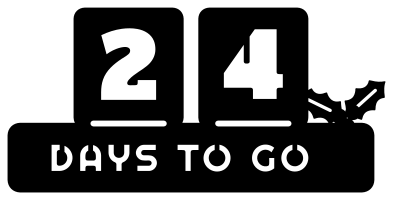 Christmas countdown blocks on a stand Solid · one piece
 -
 Christmas countdown easel silhouette Solid · one piece
 -
 Christmas countdown bauble with a round window Solid · one piece
 -
 Layered Santa suit Christmas countdown Layered · 4 pieces
 -
 Christmas countdown paper chain with a star Solid · one piece
 -
 Christmas countdown bauble outline Outline · 2 pieces
 -
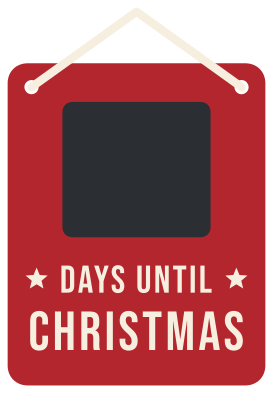 Layered Christmas countdown board in three colours Layered · 23 pieces
Why the window is empty
A countdown shows a different number every day, so a file with one number cut into it would be right once. These designs leave a blank window instead. The simplest way to fill it is a square of chalkboard vinyl behind the window and a stick of chalk beside it. For something neater, cut the number tiles: there are two of each numeral from 0 to 9, each with a hole at the top, to hang in the window on two small hooks. Counting to Christmas Day, 1 December shows 24, the 15th shows 10 and Christmas Eve shows 1.
Sizes for boards and tiles
The plaque is drawn 80 by 100 mm with a window 46 mm wide and 42 mm tall. Cut it 250 mm tall from 3 mm plywood and the window is 115 by 105 mm, which takes two tiles side by side when the tile sheet is cut about 250 mm wide. The letters cut through the plaque are bridged, so the middles of the D, A and R stay in place; in vinyl, weed the letters and leave the bridges. The loose lettering designs suit a painted board: lay the frame first and space the words under it with transfer tape.
How to open the files
- Cricut Design Space: choose Upload, pick the SVG, and add it to the canvas. Set the width you want; the shape is already welded.
- Silhouette Studio: Designer Edition and above open the SVG. The free Basic Edition does not, so open the DXF instead.
- LightBurn, xTool Creative Space and Glowforge: import the SVG, then set the layer to cut, score or engrave.
- Inkscape, Illustrator and Affinity: open the SVG. It is a plain filled path, so you can recolour it, add a stroke or combine it with your own work.
- Printing or sublimation: use the PNG, which has a transparent background.
Each design page lists the file’s narrowest part at seven sizes, so you can tell whether it will survive at the size you plan to cut.
Questions
How do I change the number each day?
Three ways. Chalk it on chalkboard vinyl stuck behind the window. Hang two number tiles on small hooks or nails in the window. Or cut the window out of a board with a slot behind it and slide in a numbered card.
Should the countdown start at 24 or 25?
It depends what you count to. Counting the days until Christmas Day, 1 December is 24 and Christmas Eve is 1. Some families count the sleeps, which gives the same numbers, and some count to Christmas Eve and start at 23. Two sets of tiles from 0 to 9 cover any of these.
Why are there two of every number tile?
So that both places can show the same numeral. With one set you could not show 11 or 22. With two sets of 0 to 9 every number from 00 to 99 can be made, which also lets the tiles count down to a birthday or a holiday later in the year.
 Snowflake SVG
  Christmas tree SVG
  Ornament SVG
  Snowman SVG
  Santa hat SVG
  Candy cane SVG