Free dolphin SVG files
Free dolphin SVG files: a bottlenose dolphin leaping, swimming and in outline, a baby dolphin, a dolphin in a heart, two dolphins face to face, a pair jumping from the sea, a monogram ring, a mandala dolphin and a tribal one. Each is drawn by code and downloads as SVG, PNG or DXF.
13 designs. Free for personal and commercial use, no sign-up. What you can do with them.
-
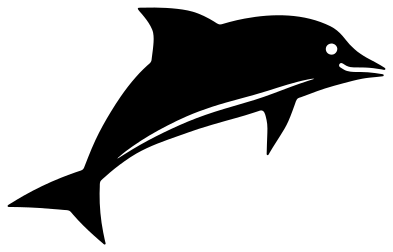 Leaping dolphin Solid · one piece
 -
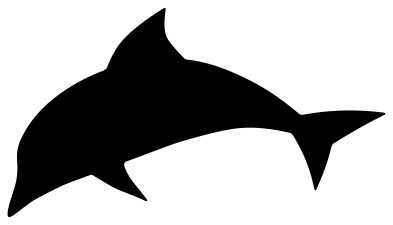 Dolphin silhouette Solid · one piece
 -
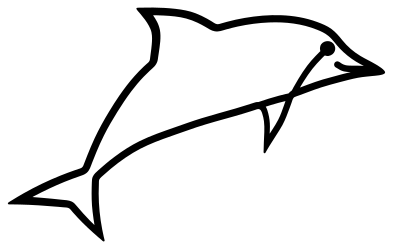 Dolphin outline Outline · one piece
 -
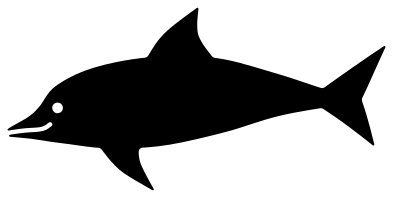 Swimming dolphin Solid · one piece
 -
 Baby dolphin Solid · one piece
 -
 Two dolphins leaping from the sea Solid · one piece
 -
 Dolphin in a heart Solid · one piece
 -
 Two dolphins face to face Solid · one piece
 -
 Dolphin over a monogram ring Solid · one piece
 -
 Dolphin against the sun Solid · one piece
 -
 Mandala dolphin Solid · one piece
 -
 Tribal dolphin Solid · one piece
 -
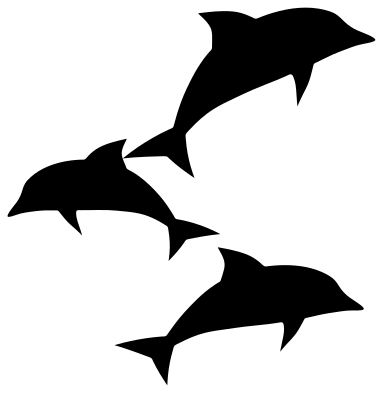 Pod of three dolphins Solid · 3 pieces
Sizes and the fine parts of a dolphin
Every file is 100 mm on its longer side. A dolphin is a smooth, sturdy shape with three fine places: the beak, which the mouth line divides into two jaws about 2.5 mm thick, the tip of the back fin and the two points of the flukes. In vinyl and card all of them cut well at 100 mm. Below about 70 mm use the dolphin silhouette, which has no mouth line and no inside cuts.
For plywood and acrylic the silhouette and the swimming dolphin are the safest, and the dolphin over a monogram ring is held together by the ring, so its tail cannot snap. The mandala dolphin has the most to weed: rows of petals about 7 mm long and dots about 3 mm across at file size. Cut it at 150 mm or more if you can.
Dolphins are grey above and pale below. The leaping dolphin has that boundary cut as a thin line, so in one colour of vinyl the belly still reads as lighter. For two colours, cut the silhouette in a pale grey and lay the leaping dolphin over it.
How to open the files
- Cricut Design Space: choose Upload, pick the SVG, and add it to the canvas. Set the width you want; the shape is already welded.
- Silhouette Studio: Designer Edition and above open the SVG. The free Basic Edition does not, so open the DXF instead.
- LightBurn, xTool Creative Space and Glowforge: import the SVG, then set the layer to cut, score or engrave.
- Inkscape, Illustrator and Affinity: open the SVG. It is a plain filled path, so you can recolour it, add a stroke or combine it with your own work.
- Printing or sublimation: use the PNG, which has a transparent background.
Each design page lists the file’s narrowest part at seven sizes, so you can tell whether it will survive at the size you plan to cut.
Questions
Which dolphin is best for a wedding or anniversary gift?
Two dolphins face to face. It is exactly mirrored, the two beaks meet at the top and the tails cross at the bottom, so it cuts as one piece, and there is clear space between the two bodies for initials or a date. The dolphin in a heart suits a card front.
How do I use the monogram ring?
Open the file in your cutting software, type one or two letters, and size them to sit inside the ring with a small gap all round. Weld or attach the letters if you want them to touch the ring; otherwise group them so the spacing holds on the transfer tape.
Can I make the dolphins jump the other way?
Yes. Mirror the design in your cutting software. Nothing in these drawings is handed, so a mirrored dolphin is just as correct. For a border, alternate the original and its mirror image.
 Owl SVG
  Bird SVG
  Cat SVG
  Dog SVG
  Elephant SVG
  Fish SVG