Free bookmark SVG files
Free bookmark SVG files to cut and use: a plain template, shaped strips, corner bookmarks that fold into a pocket, a heart clip, a feather, a cat and pierced floral and moon-and-stars strips. Each has a tassel hole where one belongs.
14 designs. Free for personal and commercial use, no sign-up. What you can do with them.
-
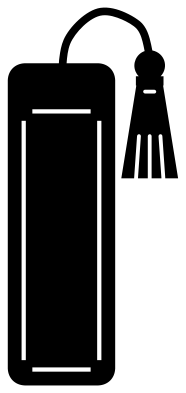 Bookmark with a tassel Solid · one piece
 -
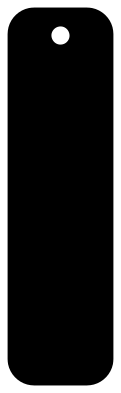 Bookmark template with a tassel hole Solid · one piece
 -
 Bookmark shapes, set of three Solid · 3 pieces
 -
 Corner bookmark template to fold Solid · one piece
 -
 Heart corner bookmark Solid · one piece
 -
 Heart corner bookmark template to fold Solid · one piece
 -
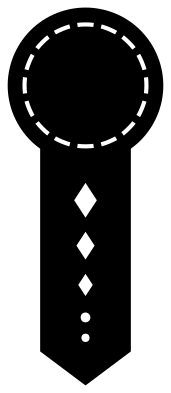 Monogram bookmark with a round top Solid · one piece
 -
 Feather bookmark Solid · one piece
 -
 Heart bookmark with a page clip Solid · one piece
 -
 Floral bookmark with cut-out leaves Solid · one piece
 -
 Moon and stars bookmark Solid · one piece
 -
 Cat bookmark Solid · one piece
 -
 Arrow bookmark Solid · one piece
 -
 Layered bookmark with a scalloped edge Layered · 2 pieces
Size and material
The files are 100 mm on their longer side, which is small for a bookmark. Scale a strip to 150 mm tall for a paperback or 180 mm for a hardback: at 150 mm the plain template is 42 mm wide and its hole is 7 mm across, which takes a tassel or a loop of ribbon. Card of 250 to 300 gsm is stiff enough on its own. Thinner card is better laminated or cut twice and glued back to back.
For a laser, 3 mm plywood is too thick to close a book on. Use 1.5 mm ply, veneer, 2 mm acrylic or leather. The pierced floral and moon-and-stars strips keep a solid margin all the way round, so they stay in one piece in thin wood.
Corner bookmarks
The two folding templates have their fold lines cut as rows of short dashes, so the card bends cleanly without a scoring tool. If your machine has a scoring wheel or pen, swap the dashes for a score line instead. Glue only the flap or the tab, never the square or the heart itself, or the pocket will not open. The square corner bookmark cut at 100 mm tall unfolded gives a pocket about 47 mm along each side.
How to open the files
- Cricut Design Space: choose Upload, pick the SVG, and add it to the canvas. Set the width you want; the shape is already welded.
- Silhouette Studio: Designer Edition and above open the SVG. The free Basic Edition does not, so open the DXF instead.
- LightBurn, xTool Creative Space and Glowforge: import the SVG, then set the layer to cut, score or engrave.
- Inkscape, Illustrator and Affinity: open the SVG. It is a plain filled path, so you can recolour it, add a stroke or combine it with your own work.
- Printing or sublimation: use the PNG, which has a transparent background.
Each design page lists the file’s narrowest part at seven sizes, so you can tell whether it will survive at the size you plan to cut.
Questions
How do I add a tassel?
Fold a 30 cm length of embroidery thread or thin ribbon in half, push the loop through the hole from the front, pass both ends through the loop and pull tight. For a fuller tassel, use a ready-made one and tie its cord through the hole.
What size should a bookmark be?
About 50 by 150 mm suits most paperbacks, and 50 by 180 mm suits hardbacks. Scale the file by its height: the width follows. Corner bookmarks are best with a pocket 50 to 60 mm along each side, so scale the unfolded square template to between 110 and 130 mm tall.
How do I put a name or an initial on a bookmark?
Use the monogram bookmark, whose round top has a clear space for one large letter. For a full name, use the plain template and set the name running down the strip. Slice the letters out, or cut them in a second colour and stick them on.
 Camera SVG
  Guitar SVG
  Music note SVG
  Stethoscope SVG
  Tooth SVG
  Light bulb SVG