Free Christmas stocking SVG files
Free Christmas stocking SVG files: plain, striped, starred and knitted-look stockings with fur, ribbed and name-ready cuffs, plus a pair, a row hung on a line and a set of loose pieces for red and white. Each is drawn by code as clean closed shapes.
20 designs. Free for personal and commercial use, no sign-up. What you can do with them.
-
 Classic Christmas stocking Solid · one piece
 -
 Christmas stocking silhouette Solid · one piece
 -
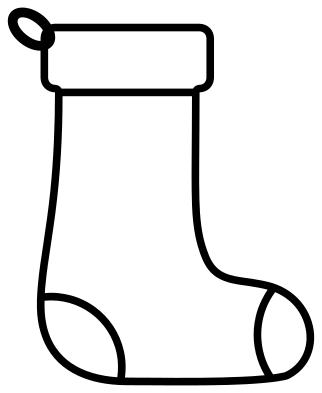 Christmas stocking outline Outline · one piece
 -
 Stocking with a fur cuff Solid · one piece
 -
 Striped Christmas stocking Solid · one piece
 -
 Christmas stocking with stars Solid · one piece
 -
 Christmas stocking with a snowflake Solid · one piece
 -
 Fair Isle Christmas stocking Solid · one piece
 -
 Christmas stocking with hearts Solid · one piece
 -
 Polka dot Christmas stocking Solid · one piece
 -
 Stocking with a blank name cuff Solid · one piece
 -
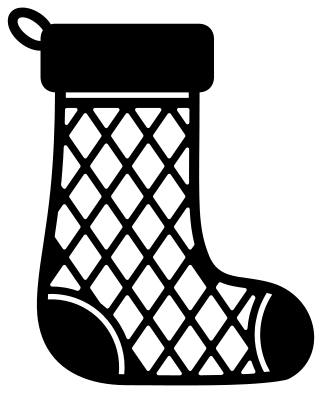 Diamond lattice Christmas stocking Solid · one piece
 -
 Christmas stocking with holly Solid · one piece
 -
 Stocking with a Christmas tree Solid · one piece
 -
 Stitched felt stocking Solid · one piece
 -
 Stuffed Christmas stocking Solid · one piece
 -
 Pair of Christmas stockings Solid · one piece
 -
 Stockings hung in a row Solid · one piece
 -
 Red and white stocking in pieces Solid · 4 pieces
 -
 Elf stocking with a curled toe Solid · one piece
How a one-colour stocking shows its parts
A stocking is a red leg with a white cuff, heel and toe, which one colour cannot show. So the cuff is drawn wider than the leg, and thin lines about 1.4 mm wide are cut under the cuff, round the heel and across the toe. Each line stops short of the outline and leaves a bridge about 2.6 mm wide at each end, which is what keeps the stocking in one piece. Patterns such as stripes, stars and hearts are holes in the leg: put white, gold or glitter card behind them.
For true red and white, use the stocking in pieces. The leg, cuff, heel patch and toe patch are separate shapes that fit together like a jigsaw, with a small gap between them, so nothing has to overlap exactly.
Sizes, names and materials
Every file is 100 mm on its longer side. At that size the single stockings have nothing narrower than 1.6 mm, and most are 2 mm or more, so they cut well in vinyl, card and felt. For a gift tag or a place card at 40 to 50 mm, pick the silhouette, the classic or the polka dot stocking and leave the fair isle one for larger cuts. The stocking with a blank name cuff has a cuff about 51 mm wide and 29 mm deep at full size, with 18 mm of clear space between its two rows of stitches: room for a short name in one line, or a single large initial.
Felt and thin wood both suit a stocking. In 3 mm plywood the hanging loop is the weakest part, a ring about 2.6 mm wide, so cut at 120 mm or more if the stocking will really hang by it.
How to open the files
- Cricut Design Space: choose Upload, pick the SVG, and add it to the canvas. Set the width you want; the shape is already welded.
- Silhouette Studio: Designer Edition and above open the SVG. The free Basic Edition does not, so open the DXF instead.
- LightBurn, xTool Creative Space and Glowforge: import the SVG, then set the layer to cut, score or engrave.
- Inkscape, Illustrator and Affinity: open the SVG. It is a plain filled path, so you can recolour it, add a stroke or combine it with your own work.
- Printing or sublimation: use the PNG, which has a transparent background.
Each design page lists the file’s narrowest part at seven sizes, so you can tell whether it will survive at the size you plan to cut.
Questions
How do I add a name to a stocking?
Open the stocking with a blank name cuff in your cutting software, type the name in a bold font and scale it to fit between the two rows of stitches. Either cut the name from a second colour and stick it on the cuff, or set it to cut out of the cuff if every letter is joined or stencil-style.
Can I make a garland of stockings?
Yes. The stockings hung in a row are three stockings on a line and cut as one piece. For a longer garland, cut several single stockings instead, thread a ribbon through the loops and space them along a mantel or a stair rail.
Which stocking works as an advent or gift pocket?
Cut the Christmas stocking silhouette twice from felt at 150 mm or more, sew or glue the two together round the leg and foot and leave the top open. The stitched felt stocking shows where the line of stitches would go.
 Snowflake SVG
  Christmas tree SVG
  Ornament SVG
  Snowman SVG
  Santa hat SVG
  Candy cane SVG