Free cursor SVG files
Free cursor SVG files: the arrow pointer solid and in outline, the pointing hand, the text beam, a crosshair, the move cross, an hourglass, and the pointer clicking a button, a heart and a burst. Every cursor is a plain generic shape drawn for this library.
15 designs. Free for personal and commercial use, no sign-up. What you can do with them.
Or choose one below for its PNG, DXF and cutting sizes.
-
 Arrow cursor Solid · one piece
 -
 Arrow cursor outline Outline · one piece
 -
 Cursor arrowhead icon Solid · one piece
 -
 Hand cursor with a pointing finger Solid · one piece
 -
 Glove cursor outline Outline · one piece
 -
 Cursor click burst Solid · one piece
 -
 Text cursor beam Solid · one piece
 -
 Crosshair cursor Solid · one piece
 -
 Move cursor with four arrows Solid · one piece
 -
 Hourglass cursor for waiting Solid · one piece
 -
 Cursor in a solid circle Solid · one piece
 -
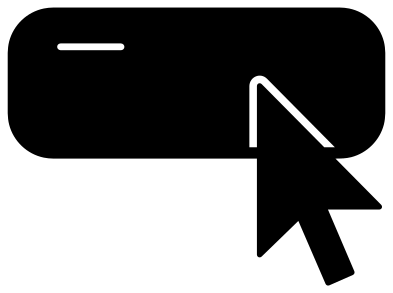 Cursor clicking a blank button Solid · one piece
 -
 Cursor clicking a heart Solid · one piece
 -
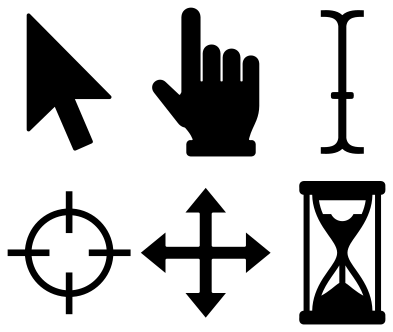 Cursor set of six Solid · 6 pieces
 -
 Layered cursor arrow in three colours Layered · 3 pieces
A shape everyone reads at once
The arrow cursor is one of the most recognised shapes there is, which makes it a good small decal: it still reads at 15 mm tall. The solid arrow has seven corners and nothing to weed. At 100 mm tall its tail is about 15 mm wide, so it is sturdy in vinyl, card, felt and thin plywood. The real pointer is white with a dark edge, and the layered arrow and the outline are there to build that look in two colours of vinyl or card.
The pointing hand has slits between its knuckles that are about 1.5 mm wide when the hand is 100 mm tall. Cut it at 60 mm or more if you want the slits to stay open in vinyl.
Where a cursor decal works
Put the arrow on a laptop lid, a mouse mat, a desk organiser or a mug for someone who works at a screen. The cursor on a blank button is made for a word of your own. The crosshair and the move cross suit tool drawers and craft room labels, and the hourglass suits a kitchen timer shelf as well as a retro computing shirt.
How to open the files
- Cricut Design Space: choose Upload, pick the SVG, and add it to the canvas. Set the width you want; the shape is already welded.
- Silhouette Studio: Designer Edition and above open the SVG. The free Basic Edition does not, so open the DXF instead.
- LightBurn, xTool Creative Space and Glowforge: import the SVG, then set the layer to cut, score or engrave.
- Inkscape, Illustrator and Affinity: open the SVG. It is a plain filled path, so you can recolour it, add a stroke or combine it with your own work.
- Printing or sublimation: use the PNG, which has a transparent background.
Each design page lists the file’s narrowest part at seven sizes, so you can tell whether it will survive at the size you plan to cut.
Questions
Which way should the arrow cursor point?
Up and to the left, with the straight edge upright on the left side. That is how it is drawn here. Mirror it in your cutting software only if you want a left-handed pointer, which some systems offer as an option.
How do I make the white cursor with a black edge?
Use the layered arrow. Cut the larger arrow from black and the smaller one from white, and lay the white on top with an even margin all round. The grey shadow layer is optional and goes underneath, set down and to the right.
Are these copied from a particular operating system?
No. An arrow, a pointing hand, a text beam and an hourglass are common to every desktop, and these are drawn afresh from straight lines and arcs. No system’s own files or pixel artwork are used.
 Cross SVG
  Paw print SVG
  Shamrock SVG
  Anchor SVG
  Compass SVG
  Gear SVG