Text cursor beam SVG

Which one? SVG for Cricut and lasers, DXF for the free Silhouette Studio, PNG to print.
Free for personal and commercial use, no sign-up. What you can do with it.

The beam that marks where typing will go: a slim upright with a flared serif at each end and a short tick across it. Exactly mirrored. Cut it tall and narrow for a writer or an editor.
What is in the file
| Size | 30 × 100 mm (1.18 × 3.94 in), scales to any size |
|---|---|
| Pieces | One piece: it holds together when cut |
| Outlines to cut | 1 outline |
| Cut length | 317 mm at this size |
| Narrowest part | 5.6 mm at this size |
| Nodes | 32 curve and line segments |
| Symmetry | Mirror |
Measured from the file. PNG: 652 × 2,000 pixels, transparent. About the three file types.
Will it cut at your size?
Scaling a design scales its thinnest part too. Here is this one at seven sizes, from 1 to 12 inches on its longer side, with how many copies fit a 12 × 12 inch sheet or mat.
| Size, width × height | Narrowest part | Cut length | Fit on a 12 in sheet | Rule of thumb |
|---|---|---|---|---|
| 0.3 × 1 in (8 × 25 mm) | 1.4 mm | 81 mm | 240 | Vinyl, card and thin sheet |
| 0.6 × 2 in (15 × 51 mm) | 2.8 mm | 161 mm | 75 | Vinyl, card and thin sheet |
| 0.9 × 3 in (23 × 76 mm) | 4.3 mm | 242 mm | 33 | Any material, including 3 mm wood and acrylic |
| 1.2 × 4 in (30 × 102 mm) | 5.7 mm | 322 mm | 16 | Any material, including 3 mm wood and acrylic |
| 1.79 × 6 in (46 × 152 mm) | 8.5 mm | 483 mm | 6 | Any material, including 3 mm wood and acrylic |
| 2.39 × 8 in (61 × 203 mm) | 11 mm | 644 mm | 4 | Any material, including 3 mm wood and acrylic |
| 3.59 × 12 in (91 × 305 mm) | 17 mm | 966 mm | 3 | Any material, including 3 mm wood and acrylic |
The narrowest part is the thinnest neck that holds the design together; sharp tips are not counted. For wood and acrylic, keep it at least as wide as the sheet is thick. How to open the file in Cricut, Silhouette and laser software.
More cursor SVG files
-
 Crosshair cursor Solid · one piece
 -
 Move cursor with four arrows Solid · one piece
 -
 Hourglass cursor for waiting Solid · one piece
 -
 Cursor in a solid circle Solid · one piece
 -
 Cursor clicking a blank button Solid · one piece
 -
 Cursor clicking a heart Solid · one piece
 -
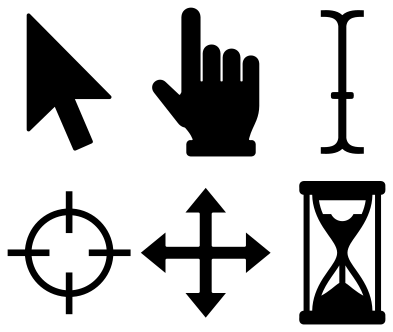 Cursor set of six Solid · 6 pieces
 -
 Layered cursor arrow in three colours Layered · 3 pieces