Free garbage truck SVG files
Free garbage truck SVG files: a rear loader from the side, a silhouette on the road, a front loader lifting a dumpster, a side loader tipping a bin, a truck with a worker on the step, the cab from the front, a dumpster, a garbage can with bags, wheeled bins at the kerb, a simple truck for children and one with a blank body for a name.
14 designs. Free for personal and commercial use, no sign-up. What you can do with them.
Or choose one below for its PNG, DXF and cutting sizes.
-
 Garbage truck from the side Solid · one piece
 -
 Garbage truck silhouette on the road Solid · one piece
 -
 Front loader garbage truck lifting a dumpster Solid · one piece
 -
 Trash truck tipping a wheeled bin Solid · one piece
 -
 Garbage truck with a worker on the back step Solid · one piece
 -
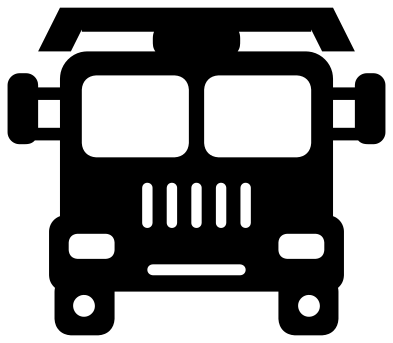 Garbage truck cab from the front Solid · one piece
 -
 Dumpster for a garbage truck, with two lids Solid · one piece
 -
 Garbage can with bags Solid · one piece
 -
 Wheeled bins waiting for the garbage truck Solid · one piece
 -
 Simple garbage truck for children Solid · one piece
 -
 Garbage truck in a heart Solid · one piece
 -
 Garbage truck with a blank body for a name Solid · one piece
 -
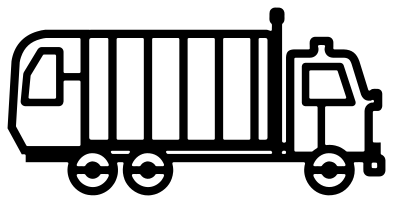 Garbage truck outline Outline · one piece
 -
 Layered garbage truck in six colours Layered · 19 pieces
Three kinds of truck
Children who love garbage trucks know there is more than one kind, so the set has the three common ones. The rear loader has a rounded hopper at the back where the crew throw the bags. The front loader carries two arms that reach forward, pick up a dumpster by its side pockets and swing it over the cab to empty it into the roof. The side loader has a single arm that grips a wheeled bin and tips it, with nobody leaving the cab.
All three share the same cab and chassis and are about 100 mm long by 48 to 70 mm tall. The wheels are 13 mm across with a 5 mm hub hole, the ribs on the body are cuts about 1.7 mm wide and the exhaust stack is 2.6 mm wide. They cut well in vinyl from about 110 mm long. For a small decal use the silhouette or the simple truck.
Shirts, names and bin day
The truck with a blank body is the one for a birthday shirt: the open frame is about 58 mm long and 30 mm tall inside at 100 mm, room for a first name. The dumpster, the garbage can and the wheeled bins are there to build a street with, each on its own strip of road, and they sit at the right height next to the trucks if you keep them all at the same scale in your cutting software.
How to open the files
- Cricut Design Space: choose Upload, pick the SVG, and add it to the canvas. Set the width you want; the shape is already welded.
- Silhouette Studio: Designer Edition and above open the SVG. The free Basic Edition does not, so open the DXF instead.
- LightBurn, xTool Creative Space and Glowforge: import the SVG, then set the layer to cut, score or engrave.
- Inkscape, Illustrator and Affinity: open the SVG. It is a plain filled path, so you can recolour it, add a stroke or combine it with your own work.
- Printing or sublimation: use the PNG, which has a transparent background.
Each design page lists the file’s narrowest part at seven sizes, so you can tell whether it will survive at the size you plan to cut.
Questions
Which garbage truck is best for a toddler’s shirt?
The simple garbage truck for children. It has three wheels, one window and five slots, nothing thinner than about 3 mm at 100 mm long, so it weeds in a minute and survives the wash. Add the name with the blank body version if you want it personalised.
Is the garbage truck a real make?
No. The cab is a generic flat-fronted one and the bodies are the plain forms of a rear, front and side loader. There is no badge, no maker’s grille, no fleet number and no company name on any of them, so they are safe to use on things you sell.
Can I colour the truck green?
Use the layered garbage truck: the body, cab, glass, ribs, tyres and hubs are separate layers. Or cut any of the one-colour trucks from green vinyl. The windows and ribs are openings, so whatever is behind shows through as a second colour.
 Camera SVG
  Guitar SVG
  Music note SVG
  Stethoscope SVG
  Tooth SVG
  Light bulb SVG