Free rocket SVG files
Free rocket SVG files: the classic finned rocket with a flame, a rocket ship in flight, a launch with smoke, a silhouette, an outline, a moon rocket, a space shuttle, a spaceship, a monogram frame and a layered rocket on a night sky.
14 designs. Free for personal and commercial use, no sign-up. What you can do with them.
-
 Rocket with fins and a flame Solid · one piece
 -
 Rocket ship in flight Solid · one piece
 -
 Rocket launch with smoke Solid · one piece
 -
 Rocket silhouette Solid · one piece
 -
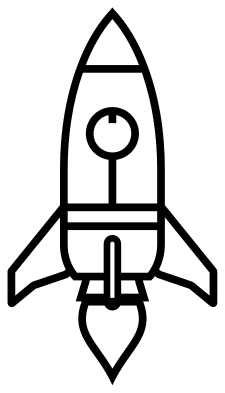 Rocket outline Outline · one piece
 -
 Rocket icon Solid · one piece
 -
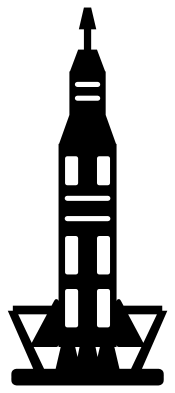 Moon rocket in three stages Solid · one piece
 -
 Space shuttle rocket Solid · one piece
 -
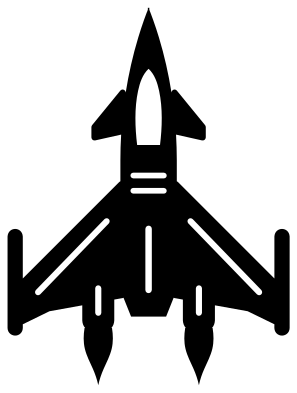 Spaceship rocket with swept wings Solid · one piece
 -
 Rocket monogram frame Solid · one piece
 -
 Rocket with a heart Solid · one piece
 -
 Cute rocket with a face Solid · one piece
 -
 Rocket in a ring with a planet Solid · one piece
 -
 Layered rocket on a night sky Layered · 18 pieces
Flames and smoke that stay on
Rocket files often come as a rocket plus a loose flame, loose smoke and a scatter of stars, all of which have to be placed by hand. Here the flame overlaps the nozzle and the smoke puffs overlap one another, so rocket, flame and smoke lift as one piece. The flame has its core cut out, which shows the surface behind as a second colour without a second layer.
The classic rocket is about 55 mm wide when it is 100 mm tall. Its fins are about 5 mm thick and its narrowest part, beside the nose line, is a little over 2 mm, so it is sturdy enough for wood and acrylic at that size and for vinyl down to about 50 mm tall. The moon rocket is much slimmer, about 40 mm wide at 100 mm tall, with an escape tower 2 mm wide at the top: keep that one at 100 mm or more.
Space parties and names
Rockets are cut most for birthdays and bedroom doors. The rocket monogram frame has a round opening for an initial or an age. For a name, stand the classic rocket beside the lettering or lay the rocket ship in flight above it, so the smoke trail runs back along the top of the word. The layered rocket gives a dark sky, yellow stars and a red, white and blue rocket from one file.
How to open the files
- Cricut Design Space: choose Upload, pick the SVG, and add it to the canvas. Set the width you want; the shape is already welded.
- Silhouette Studio: Designer Edition and above open the SVG. The free Basic Edition does not, so open the DXF instead.
- LightBurn, xTool Creative Space and Glowforge: import the SVG, then set the layer to cut, score or engrave.
- Inkscape, Illustrator and Affinity: open the SVG. It is a plain filled path, so you can recolour it, add a stroke or combine it with your own work.
- Printing or sublimation: use the PNG, which has a transparent background.
Each design page lists the file’s narrowest part at seven sizes, so you can tell whether it will survive at the size you plan to cut.
Questions
Which rocket is easiest to cut small?
The rocket silhouette and the rocket icon. Each has one porthole and no thin lines, and both stay clear at 25 mm. The classic rocket has a rim round its porthole made of four short arcs, which needs about 50 mm of height to weed cleanly.
How do I put a child’s age on the rocket?
Use the rocket monogram frame. The round opening is about 25 mm across when the rocket is 100 mm tall. Type the number in your cutting software, fit it in the opening and weld it to the hull where it touches, or cut it from a second colour.
Are these real rockets?
The moon rocket and the space shuttle are drawn after the general look of the real machines, with stages, boosters and an orbiter, but without any flag, lettering or agency mark. The others are storybook rockets that never flew.
 Camera SVG
  Guitar SVG
  Music note SVG
  Stethoscope SVG
  Tooth SVG
  Light bulb SVG