Free paintbrush SVG files
Free paintbrush SVG files: a flat decorator’s brush, a slim artist’s brush, brushes with strokes of paint, a paint can, a palette, a roller, an easel, brushes in a jar and a ring of paint for a monogram. Strokes have ragged ends, as real ones do.
16 designs. Free for personal and commercial use, no sign-up. What you can do with them.
-
 Flat paintbrush Solid · one piece
 -
 Artist’s paintbrush Solid · one piece
 -
 Paintbrush at the end of a stroke Solid · one piece
 -
 Paintbrush stroke Solid · one piece
 -
 Three paintbrush strokes Solid · 3 pieces
 -
 Paintbrush and artist’s palette Solid · one piece
 -
 Paintbrush on a paint can Solid · one piece
 -
 Paintbrush dripping paint Solid · 2 pieces
 -
 Paint roller with a wire frame Solid · one piece
 -
 Paintbrush and roller crossed Solid · one piece
 -
 Paintbrushes in a jar Solid · one piece
 -
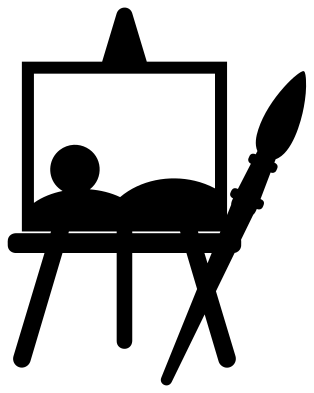 Paintbrush and easel Solid · one piece
 -
 Paintbrush painting a heart Solid · one piece
 -
 Paintbrush monogram frame Solid · one piece
 -
 Paintbrush outline Outline · one piece
 -
 Layered paintbrush in four colours Layered · 4 pieces
Two colours from a one-colour file
Paint is the point of a paintbrush, so several of these designs are made to show a second colour without being layered. The wells of the palette and the drips on the paint can are holes: stick the cut piece over bright card or vinyl and the colour shows through as wet paint. The strokes are solid shapes meant to sit behind lettering. Cut a stroke in a strong colour and lay a name over it in white or black.
A stroke 100 mm long and 30 mm deep takes a word of five or six letters at about 18 mm tall. For a longer name, stretch the stroke sideways in your cutting software. Its ragged ends can take it.
Sizes to cut
The flat brush is a sturdy shape and cuts well from 40 mm long. The artist’s brush is slim, with a handle that narrows to about 3 mm at its end when the brush is 100 mm long, so keep it at 100 mm or more in vinyl and avoid it in wood. The dry lines in the strokes are about 1.7 mm wide at 100 mm. If you cut a stroke smaller than 60 mm, weed those lines out first with a pin.
How to open the files
- Cricut Design Space: choose Upload, pick the SVG, and add it to the canvas. Set the width you want; the shape is already welded.
- Silhouette Studio: Designer Edition and above open the SVG. The free Basic Edition does not, so open the DXF instead.
- LightBurn, xTool Creative Space and Glowforge: import the SVG, then set the layer to cut, score or engrave.
- Inkscape, Illustrator and Affinity: open the SVG. It is a plain filled path, so you can recolour it, add a stroke or combine it with your own work.
- Printing or sublimation: use the PNG, which has a transparent background.
Each design page lists the file’s narrowest part at seven sizes, so you can tell whether it will survive at the size you plan to cut.
Questions
How do I put a name on the paintbrush stroke?
Cut the stroke in one colour and the name in another, then lay the name over the middle of the stroke. Keep the letters inside the solid part, clear of the ragged ends and the dry lines near the tail, so every letter has paint behind it.
Why is the drop under the dripping paintbrush a loose piece?
A falling drop is not joined to anything, and joining it would spoil it. It is drawn the right distance below the longest drip. Keep the design on transfer tape so the gap stays as drawn, or leave the drop out.
What goes in the middle of the paintbrush monogram frame?
An initial, a short name or a date. The painted ring leaves an opening about 59 mm across when the design is 100 mm wide. The brush lies along the outside of the ring at the upper right, clear of the lettering.
 Camera SVG
  Guitar SVG
  Music note SVG
  Stethoscope SVG
  Tooth SVG
  Light bulb SVG