Free headphones SVG files
Free headphones SVG files: padded over-ear headphones, a plain icon, an outline, a headset with a microphone, DJ headphones with a coiled cord, a record wearing headphones, earbuds on a cord, a pocket music player and more. Cords, notes and sound bars are welded on, so each design lifts in one piece.
16 designs. Free for personal and commercial use, no sign-up. What you can do with them.
-
 Headphones with padded ear cups Solid · one piece
 -
 Simple headphone icon Solid · one piece
 -
 Headphones outline Outline · one piece
 -
 Headset: headphones with a microphone Solid · one piece
 -
 Dispatcher headset: headphones and a heartbeat Solid · one piece
 -
 Headset headphones frame for initials Solid · one piece
 -
 DJ headphones with a coiled cord Solid · one piece
 -
 Headphones on a vinyl record Solid · one piece
 -
 Headphones with music notes Solid · one piece
 -
 Heart wearing headphones Solid · one piece
 -
 Headphones with a music wave Solid · one piece
 -
 Cat ear headphones Solid · one piece
 -
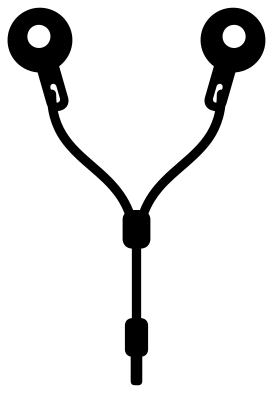 Earbuds, the in-ear headphones on a cord Solid · one piece
 -
 Earphones, small headphones with a heart cord Solid · one piece
 -
 Music player with headphones Solid · one piece
 -
 Layered headphones in four colours Layered · 8 pieces
A shape that is mostly air
Headphones are an arc and two blocks with a lot of empty space between them, which is why they sit so well round other things: a heart, a record, a ring for initials, a row of sound bars. It also means the band is the part to look after. On the padded headphones at 100 mm wide the band is about 8 mm across with a slim line cut along its top, and the cups are about 16 mm wide, so the design is sturdy in vinyl, card and thin plywood.
Cords are the fine parts. The coiled lead on the DJ headphones and the cord on the earbuds are a little over 2 mm wide at 100 mm, and each is welded to a cup at one end and a plug at the other. Cut those designs at 80 mm or more, weed along the cord and not across it, and press iron-on under a cover sheet so the cord cannot shift.
Headphones, headsets and earbuds
Pick the design by what the person does. The padded headphones and the plain icon are for listeners. The headset has a boom microphone and suits streamers, coaches and call handlers, and the dispatcher version adds a heartbeat line for emergency call takers. The headset frame holds an open ring for initials. The earbuds and the earphones are for runners and commuters, and the record wearing headphones is for anyone who still buys vinyl.
How to open the files
- Cricut Design Space: choose Upload, pick the SVG, and add it to the canvas. Set the width you want; the shape is already welded.
- Silhouette Studio: Designer Edition and above open the SVG. The free Basic Edition does not, so open the DXF instead.
- LightBurn, xTool Creative Space and Glowforge: import the SVG, then set the layer to cut, score or engrave.
- Inkscape, Illustrator and Affinity: open the SVG. It is a plain filled path, so you can recolour it, add a stroke or combine it with your own work.
- Printing or sublimation: use the PNG, which has a transparent background.
Each design page lists the file’s narrowest part at seven sizes, so you can tell whether it will survive at the size you plan to cut.
Questions
Which headphones design is easiest to cut small?
The simple headphone icon. It is one heavy arc and two solid ovals with nothing cut out, so it works down to about 20 mm wide as a planner sticker or a label for a cable drawer. The padded headphones have slim lines inside the cups and are better from 60 mm.
How do I add initials to the headset frame?
Open the file in your cutting software and set two or three bold letters inside the ring between the ear cups. Cut them from a second colour, or let them overlap the ring a little and weld them if you want the letters and the headset in one piece.
Are these modelled on a particular brand of headphones?
No. They are generic over-ear headphones drawn for this library: a plain band, plain yokes and plain cups, with no logo and no maker’s shape. The earbuds are plain round buds on a cord for the same reason.
 Camera SVG
  Guitar SVG
  Music note SVG
  Stethoscope SVG
  Tooth SVG
  Light bulb SVG