Free border SVG files
Free border SVG files: straight decorative strips and dividers, each 100 mm long. Scallop, lace, Greek key, rope, wave, zigzag, bead, heart, braid and scroll borders repeat exactly, so copies join end to end, and the dividers sit between two blocks of text.
16 designs. Free for personal and commercial use, no sign-up. What you can do with them.
-
 Double line border with beads Solid · one piece
 -
 Scallop border Solid · one piece
 -
 Lace border Solid · one piece
 -
 Greek key border Solid · one piece
 -
 Rope border Solid · one piece
 -
 Wavy border Solid · one piece
 -
 Zigzag border Solid · one piece
 -
 Beaded border Solid · one piece
 -
 Heart border Solid · one piece
 -
 Arrow divider Solid · one piece
 -
 Divider with a diamond Solid · one piece
 -
 Heart divider with curled ends Solid · one piece
 -
 Laurel divider Solid · one piece
 -
 Celtic braid border Solid · one piece
 -
 Decorative scroll border Solid · one piece
 -
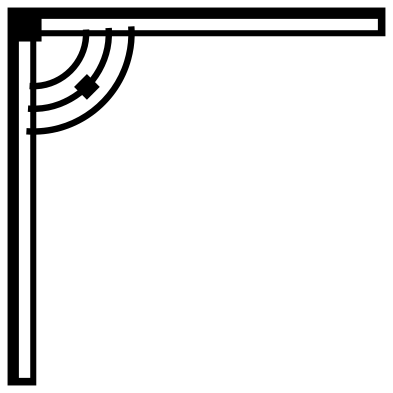 Corner border Outline · one piece
Making a border any length
Each repeating border holds a whole number of repeats in its 100 mm and has flat ends, so the pattern leaves one end exactly where it enters the other. To make a longer run, place copies end to end, 100 mm apart at file size, and weld them. To go round a rectangle, run strips along the sides and cover each corner with a small square or a circle, or use the corner border, which is drawn to turn a right angle.
Scale a border by its length, not its height, and keep the proportions locked. If you need a strip a little longer or shorter than a whole number of copies, stretch the whole run by a few per cent: nobody will see it.
Cutting long thin strips
Borders are narrow, so they stretch and curl when lifted. In vinyl, weed with the strip still on its backing and move it with transfer tape. In card, a border under 10 mm tall is fragile: cut it at 150 mm long or more, or cut it as part of the edge of the card itself by welding it to a rectangle.
The lace and braid borders have the finest parts. Each design page gives its narrowest part at 100 mm long, and that scales with the strip.
How to open the files
- Cricut Design Space: choose Upload, pick the SVG, and add it to the canvas. Set the width you want; the shape is already welded.
- Silhouette Studio: Designer Edition and above open the SVG. The free Basic Edition does not, so open the DXF instead.
- LightBurn, xTool Creative Space and Glowforge: import the SVG, then set the layer to cut, score or engrave.
- Inkscape, Illustrator and Affinity: open the SVG. It is a plain filled path, so you can recolour it, add a stroke or combine it with your own work.
- Printing or sublimation: use the PNG, which has a transparent background.
Each design page lists the file’s narrowest part at seven sizes, so you can tell whether it will survive at the size you plan to cut.
Questions
How do I put a border round a whole page?
Use four runs of the same border, one for each side, turned to face inwards, and hide the joins with a corner piece. The corner border here turns the angle for you: place one in each corner and connect them with plain lines of the same width.
What is the difference between a border and a divider?
A border repeats and can run as long as you like, round an edge or across a page. A divider is a single ornament with a middle and two ends, made to sit once between a title and the text below it.
Can I curve a border round a circle?
Most cutting software cannot bend a shape along a path. Inkscape can, with Path Effects and Pattern Along Path, and the repeating borders here work well with it because their ends match.
 Mandala SVG
  Frame SVG
  Circle SVG
  Wreath SVG
  Flourish SVG
  Swirl SVG