Free computer SVG files
Free computer SVG files: a desktop set with a tower, a monitor, a computer icon, a screen with a window, an open laptop, a laptop icon, a laptop showing code, a tower case, a retro machine with a tube screen, a floppy disk, a mouse, a processor and a circuit board. Every one is generic, with no maker’s shape or mark and no lettering.
17 designs. Free for personal and commercial use, no sign-up. What you can do with them.
Or choose one below for its PNG, DXF and cutting sizes.
-
 Desktop computer with a tower Solid · one piece
 -
 Computer monitor on a stand Solid · one piece
 -
 Computer icon Solid · one piece
 -
 Computer screen with a window Solid · one piece
 -
 Laptop computer, open Solid · one piece
 -
 Laptop computer icon Solid · one piece
 -
 Computer code on a laptop Solid · one piece
 -
 Computer tower case Solid · one piece
 -
 Retro computer with a tube screen Solid · one piece
 -
 Computer floppy disk Solid · one piece
 -
 Computer mouse with a lead Solid · one piece
 -
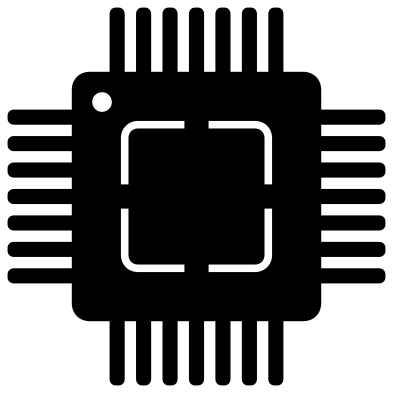 Computer processor chip Solid · one piece
 -
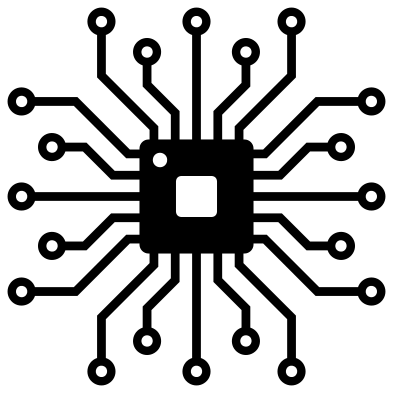 Computer circuit board motif Solid · one piece
 -
 Computer with a heart on the screen Solid · one piece
 -
 Computer silhouette on a desk Solid · one piece
 -
 Laptop computer outline Outline · one piece
 -
 Layered retro computer in five colours Layered · 48 pieces
Screens are windows
On the monitor, the computer icon and both laptops the screen is an opening, so whatever the decal is stuck to shows through as the picture. That makes them easy to weed and lets you put a word, a photograph or a second colour behind the screen. The designs with something on the screen work the other way round: the screen is solid and the window, the code or the heart is cut out of it or welded into it.
Sizes to know: the monitor is 100 mm wide with a bezel about 3.6 mm wide, and the laptop icon has a frame a little over 5 mm wide, so both hold together well in vinyl from about 50 mm wide. The open laptop has keys 4 to 5 mm wide and the desktop set has a keyboard with keys of about 3 mm, so cut those at 120 mm or more if you want the keys to weed cleanly. The silhouette has no holes at all.
Parts and old machines
The floppy disk, the mouse, the processor and the circuit board make a set of their own for a repair shop, a computer club or a teacher of computing. The circuit board motif has tracks about 2.3 mm wide at full size, which is fine in vinyl at 100 mm and better in card or acrylic at 150 mm. The retro computer and its layered version suit anyone who learned to type on a machine with a tube screen.
How to open the files
- Cricut Design Space: choose Upload, pick the SVG, and add it to the canvas. Set the width you want; the shape is already welded.
- Silhouette Studio: Designer Edition and above open the SVG. The free Basic Edition does not, so open the DXF instead.
- LightBurn, xTool Creative Space and Glowforge: import the SVG, then set the layer to cut, score or engrave.
- Inkscape, Illustrator and Affinity: open the SVG. It is a plain filled path, so you can recolour it, add a stroke or combine it with your own work.
- Printing or sublimation: use the PNG, which has a transparent background.
Each design page lists the file’s narrowest part at seven sizes, so you can tell whether it will survive at the size you plan to cut.
Questions
Is the laptop or the monitor a particular make?
No. Each is the plain form of its kind: a rectangle of screen, a stand or a base, and a keyboard. There is no badge, no logo on the lid and no maker’s notch, camera bump or foot shape, so the files are safe on things you sell.
How do I put my own picture on the screen?
Use the monitor, the computer icon or the laptop icon, where the screen is an opening. In your cutting software, place your word or picture inside the opening and cut it in a second colour, or simply stick the decal over a photograph.
Why is the code on the laptop shown as bars?
Real characters would be under 3 mm tall on a 100 mm laptop and would not survive weeding. Bars of different lengths, indented in steps, read as code at any size and say nothing that could be wrong.
 Camera SVG
  Guitar SVG
  Music note SVG
  Stethoscope SVG
  Tooth SVG
  Light bulb SVG