Stucki dithering
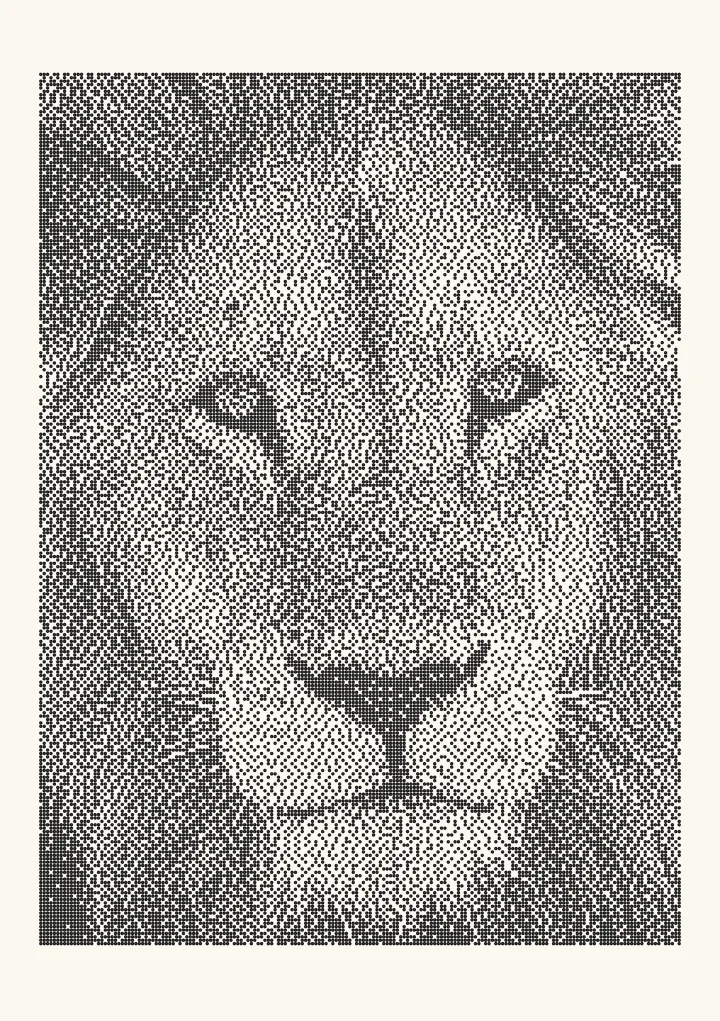
Stucki’s 1981 kernel has the same shape as Jarvis–Judice–Ninke with weights that keep edges a little sharper.
Good for photos with fine detail.
How it decides
         #  8  4
   2  4  8  4  2
   1  2  4  2  1      ÷ 42
Smooth tone with mild worms. A good laser alternative to Jarvis when detail matters.

Where it comes from
Peter Stucki published the kernel in 1981 in an IBM research report on printing images with two-level printers. It keeps the Jarvis–Judice–Ninke shape, 12 neighbours over two rows ahead, but uses the weights 8, 4, 2 and 1 divided by 42. That gives the nearest pixels a larger share of the error than Jarvis does, which is where the slightly crisper edges come from.
Stucki on a laser
Stucki is one of LightBurn’s image modes, next to Jarvis. Tone is smooth, detail holds a little better than with Jarvis, and flat areas show mild worms. It suits photos with fine detail such as hair and fur, and like Jarvis it tolerates the way laser burns spread. The dithering for laser engraving guide covers DPI and dot gain.
Jarvis vs Stucki
The two kernels share a shape, so the difference is subtle: Jarvis dithering looks a touch softer, Stucki a touch sharper. Compare them on the same photo in the live demo below, or see dithering algorithms compared.
Try it live
This runs in your browser. Change the algorithm, the number of cells or the threshold, or put a second algorithm next to it.
Rendered in 0.0 ms on your machine. Every dot here is what a pen or laser would put down.
All algorithms
Every one is an option in the Dither style: dither an image online and export a 1-bit PNG for a laser or SVG dots for a plotter.