Ostromoukhov dithering
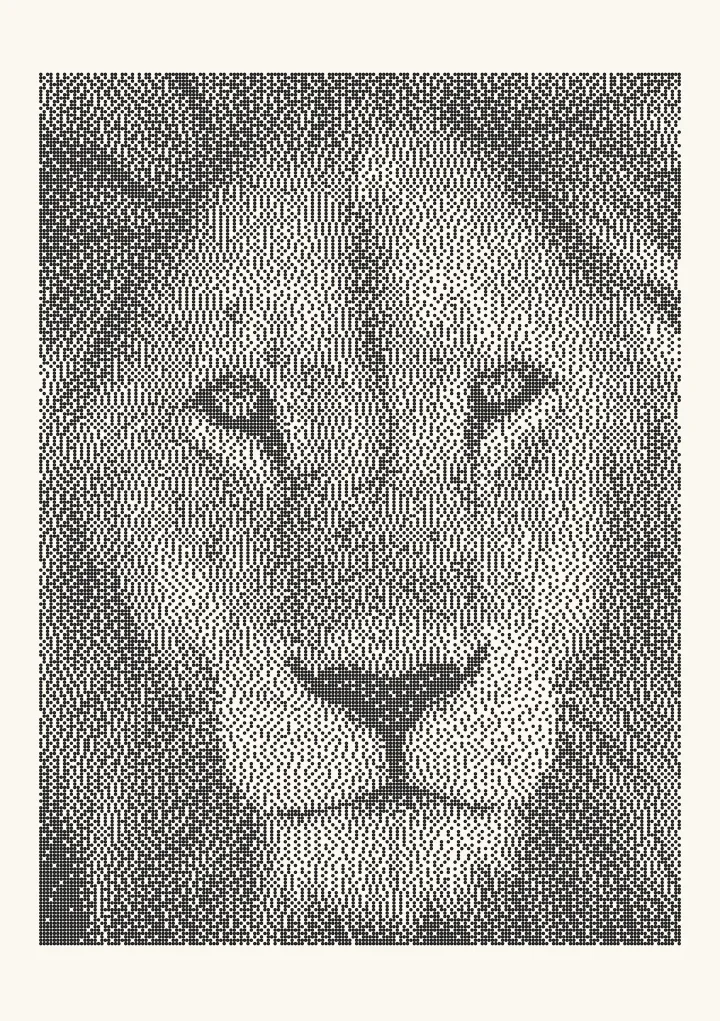
Victor Ostromoukhov’s error diffusion (2001) uses three neighbours with weights looked up by the pixel’s grey level, on a serpentine scan. Every tone dithers to an even blue-noise texture.
Good for photos for print, plotters and lasers.
How it decides
      #  a
   b  c         a, b and c depend on the grey level
No worms and none of Floyd–Steinberg’s regular patches, which is why it engraves as even grain.

Where it comes from
Victor Ostromoukhov presented the method at SIGGRAPH 2001 in a paper called “A Simple and Efficient Error-Diffusion Algorithm”. The idea is small. A classic kernel such as Floyd–Steinberg uses the same weights for every pixel, so each grey level ends up with its own texture: a clean checkerboard at 1/2, regular patches near 1/3 and 1/4, worms in between. Ostromoukhov keeps a small kernel of three neighbours but changes the weights with the grey level of the pixel being rounded.
Why the weights change with tone
The paper gives a table of weights across the grey levels, tuned so that every level dithers to evenly spread dots with no regular structure: a blue-noise texture. The table is mirrored around mid-grey, so dark and light tones behave alike. Scanning in a serpentine order, left to right and then right to left, stops the texture drifting in one direction. The work per pixel stays tiny: a table lookup and three neighbours instead of Floyd–Steinberg’s four.
Ostromoukhov on a laser
Worms and regular patches are exactly what a laser turns into visible streaks and bands, because every burn spreads into its neighbours. Ostromoukhov’s even grain survives that spread and engraves as a smooth texture, which makes it a strong first choice for photos on wood. On slate and black anodised aluminium, which engrave light on dark, invert the image first. The photo to laser engraving converter saves the dither as a 1-bit PNG at your laser’s DPI, and the dithering for laser engraving guide covers DPI, dot gain and materials.
Ostromoukhov or Zhou–Fang?
Zhou–Fang dithering builds on this kernel and adds a threshold that varies with the grey level, which cleans up the mid-tones where Ostromoukhov still shows some structure. For portraits, where mid-tones dominate, try Zhou–Fang; elsewhere the two are close.
Try it live
This runs in your browser. Change the algorithm, the number of cells or the threshold, or put a second algorithm next to it.
Rendered in 0.0 ms on your machine. Every dot here is what a pen or laser would put down.
All algorithms
Every one is an option in the Dither style: dither an image online and export a 1-bit PNG for a laser or SVG dots for a plotter.