Free hibiscus SVG files
Free hibiscus SVG files drawn by code: the open flower with its veins and long column of stamens, a plain five-petalled version, flowers with leaves, a branch, a border, a wreath and a paper flower template. Each is a clean welded shape.
12 designs. Free for personal and commercial use, no sign-up. What you can do with them.
-
 Hibiscus flower with veins Solid · one piece
 -
 Simple hibiscus with five petals Solid · one piece
 -
 Hibiscus silhouette with leaves Solid · one piece
 -
 Hibiscus outline Outline · one piece
 -
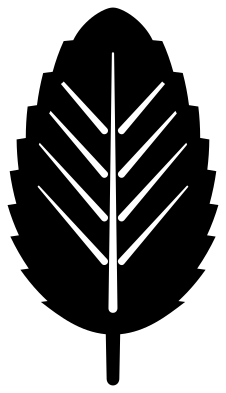 Hibiscus leaf Solid · one piece
 -
 Hibiscus branch with a bud Solid · one piece
 -
 Two hibiscus flowers with leaves Solid · one piece
 -
 Hibiscus border Solid · one piece
 -
 Split hibiscus for a name Solid · one piece
 -
 Hibiscus wreath Solid · one piece
 -
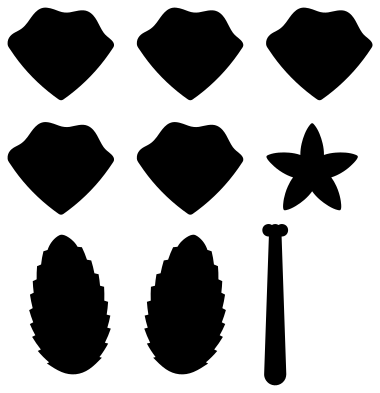 Large hibiscus paper flower template Solid · 9 pieces
 -
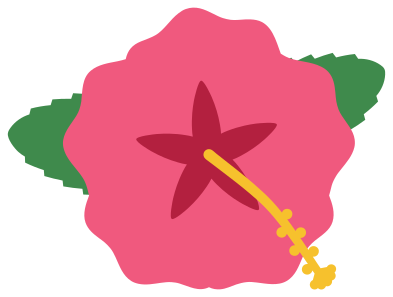 Layered hibiscus in four colours Layered · 4 pieces
What makes it read as a hibiscus
Three things separate a hibiscus from any other five-petalled flower: the petals are broad and frilled and overlap in one direction like a pinwheel, the veins fan out from a dark throat, and a single long column carrying the stamens sticks out past the petals. The veined flower and the silhouette here keep all three. The simple hibiscus drops the column, which makes it sturdier but closer to a generic tropical flower, so use it where size matters more than detail.
On the column, the anthers and the five stigmas are round dots under 4 mm across at 100 mm. They are the first thing to lift when you weed vinyl, so peel away from the tip of the column, not towards it.
Sizes and colours
The veined flower weeds cleanly in vinyl from about 70 mm across. For iron-on on stretch fabric, go to 100 mm or more so the vein slits do not close when the shirt is worn. Hibiscus flowers come in red, pink, orange, yellow and white, nearly always with a darker throat, which is why the layered version keeps the throat as its own piece.
How to open the files
- Cricut Design Space: choose Upload, pick the SVG, and add it to the canvas. Set the width you want; the shape is already welded.
- Silhouette Studio: Designer Edition and above open the SVG. The free Basic Edition does not, so open the DXF instead.
- LightBurn, xTool Creative Space and Glowforge: import the SVG, then set the layer to cut, score or engrave.
- Inkscape, Illustrator and Affinity: open the SVG. It is a plain filled path, so you can recolour it, add a stroke or combine it with your own work.
- Printing or sublimation: use the PNG, which has a transparent background.
Each design page lists the file’s narrowest part at seven sizes, so you can tell whether it will survive at the size you plan to cut.
Questions
How do I put a name in the split hibiscus?
Type the name in your cutting software and size it to fit the clear band, which is 20 mm deep when the file is 100 mm wide. Centre it between the two bars and attach or weld it so everything cuts in place.
Can I cut the hibiscus without the column of stamens?
Use the simple hibiscus, which has none. On the other flowers the column is welded to the petals, so removing it means editing the shape: in most cutting software you can cover it with a shape and weld, or slice it off where it leaves the petals.
How do I shape the paper hibiscus petals?
Cut the five petals from crepe or 120 gsm paper. Press each one into the bowl of a spoon to cup it, pleat the narrow end, and glue the pleats round the base of the rolled column so the petals overlap in the same direction. Finish with the cup of sepals underneath.
 Flower SVG
  Sunflower SVG
  Butterfly SVG
  Rose SVG
  Daisy SVG
  Leaf SVG