Free graduation card SVG files
Free graduation card SVG templates: card bases with the fold already in them and a mortarboard, stars or a laurel wreath cut out of the front. Two hold a present, a gift card or a rolled banknote, and there is a pop-up, a gate fold and a version to print and cut by hand.
11 designs. Free for personal and commercial use, no sign-up. What you can do with them.
-
 Graduation card with a cap and stars Solid · one piece
 -
 Congrats graduation card Solid · one piece
 -
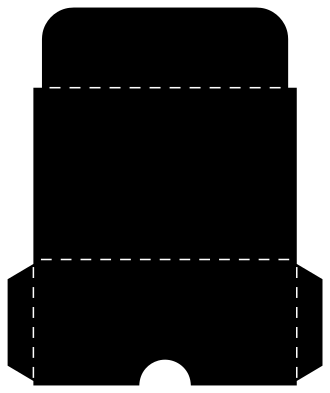
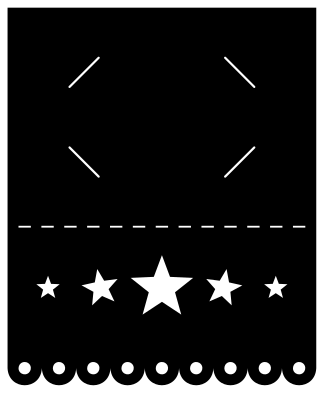 Graduation card that holds a gift card Solid · one piece
 -
 Graduation money card with a diploma Solid · one piece
 -
 Small graduation card for a present Solid · one piece
 -
 Tall graduation card with caps in the air Solid · one piece
 -
 Gate fold graduation card with a cap Solid · one piece
 -
 Graduation card with a laurel wreath and a liner Solid · 2 pieces
 -
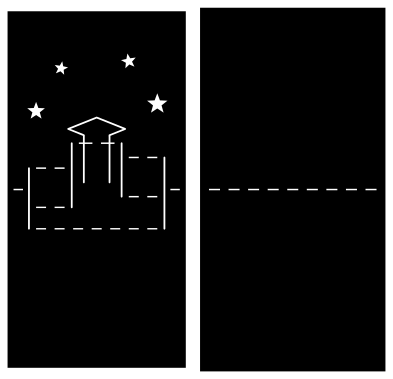 Pop up graduation card with a cap on books Solid · 2 pieces
 -
 Graduation card template to print and cut by hand Outline · 21 pieces
 -
 Layered graduation card with a black cap Layered · 4 pieces
How the cards are made
Each file is the whole card as one flat sheet: back panel, front panel and the spine between them, which is a row of short slits that the blade cuts with everything else. There is nothing to score. The mortarboard is cut as three openings, the flat board with its tassel, and the cap under it, with a strip of card left between them so that the shape reads and the front stays in one piece.
Glue a liner inside the front, a little smaller than the panel, in the colours of the school or the university: the cap and the stars then show in that colour, and the liner gives a clean place to write. On the layered card the cap is a separate piece in black card with a gold tassel, which is closer to the real thing.
Cards that hold a present
Money is the usual graduation present, and two of these cards carry it. The gift card holder has four diagonal slits in its back panel, placed for the standard 86 × 54 mm card when the file is cut 181 mm tall: tuck in one corner at a time. The money card has two straps in the front, each 8 mm wide between slits 20 mm long. Roll a note to about 12 mm thick, tie it with thread and slide it under both, and it sits under the cap as the diploma.
Both depend on the cut size, so scale the file to the size in its note before cutting. Use card of 200 to 270 gsm: lighter paper tears at the ends of the slits, and board over 300 gsm cracks along the spine. The A6 cards fit a C6 envelope and the A2 cards an A2 envelope.
How to open the files
- Cricut Design Space: choose Upload, pick the SVG, and add it to the canvas. Set the width you want; the shape is already welded.
- Silhouette Studio: Designer Edition and above open the SVG. The free Basic Edition does not, so open the DXF instead.
- LightBurn, xTool Creative Space and Glowforge: import the SVG, then set the layer to cut, score or engrave.
- Inkscape, Illustrator and Affinity: open the SVG. It is a plain filled path, so you can recolour it, add a stroke or combine it with your own work.
- Printing or sublimation: use the PNG, which has a transparent background.
Each design page lists the file’s narrowest part at seven sizes, so you can tell whether it will survive at the size you plan to cut.
Questions
How do I fit a banknote into the money card?
Roll the note from one short edge into a tube about 12 mm across, which is roughly the thickness of a marker pen, and tie it in the middle. Lift the two straps and slide the roll under both. A dollar bill makes a roll 66 mm long and the straps are 34 mm apart, so it shows at both ends.
Will a gift card stay in the corner slits?
Yes, once all four corners are in. The slits are cut 12 mm in from each corner of an 86 × 54 mm card, so the card has to bend a little to go in and cannot slide out. Cut the file 181 mm tall, or the slits will not match the card.
Can I add the year or a name?
The files carry no year, so they do not go out of date. Add your own in your cutting software, on the liner behind the cap, or write it inside. On the layered card there is room under the cap for a name cut from vinyl.
 Crown SVG
  Banner SVG
  Bow SVG
  Gift tag SVG
  Pillow box SVG
  Gift card holder SVG