Free icicle SVG files
Free icicle SVG files: icicle borders in solid, line art and five blues, icicles on a gable, a gutter, a twig and in the corner of a window, icicle lights, a frame, a monogram ring, ornaments, an ice cave and strips to hang under letters.
17 designs. Free for personal and commercial use, no sign-up. What you can do with them.
Or choose one below for its PNG, DXF and cutting sizes.
-
 Icicle border under a ledge of snow Solid · one piece
-
 Plain icicle border Solid · one piece
-
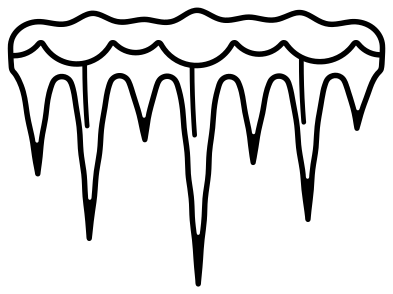 Icicle border in line art Outline · one piece
-
 Layered icicles in five blues Layered · 35 pieces
-
 Icicles on a snowy gable Solid · one piece
-
 Icicles on an icy gutter Solid · 11 pieces
-
 Icicles in the corner of a window Solid · 12 pieces
-
 Icicles on a bare twig Solid · one piece
-
 Icicle lights on a wire Solid · one piece
-
 Icicle frame for a name Solid · one piece
-
 Icicle ring for a monogram Solid · one piece
-
 Four icicle ornaments Solid · 4 pieces
-
 Ice cave hung with icicles Solid · one piece
-
 Icicle waterfall Solid · one piece
-
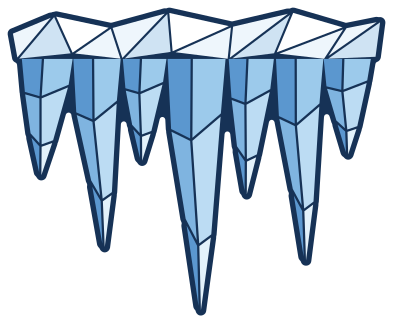 Icicles cut like crystal Layered · 57 pieces
-
 Icicle strips for letters Solid · 7 pieces
-
 Pair of icicle earrings Solid · 2 pieces
Borders that join, and edges for letters
The plain border is cut flush at both ends, so any number of copies set side by side read as one long row. The border with a ledge of snow has rounded ends, as a single piece should, and looks best centred over a door or along one shelf. To put ice on a word, use the strips: scale one until it is as wide as the letter, lay its top edge on the foot of the letter and weld.
Icicles look real when no two neighbours match, so if you cut two strips for one line of lettering, flip every second one left to right.
Sizes and the tips
Every file is 100 mm on its longer side, and the tip of an icicle there is between 1.2 and 1.6 mm wide and rounded, so that it neither tears when vinyl is weeded nor snaps when wood is sanded. At half that size, keep to vinyl and card. For plywood or acrylic cut the borders at 200 mm or more, and the ring, the cave and the waterfall at 150 mm.
Blue reads as ice sooner than white does. Mirror vinyl, pearl card and clear acrylic are the other good choices; on a window, white vinyl with the pale blue border laid 3 mm behind it gives depth. The gutter, the window corner, the ornaments, the strips and the earrings are several pieces each; everything else is one.
How to open the files
- Cricut Design Space: choose Upload, pick the SVG, and add it to the canvas. Set the width you want; the shape is already welded.
- Silhouette Studio: Designer Edition and above open the SVG. The free Basic Edition does not, so open the DXF instead.
- LightBurn, xTool Creative Space and Glowforge: import the SVG, then set the layer to cut, score or engrave.
- Inkscape, Illustrator and Affinity: open the SVG. It is a plain filled path, so you can recolour it, add a stroke or combine it with your own work.
- Printing or sublimation: use the PNG, which has a transparent background.
Each design page lists the file’s narrowest part at seven sizes, so you can tell whether it will survive at the size you plan to cut.
Questions
How do I make a longer row of icicles?
Use the plain icicle border and set copies end to end: its strip stops straight at both sides. Flip every second copy so that the pattern of long and short does not repeat where it can be seen.
Which design goes along the top of a window?
The window corner for the upper left, the same file flipped for the upper right, and the plain border between them, all scaled so that their strips are the same height.
Can the ornaments be cut on a laser?
Yes. Cut the four icicle ornaments at 150 mm or more from 3 mm clear acrylic or birch plywood; each has a loop with a hole for thread, and the cuts in them stay clear of the edge.
 Snowflake SVG
 Christmas tree SVG
 Ornament SVG
 Snowman SVG
 Santa hat SVG
 Candy cane SVG