Free Christmas truck SVG files
The old pickup on its way home with the tree: round wings, a visor over the windscreen, steel wheels and a fir in the bed. Twenty-five versions from the side, the front and the back, for doormats, shirts, round signs and ornaments. The truck is our own and no maker’s, so there is no badge to leave off.
25 designs. Free for personal and commercial use, no sign-up. What you can do with them.
Or choose one below for its PNG, DXF and cutting sizes.
-
 Old truck with a Christmas tree in the bed Solid · one piece
-
 Red truck with a Christmas tree in six colours Layered · 24 pieces
-
 Christmas truck with a tall tree and star Solid · one piece
-
 Christmas truck head on with a wreath Solid · one piece
-
 Red Christmas truck head on, layered Layered · 40 pieces
-
 Christmas truck tailgate with a blank panel Solid · one piece
-
 Red Christmas truck from behind with a wreath Layered · 36 pieces
-
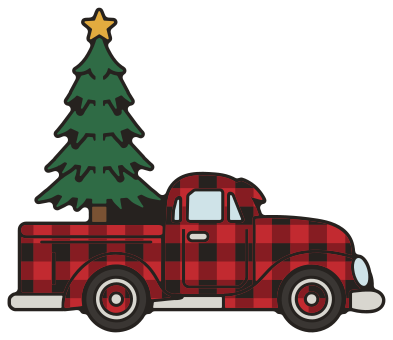 Buffalo plaid Christmas truck Layered · 89 pieces
-
 Farm truck with a load of Christmas trees Solid · one piece
-
 Christmas truck with a bear and parcels Solid · one piece
-
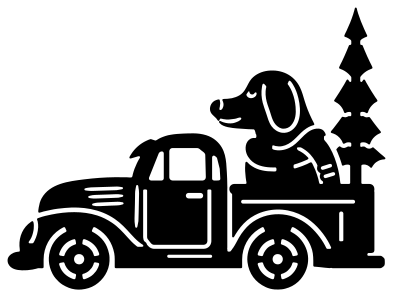 Christmas truck with a dog in a scarf Solid · one piece
-
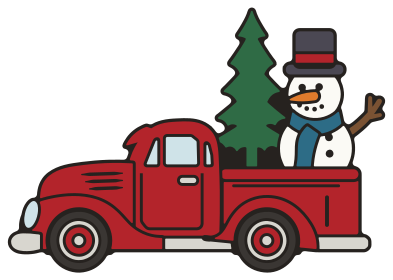 Little red truck with a snowman and a tree Layered · 34 pieces
-
 Christmas truck with a gnome and a tree Solid · one piece
-
 Christmas truck outline with a fir tree Outline · one piece
-
 Christmas truck in a hoop of holly Solid · one piece
-
 Retro Christmas truck badge Solid · one piece
-
 Round Christmas truck scene at night Solid · one piece
-
 Layered Christmas truck on a winter night Layered · 45 pieces
-
 Christmas truck ornament in a bauble Solid · one piece
-
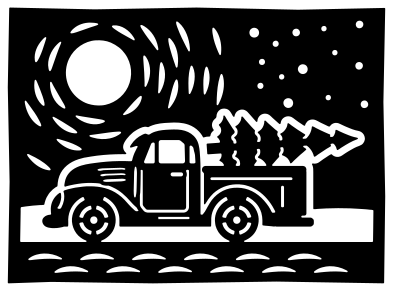 Linocut Christmas truck under the moon Solid · one piece
-
 Folk art Christmas truck with hearts Solid · one piece
-
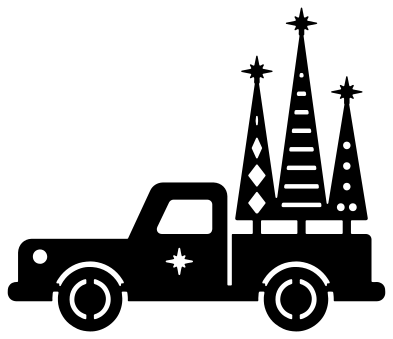 Mid-century Christmas truck with starbursts Solid · one piece
-
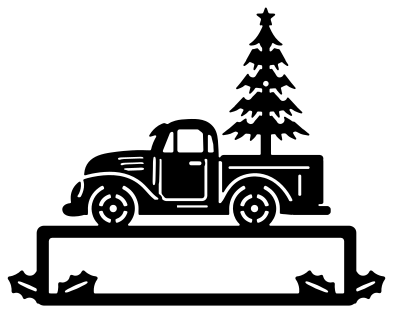 Christmas truck on a family name panel Solid · one piece
-
 Wooden toy Christmas truck on a string Solid · one piece
-
 Christmas truck set with tree, parcel and wreath Solid · 4 pieces
Choosing a truck for the job
The plain side views are wide and low, so they suit a doormat, the pocket of a shirt or the rim of a tray. The front view, the two back views and the truck with the tall tree stand upright, and fill a tote bag, a mug or a narrow sign. The hoop, the badge and the night scene are round and go straight on to a wood slice, a door hanger or a stocking tag.
In vinyl, weed the windows and the gaps between the panels first while the sheet is still flat, then the louvres on the bonnet. The finest line in the side views is the seam of the door. At 100 mm wide it is about a millimetre, so for a small decal choose the name panel or the toy truck, or cut the truck at 150 mm and up.
Building it in colours
The layered trucks have a dark bottom sheet a little larger than everything above it, so each colour gets an even outline without drawing one. Cut the bottom sheet, then lay the red, the green and the pale pieces on it in the order of the file. A red that leans towards brick looks older than a bright one. In card, foam pads under the tree and the wings lift them off the body.
How to open the files
- Cricut Design Space: choose Upload, pick the SVG, and add it to the canvas. Set the width you want; the shape is already welded.
- Silhouette Studio: Designer Edition and above open the SVG. The free Basic Edition does not, so open the DXF instead.
- LightBurn, xTool Creative Space and Glowforge: import the SVG, then set the layer to cut, score or engrave.
- Inkscape, Illustrator and Affinity: open the SVG. It is a plain filled path, so you can recolour it, add a stroke or combine it with your own work.
- Printing or sublimation: use the PNG, which has a transparent background.
Each design page lists the file’s narrowest part at seven sizes, so you can tell whether it will survive at the size you plan to cut.
Questions
Which Christmas truck is the easiest to weed?
The mid-century truck and the wooden toy have the fewest small pieces; in the toy the heads of the dowels are the smallest things to lift. The side views have about thirty openings, most of them straight.
Can I put a family name on the truck?
Yes. The truck on a name panel has an empty bar under the wheels, about 78 mm by 15 mm at the file’s own size, and the one-colour tailgate has an empty pressed panel under its string of lights, about 38 mm by 10 mm. Cut the name in a second colour and lay it in.
Is it a real make of truck?
No. It has the proportions of a farm pickup of the 1940s, but every line was drawn for this set and it carries no badge, grille or name of any maker.
 Snowflake SVG
 Christmas tree SVG
 Ornament SVG
 Snowman SVG
 Santa hat SVG
 Candy cane SVG