Free truck SVG files
Free truck SVG files: the old pickup with a Christmas tree in the bed, and the same truck with pumpkins, hearts, flowers, presents and fireworks, plus a modern pickup, a blank tailgate, a semi, a dump truck, a tow truck and more. Every load is welded to its truck.
18 designs. Free for personal and commercial use, no sign-up. What you can do with them.
-
 Vintage truck with a Christmas tree Solid · one piece
 -
 Vintage pickup truck Solid · one piece
 -
 Pickup truck from the side Solid · one piece
 -
 Old farm truck with stake sides Solid · one piece
 -
 Christmas truck with presents Solid · one piece
 -
 Truck with pumpkins Solid · one piece
 -
 Truck with hearts Solid · one piece
 -
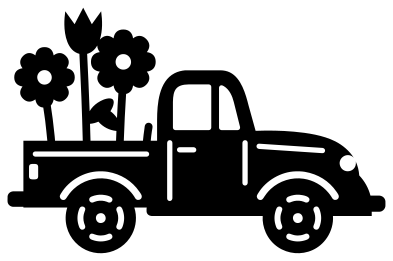 Flower truck Solid · one piece
 -
 Firework truck Solid · one piece
 -
 Truck monogram frame Solid · one piece
 -
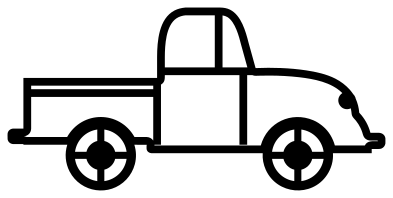 Truck outline Outline · one piece
 -
 Red truck with a tree in four colours Layered · 17 pieces
 -
 Truck tailgate from behind Solid · one piece
 -
 Semi truck with a trailer Solid · one piece
 -
 Dump truck with a full load Solid · one piece
 -
 Tow truck with a hook Solid · one piece
 -
 Flatbed truck with timber Solid · one piece
 -
 Mail truck with an envelope Solid · one piece
One old truck for every season
The round-nosed pickup is the truck people cut most, and it changes with the calendar: a fir tree in December, hearts in February, flowers in spring, fireworks in July and pumpkins in October. Here it is the same truck each time, so a set of seasonal signs matches. The load stands in the bed and is welded to it, which means nothing has to be lined up after cutting.
The truck is 100 mm long and about 48 mm tall when empty, and taller with a load. The quarter-light bar in the cab window is about 2 mm wide at that size and the door lines are 1.5 mm. In vinyl it cuts cleanly from about 70 mm long. For wood and acrylic cut it at 150 mm or more. The layered red truck is meant for card or vinyl in four colours and does not need to hold together as one piece.
Working trucks and blank panels
The semi trailer, the tailgate and the monogram board are left blank on purpose. Add a name, a haulage firm or an initial in your cutting software. The dump truck, tow truck, flatbed and mail truck are simpler shapes with bigger wheels, drawn for children’s rooms, birthday shirts and driver gifts.
How to open the files
- Cricut Design Space: choose Upload, pick the SVG, and add it to the canvas. Set the width you want; the shape is already welded.
- Silhouette Studio: Designer Edition and above open the SVG. The free Basic Edition does not, so open the DXF instead.
- LightBurn, xTool Creative Space and Glowforge: import the SVG, then set the layer to cut, score or engrave.
- Inkscape, Illustrator and Affinity: open the SVG. It is a plain filled path, so you can recolour it, add a stroke or combine it with your own work.
- Printing or sublimation: use the PNG, which has a transparent background.
Each design page lists the file’s narrowest part at seven sizes, so you can tell whether it will survive at the size you plan to cut.
Questions
Can I cut the Christmas tree in green and the truck in red?
Yes. Use the red truck with a tree in four colours: the tree, the truck, the black parts and the cream trim are separate layers in one file, each on its own colour. Cut each layer from its own sheet and stack them, tree first.
Why does the truck face right?
It is only a starting point. Mirror the file in your cutting software and the truck faces left, with the tree hanging out over the other side. There is no lettering on any of the trucks, so nothing reads backwards.
How do I put a name on the tailgate?
Open the truck tailgate from behind, type the name and fit it inside the pressed border, which is about 62 mm wide and 16 mm tall when the file is 100 mm wide. Cut the letters out of the tailgate, or cut them from a second colour and lay them on top.
 Camera SVG
  Guitar SVG
  Music note SVG
  Stethoscope SVG
  Tooth SVG
  Light bulb SVG