Pixel art dithering: patterns, rules and when to skip it
The checkerboard and 25/75 patterns, when dithering helps and when it is noise, why Bayer beats Floyd–Steinberg for sprites, and how to convert photos.
Updated
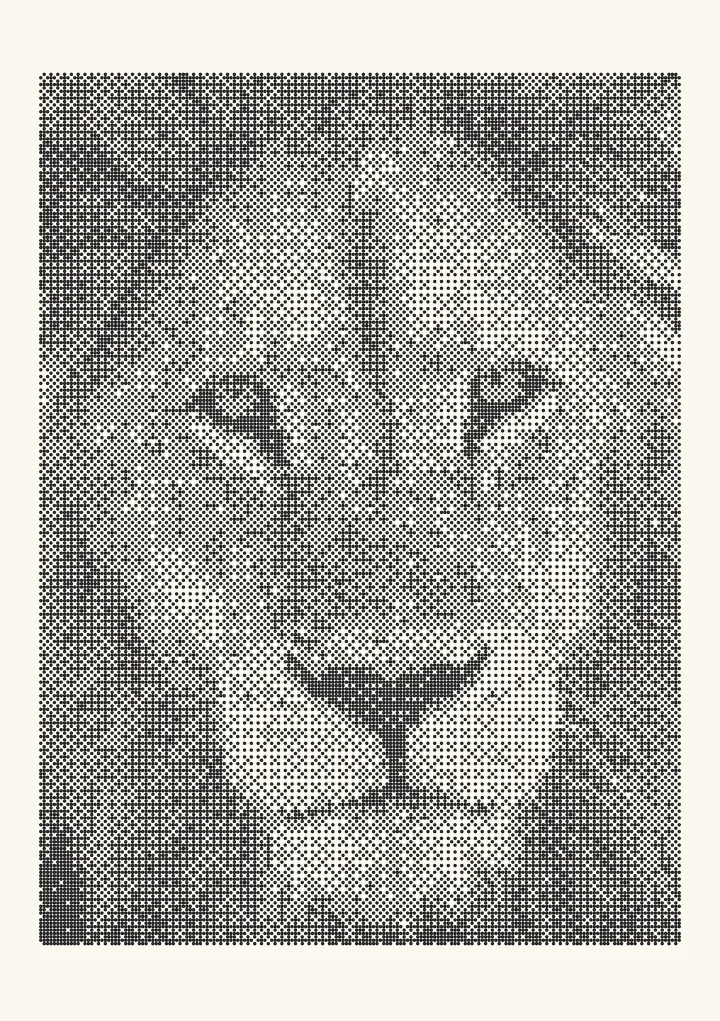

Sample render. Slide to compare the photo with the result. Try the algorithm live below.
Rendered in 0.0 ms on your machine. Every dot here is what a pen or laser would put down.
Dithering in pixel art means placing two colours in a pattern so they read as a third. A 50% checkerboard of dark and light blue is a mid blue you did not have to spend a palette slot on; a sparser pattern is a lighter one. The patterns are drawn by hand or generated by an ordered dither, and the skill is in knowing when the texture helps and when it is just noise. This page covers the patterns, the rules experienced pixel artists follow, why automatic tools use Bayer rather than Floyd–Steinberg, and how to convert a photo without it looking like a fax.
Generate Bayer patterns on your own image.
The basic patterns
Every pattern is a way of covering a fraction of pixels with the darker colour. With # for dark and . for light:
50% checkerboard      25%                   75%
# . # . # .           # . . . # . . .       # # . # # # . #
. # . # . #           . . . . . . . .       # . # # # . # #
# . # . # .           . . # . . . # .       # # . # # # . #
. # . # . #           . . . . . . . .       . # # # . # # #

12.5% (one in eight)  Diagonal 50%          Stylised / "hand" dither
# . . . . . . .       # # . . # # . .       # . . # . . # .
. . . . # . . .       # . . # # . . #       . # . . # . . #
. . . . . . . .       . . # # . . # #       . . # . . # . .
. . # . . . . .       . # # . . # # .       # . . # . . # .
The checkerboard is the workhorse. Between two adjacent palette colours it produces exactly one convincing intermediate; between colours far apart it produces an obvious texture rather than a blend. Pixel Parmesan’s guide states the rule most compactly: the greater the contrast between the two colours, the more dithering steps you need between them. Three steps (25%, 50%, 75%) is the practical maximum before the pattern reads as fabric.
When dithering helps
- Gradients with a small palette. A sky in four colours steps visibly; four colours with three dither steps between each is a smooth sky.
- Large flat areas at high resolution, where a plain fill looks empty and a fine pattern reads as surface.
- Deliberate texture: metal, stone, sand, the noise of an old monitor.
- The style itself. Early PC, Amiga and Mac art is defined by dithering; a piece in that idiom without it looks wrong.
When it is noise
- Small sprites. Under about 32 pixels, a checkerboard pixel is a large fraction of the sprite and reads as a feature, not a tone. Use a third colour instead.
- Anything that moves. A dithered gradient on an animated character shimmers as the pattern shifts against the sprite’s outline. Pixel Parmesan again: dithering is unsuitable for animated characters.
- Edges and silhouettes. Dithering across a form’s edge destroys the edge. Keep transitions inside the form and let the outline stay clean.
- “Adding texture” reflexively. Dither used to make a surface busier usually makes it read as damaged.
- Modern contexts with no palette limit. As the same guide says, dithering is rarely necessary today. Use it because you want the look.
Most tutorials collected on Lospec agree on one more point: dithering is the last thing to learn, after clusters, anti-aliasing and colour choice, because it is the easiest technique to overuse.
Hand-dithering rules of thumb
- Dither between neighbours in your palette ramp, never across it.
- Keep the pattern regular. Random pixels read as noise; a pattern reads as tone.
- Match the pattern to the form: diagonal patterns follow diagonal light, horizontal patterns suit water and floors.
- Stop at 2–3 steps. If a gradient needs more, add a colour.
- Check at 1× zoom. Every pattern is more obvious at 4× and less at 1×, and the player sees 1×.
- Do not dither a moving sprite.
Ordered vs error diffusion: why tools use Bayer
Automatic dithering of a photo into a palette can use error diffusion (Floyd–Steinberg) or ordered dithering (Bayer, blue noise). For pixel art, the ordered family is the right one, and the reason is structural.
Floyd–Steinberg decides each pixel using the error carried from its neighbours. Change one pixel of the source and, as Joel Yliluoma’s analysis puts it, “an entire cone of jittering artifacts gets spawned from that single point downwards and to the right”. An animation dithered this way boils. A hand-edit to one frame ripples through the whole image, so the output cannot be retouched.
A Bayer dither decides every pixel from its own value and a fixed 2×2, 4×4 or 8×8 pattern. The same tone always produces the same pattern in the same place. Animation is stable, hand edits stay local, and the output looks like something a person could have drawn, because it is the same set of patterns a person would draw. That is why Aseprite’s gradient tool offers Bayer 2×2, 4×4 and 8×8 and nothing else, and why palette-conversion tools default to it.
| Bayer 2×2 | Bayer 4×4 | Bayer 8×8 | Blue noise | Floyd–Steinberg | |
|---|---|---|---|---|---|
| Tones between two colours | 5 | 17 | 65 | 16,385 | Continuous |
| Pattern repeat | 2 px | 4 px | 8 px | 128 px | None |
| Looks hand-drawn | Yes | Yes | Mostly | No | No |
| Stable in animation | Yes | Yes | Yes | Yes | No |
| Editable afterwards | Yes | Yes | Yes | Yes | No |
| Best for | Chunky retro | Sprites, tiles | Backgrounds | Photo-to-pixel | Not pixel art |
Bayer 4×4 is the usual sweet spot: 17 tones and the 50% slice is the exact checkerboard every pixel artist already uses. See the blue-noise guide for the case where you want ordered dithering without any grid, and Atkinson dithering for the 1-bit Macintosh look, which is its own subgenre.
Colour dithering with a fixed palette
Dithering to a palette is harder than to black and white because there is no single axis of “darker”. The naive approach applies the threshold pattern per RGB channel and picks the nearest palette colour, which works for ramps and fails for hue changes. Yliluoma’s arbitrary-palette positional dither instead finds, for each source pixel, the pair (or triple) of palette colours whose mix best matches it, then uses the Bayer matrix to decide which member of the pair to place. It does the mixing in linear light (gamma 2.2) because a 50% mix of black and white in sRGB values is not the grey you see. It is the reference technique for palette-limited conversion and the one to look for in a tool’s options.
Converting a photo to pixel art
The usual failure is a photo that looks like a fax: too many pixels, too many colours, error diffusion. A workflow that produces something that looks drawn:
- Downscale first, to the target sprite size, with a sharp filter. Dithering happens at final resolution, never before.
- Reduce the palette to a ramp you would actually paint with: 4–16 colours, hue-shifted, not a spread of greys.
- Dither with Bayer 4×4 (or 2×2 for a chunkier look). Skip Floyd–Steinberg.
- Work in linear light for the tone decision so mid-tones do not go pale.
- Clean up by hand. Remove dither from silhouettes and small features; leave it in large gradients.
For the 1-bit case, which is most of retro pixel art, Plotcaster does steps 3 and 4 directly. Load the image, choose Bayer 4×4, and export a 1-bit PNG. The export dithers at the DPI you choose and shows the pixel size before you download, so pick the paper size and DPI that give your target pixel count. Toggle to blue noise for a grain instead of a grid, or to Atkinson for the Macintosh look. The compare page shows all sixteen on one image.
Dithering in 3D pixel-art games
Lucas Pope’s Return of the Obra Dinn (2018) is the reference for dithering a 3D scene into 1-bit. It combines an 8×8 Bayer matrix for characters and objects with a 128×128 blue-noise field for environments, and anchors the pattern to the camera so it does not shimmer when the view turns. The design decisions map directly onto the hand rules above: ordered patterns on the things that need to read as drawn, structureless noise on the things that need to read as tone, and nothing that crawls.
FAQ
What is the most common dithering pattern in pixel art? The 50% checkerboard. It is the only pattern that produces an exact midpoint between two colours, and every other pattern is judged against it.
Should I use dithering in pixel art? Use it for gradients and large surfaces when your palette is small and the piece is large enough that individual pixels are not features. Skip it on small sprites, animated characters and edges.
Which dithering algorithm is best for pixel art? Bayer 4×4. It is stable, editable and produces the same patterns artists draw by hand. Floyd–Steinberg is the wrong choice for anything you will animate or retouch.
How do I dither in Aseprite? The gradient tool has a dithering option with Bayer 2×2, 4×4 and 8×8 matrices. For hand dithering, draw the pattern with the pencil or use a custom brush.
Why does my dithered pixel art shimmer when it moves? Because the pattern is fixed to the screen while the sprite moves across it, or because an error-diffusion dither recomputes differently every frame. Dither in sprite space with an ordered pattern, or do not dither moving sprites.
Does dithering work with a large palette? It works, but it stops being necessary. Above 32 colours you can usually add the intermediate colour instead, and the result is cleaner.