Free email icon SVG files
Free email icon SVG files: closed, open, outlined and unread envelopes, an at sign, a paper plane, an inbox tray, a paper clip, a speech bubble, envelopes in a circle, on a tile, a stamp, a laptop and a badge, a pixel one, a hand-drawn one, and a set of nine for mail buttons.
22 designs. Free for personal and commercial use, no sign-up. What you can do with them.
Or choose one below for its PNG, DXF and cutting sizes.
-
 Email icon of a closed envelope Solid · 2 pieces
-
 Email icon outline of an envelope Outline · one piece
-
 Open email icon with a letter Solid · 2 pieces
-
 At sign email icon Solid · one piece
-
 Email icon cut out of a solid circle Solid · one piece
-
 Email icon tile with a long shadow Layered · 5 pieces
-
 Unread email icon with a dot Solid · 2 pieces
-
 Email icon with a paper clip Solid · 3 pieces
-
 Stack of three envelopes email icon Solid · 4 pieces
-
 Inbox email icon: an arrow into a tray Solid · 2 pieces
-
 Email icon on a postage stamp Solid · one piece
-
 Flying email icon with wings Solid · 10 pieces
-
 Fast email icon with speed lines Solid · 5 pieces
-
 Send email icon: a paper plane Solid · 2 pieces
-
 Message email icon in a speech bubble Solid · 3 pieces
-
 Open email icon with a red heart Layered · 9 pieces
-
 Pixel email icon Solid · one piece
-
 Hand-drawn email icon Solid · one piece
-
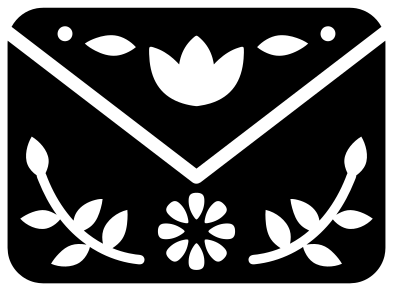 Folk flower email icon Solid · 2 pieces
-
 Email icon on a laptop Solid · 2 pieces
-
 Email icon badge with a blank ribbon Solid · 6 pieces
-
 Set of nine email icons Solid · 15 pieces
An envelope that still reads when it is small
An email icon has two parts that matter: the outline of the envelope and the fold of its flap. In the solid icon the fold is a gap of nearly 6 mm on an envelope 100 mm wide, so it stays open on a business card or in a browser tab. In the outline it is a line of the same weight as the frame. The corners are rounded and the fold ends in a soft point, which weeds without tearing.
The envelope is the same in the plain, round, stamp, laptop and badge designs, 96 by 70 in its own units, so you can mix them on one page. The at sign, the paper plane and the tray are drawn to the same line of 8 mm.
Cards, doors, vans and buttons
For a website, place the SVG in the page and set its fill to currentColor, then give the link a name that screen readers can read, because the picture says nothing to them. For a shop window or a van, cut the solid envelope 60 to 120 mm wide in outdoor vinyl: its smallest gap is then 3.5 to 7 mm.
The layered heart and the tile are made of flat colours that stack from the back to the front. The badge has an empty ribbon that takes a name, a street or an address in your own lettering.
How to open the files
- Cricut Design Space: choose Upload, pick the SVG, and add it to the canvas. Set the width you want; the shape is already welded.
- Silhouette Studio: Designer Edition and above open the SVG. The free Basic Edition does not, so open the DXF instead.
- LightBurn, xTool Creative Space and Glowforge: import the SVG, then set the layer to cut, score or engrave.
- Inkscape, Illustrator and Affinity: open the SVG. It is a plain filled path, so you can recolour it, add a stroke or combine it with your own work.
- Printing or sublimation: use the PNG, which has a transparent background.
Each design page lists the file’s narrowest part at seven sizes, so you can tell whether it will survive at the size you plan to cut.
Questions
What is the difference between the envelope and the at sign?
Both stand for email. The envelope reads faster at a small size and works in every country, and the at sign is better beside a written address or a user name. Both are here at one line weight, so you can use them together.
Which email icon is best for foil or a pen plotter?
The outline and the at sign. They are lines of even width with round turns, so foil sticks to the whole of them, and a pen can trace their edges and fill them in one go.
How do I put my own address on the badge?
The ribbon is a solid bar with a fine line along each long side and nearly 10 mm of room between them at 100 mm. Set the address in a plain face 5 to 7 mm high and cut it out of the bar, or lay it on top in a second colour.
 Cross SVG
 Paw print SVG
 Shamrock SVG
 Anchor SVG
 Compass SVG
 Gear SVG