Free close icon SVG files
Free close icon SVG files to cancel, shut and delete: a cross with square ends, round ends, thin, outlined and in thick and thin, in a circle, a ring and a box, brushed, hand-drawn, stitched, stamped, pixelled and in 3D, red ones, a bin, a delete key, a window and switches.
22 designs. Free for personal and commercial use, no sign-up. What you can do with them.
Or choose one below for its PNG, DXF and cutting sizes.
-
 Close icon with square ends Solid · one piece
-
 Close icon with round ends Solid · one piece
-
 Thin close icon Solid · one piece
-
 Close icon as a printed X in thick and thin Solid · one piece
-
 Close icon outline Outline · one piece
-
 Close button icon: a cross in a solid circle Solid · one piece
-
 Close icon in an open circle Solid · 2 pieces
-
 Close icon in a box Solid · 2 pieces
-
 Rubber stamp close icon Solid · 2 pieces
-
 Brush stroke close icon Solid · one piece
-
 Hand-drawn close icon Solid · one piece
-
 Stitched close icon on felt Layered · 85 pieces
-
 Glossy red close icon Layered · 8 pieces
-
 Red close icon in two layers Layered · 3 pieces
-
 Block close icon in 3D Layered · 10 pieces
-
 Pixel close icon Solid · one piece
-
 Trash bin close icon with a tilted lid Solid · 2 pieces
-
 Delete key close icon Solid · one piece
-
 Close icon on a window Solid · 3 pieces
-
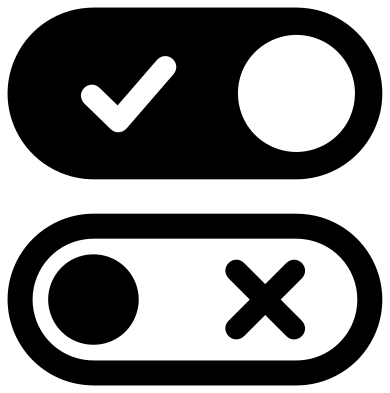 On and off close icon pair Solid · 4 pieces
-
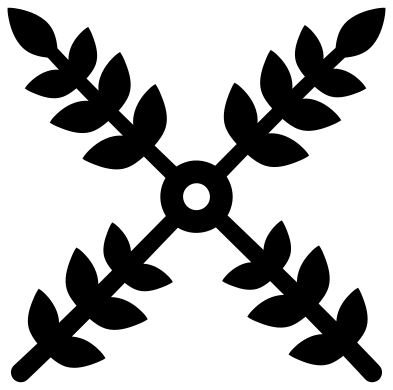 Leafy close icon of two stems Solid · one piece
-
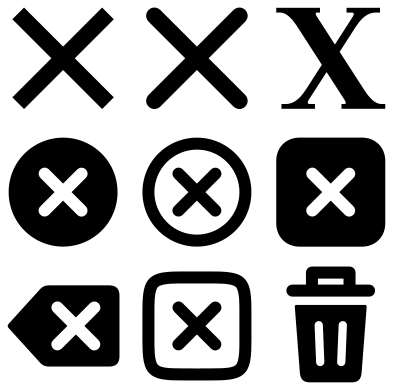 Set of nine close icons Solid · 12 pieces
A cross that sits in the middle
A close icon is two strokes on the diagonals, and the whole art of it is weight. The bold cross here is about a fifth as thick as it is wide, so it stays open at its corners when it is 10 mm across. The thin one is about a fifteenth, which looks right in the corner of a photo and wrong on a van. In the disc and the ring the cross takes up a little under half of the width, which leaves the same space on all four sides and makes it look centred as well as be centred.
All the plain crosses turn into themselves every quarter turn, so it does not matter which way up you lay them. The one with serifs does not: its thick stroke falls from the upper left, as it does in printed letters.
Buttons, forms and bins
On a page, put the cross in a real button and give it a name such as “Close”, because the picture says nothing to a screen reader. Make the button at least 44 pixels wide even when the cross in it is only 16.
In vinyl the plain crosses are single pieces without any inside, so they can be cut tiny for planners and game boards. The bin works on a real bin at 80 to 150 mm. The felt patch can be cut from real felt with the stitch layer as a guide for the needle: the stitches are 4 to 5 mm long at 100 mm.
How to open the files
- Cricut Design Space: choose Upload, pick the SVG, and add it to the canvas. Set the width you want; the shape is already welded.
- Silhouette Studio: Designer Edition and above open the SVG. The free Basic Edition does not, so open the DXF instead.
- LightBurn, xTool Creative Space and Glowforge: import the SVG, then set the layer to cut, score or engrave.
- Inkscape, Illustrator and Affinity: open the SVG. It is a plain filled path, so you can recolour it, add a stroke or combine it with your own work.
- Printing or sublimation: use the PNG, which has a transparent background.
Each design page lists the file’s narrowest part at seven sizes, so you can tell whether it will survive at the size you plan to cut.
Questions
What is the difference between close, cancel and delete?
Close hides something and keeps it, cancel stops something that has not happened yet, and delete takes something away. The plain cross stands for the first two. For the third, the bin and the delete key are clearer, because nobody presses them by accident.
Which cross goes with a round-ended tick?
The one with round ends. Cut it at the same height as the tick and the weights match: both are a little under a fifth of their width. For a square tick, take the cross with square ends.
Can I change the red?
Yes. Each layered design is made of flat colours with a name, so one click in a design program changes all of a colour, or you can cut the layers from any vinyl or card you have.
 Cross SVG
 Paw print SVG
 Shamrock SVG
 Anchor SVG
 Compass SVG
 Gear SVG